MCP – Sin & Viper Painting Guide

Welcome to my latest painting guide!

I need your support. Because my guides takes time and supplies to do, any support you can offer would mean the world to me. A supportive message in the comments is enough, but if you have the means why not send me a gift on Ko-Fi or PayPal. Thank you!

Prep: Fully build both models and undercoat black.

Sin

Stage 1

Khorne Red: Apply a basecoat to the boots and corset.

Incubi Darkness: Apply a basecoat to the trousers, gloves, gun and straps.

Bugman’s Glow: Apply a basecoat to the skin.

Leadbelcher: Apply a basecoat to the knife, buckles and chest skull.

Doombull Brown: Apply a basecoat to the hair.
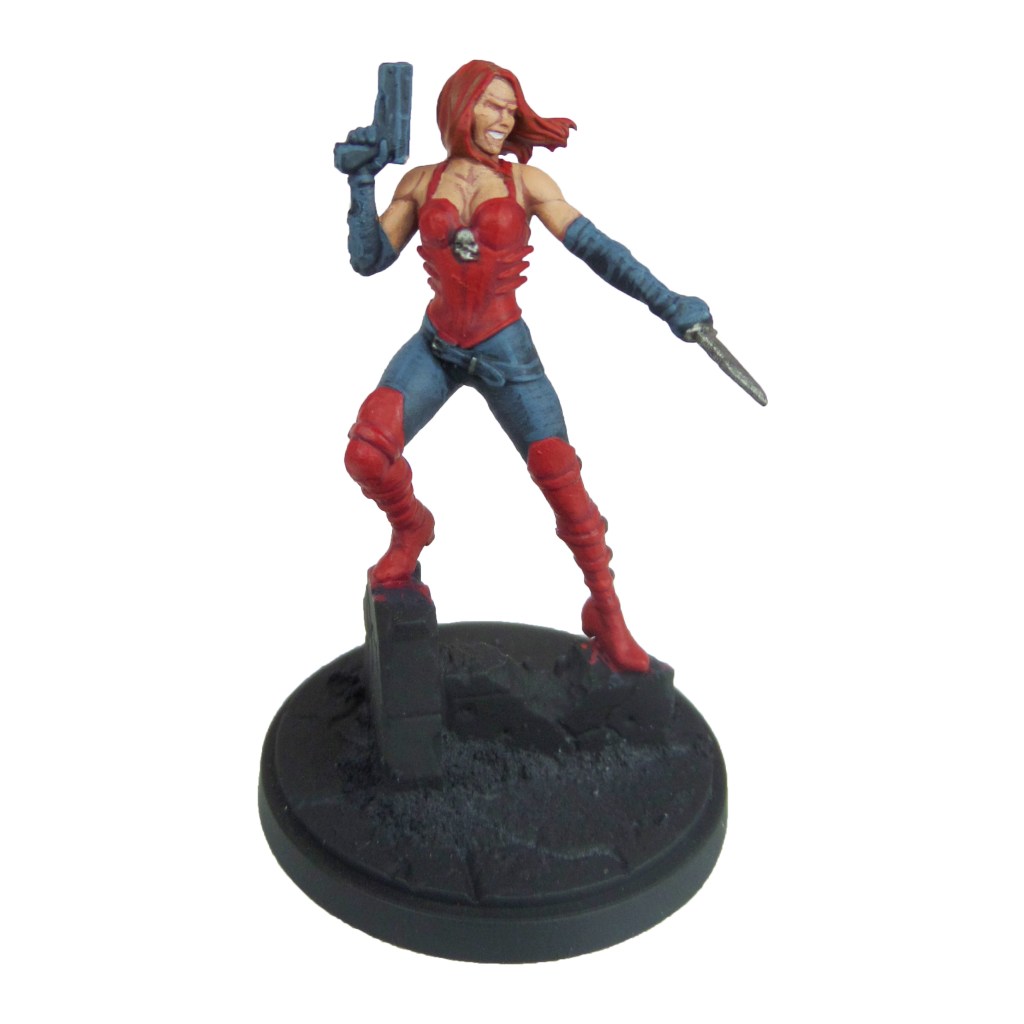
Stage 2

Mephiston Red: Apply a layer to the boots, corset and hair.

Thunderhawk Blue: Apply a layer to the trousers, gloves, gun and straps.

Cadian Fleshtone: Apply a layer to the skin.

Nuln Oil: Apply a shade to the knife, buckles and chest skull.

Pallid Wych Flesh: Apply a layer to the teeth.

Stage 3

Evil Sunz Scarlet: Apply a line highlight to the boots, corset, hair and lips.

Russ Grey: Apply a line highlight to the trousers, gloves, gun and hair.

Basic Skin Tone 70.815(Vallejo): Apply a thinned layer to the skin.

Drakenhof Nightshade: Apply a shade to the knife, buckles and skull.

Stage 4

Wild Rider Red: Apply a spot highlight to the boots, corset and hair.

Fenrisian Grey: Apply a spot highlight to the trousers, gloves, gun and straps.

Light Flesh 70.928(Vallejo): Apply a spot highlight to the skin.

Ironbreaker: Apply a spot highlight to the knife, buckles and skull.

Finish by painting the base with the Base Painting guide.

Viper
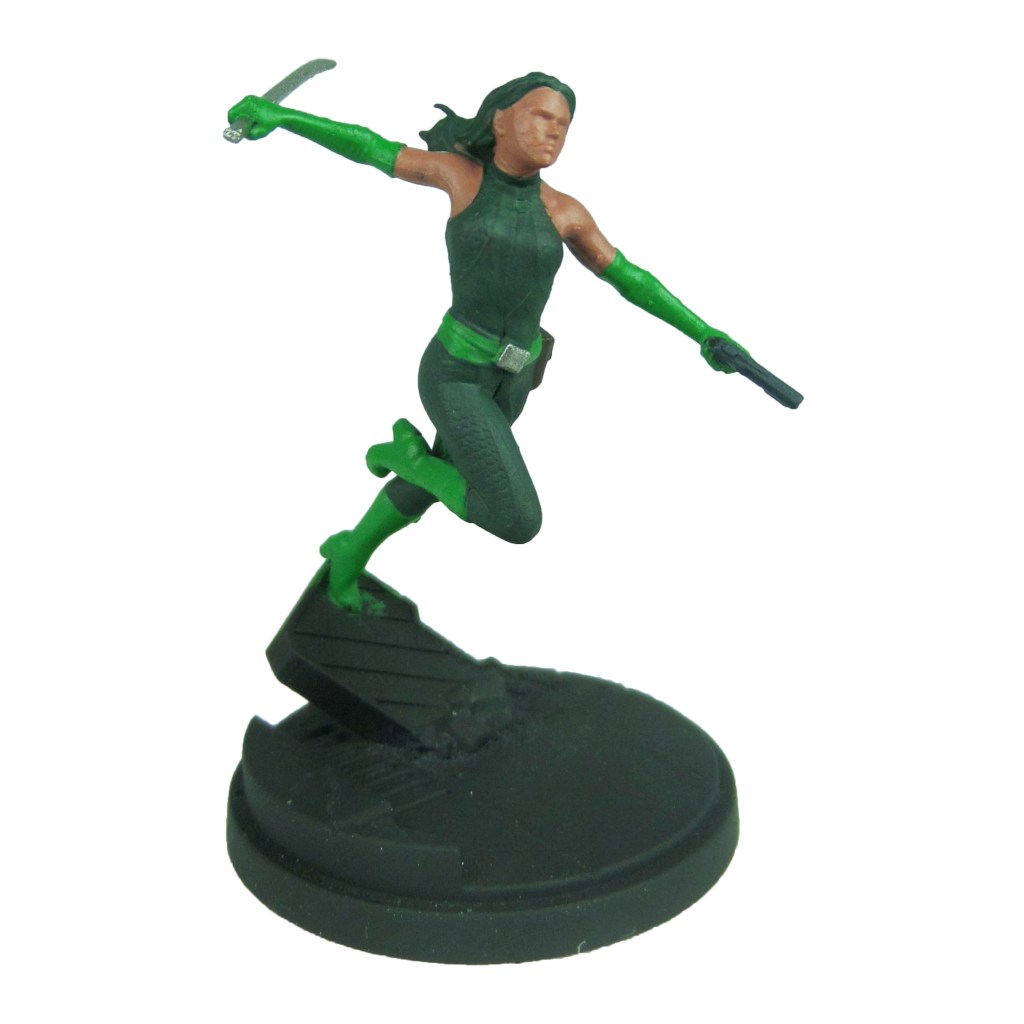
Stage 1

Caliban Green: Apply a basecoat to the bodysuit and hair.

Warpstone Glow: Apply a basecoat to the boots, gloves and belt.

Leadbelcher: Apply a basecoat to the gun, sword and buckle.

Bugman’s Glow: Apply a basecoat to the skin.

Incubi Darkness: Apply a basecoat to the gun.

Rhinox Hide: Apply a basecoat to the pouch.

Stage 2

Kabalite Green: Apply a layer to the bodysuit and hair.

Moot Green: Apply a layer to the boots, gloves and belt.

Biel-tan Green: Apply a shade to the sword and buckle.

Cadian Fleshtone: Apply a layer to the skin.

Thunderhawk Blue: Apply a layer to the gun.

Mournfang Brown: Apply a layer to the pouch.
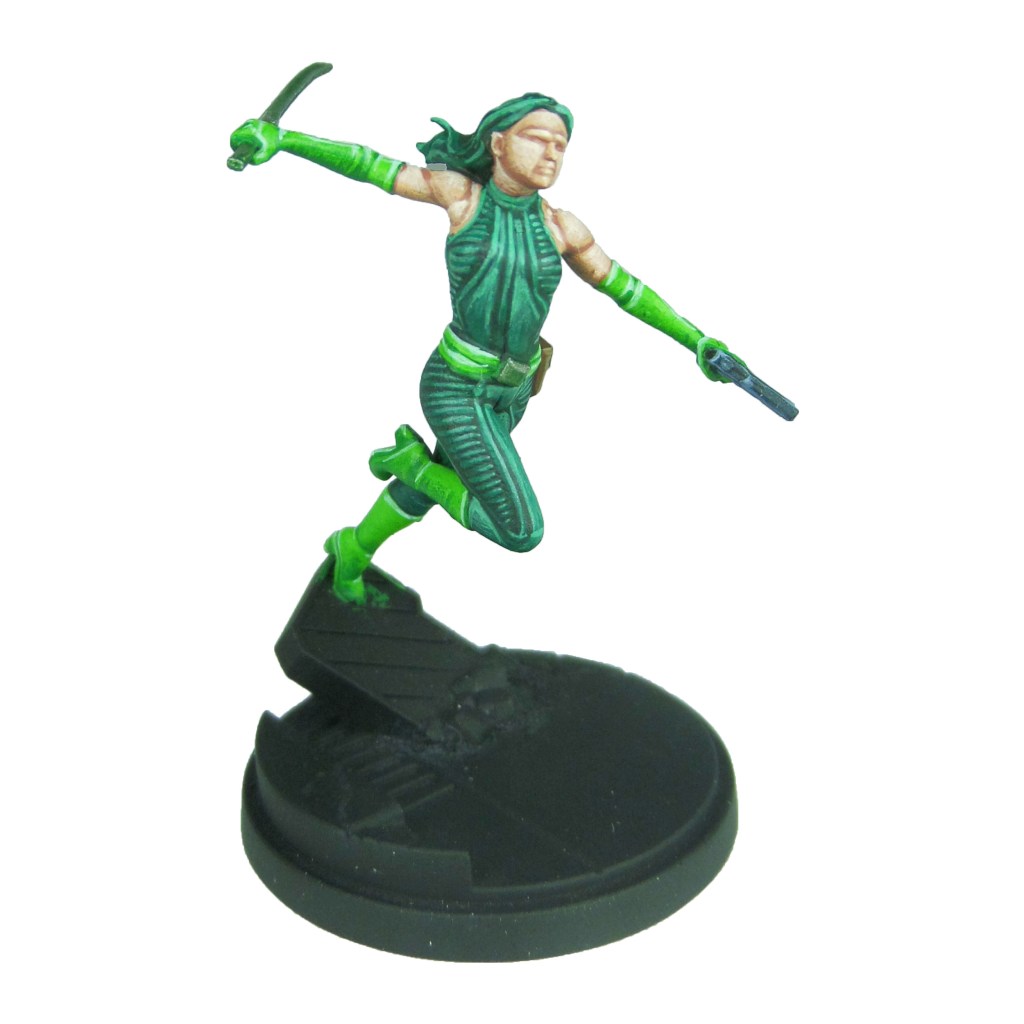
Stage 3

Sybarite Green: Apply a line highlight to the bodysuit and hair.

Gauss Blaster Green: Apply a line highlight to the boots, gloves and belt.

Ironbreaker: Apply a line highlight to the sword and buckle.

Basic Skin Tone 70.815(Vallejo): Apply a thinned layer to the skin.

Russ Grey: Apply a line highlight to the gun.

Steel Legion Drab: Apply a line highlight to the pouch.
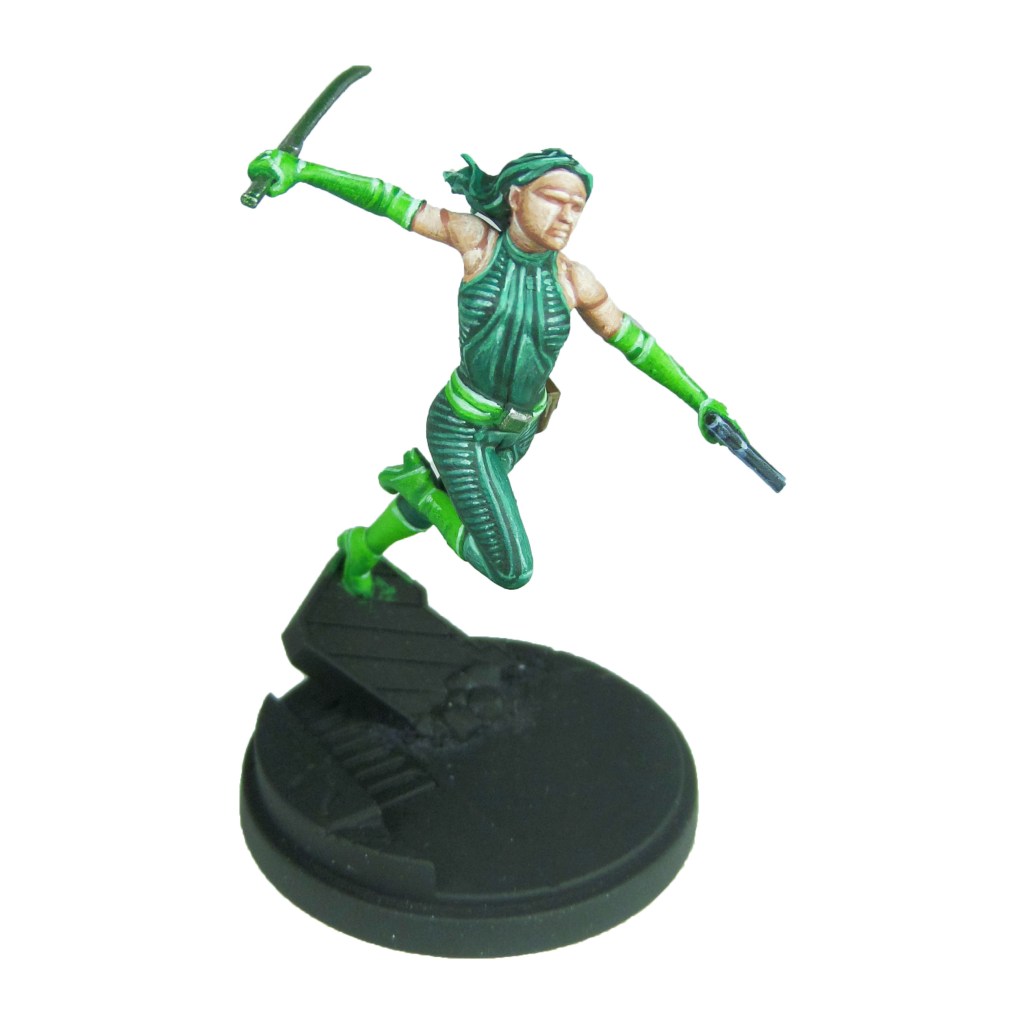
Stage 4

Gauss Blaster Green: Apply a spot highlight to the bodysuit and hair.

Gauss Blaster Green/White Scar: Make a 1:1 mix and apply a spot highlight to the boots, gloves and belt.

Stormhost Silver: Apply a spot highlight to the sword and buckle.

Light Flesh 70.928(Vallejo): Apply a spot highlight to the skin.

Fenrisian Grey: Apply a spot highlight to the gun.

Karak Stone: Apply a spot highlight to the pouch.

Finish by painting the base with the Base Painting guide.

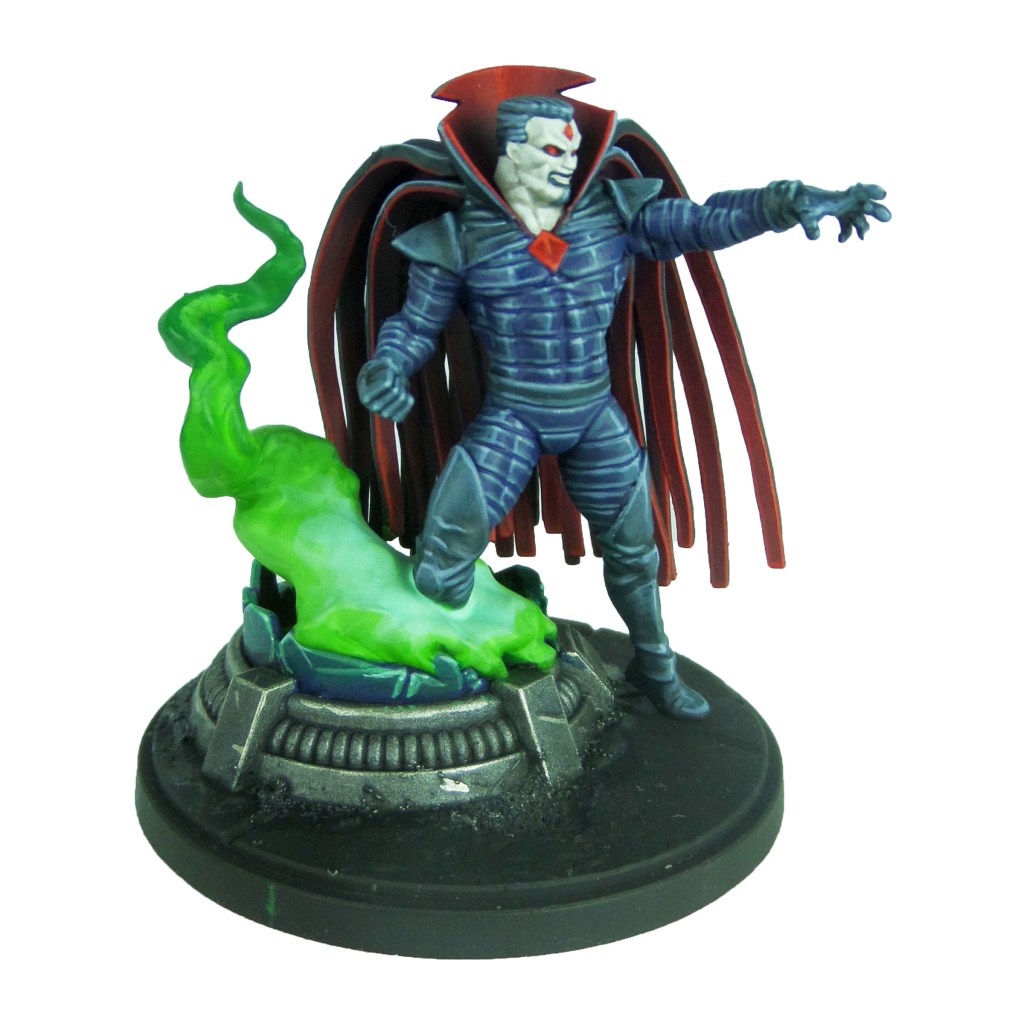
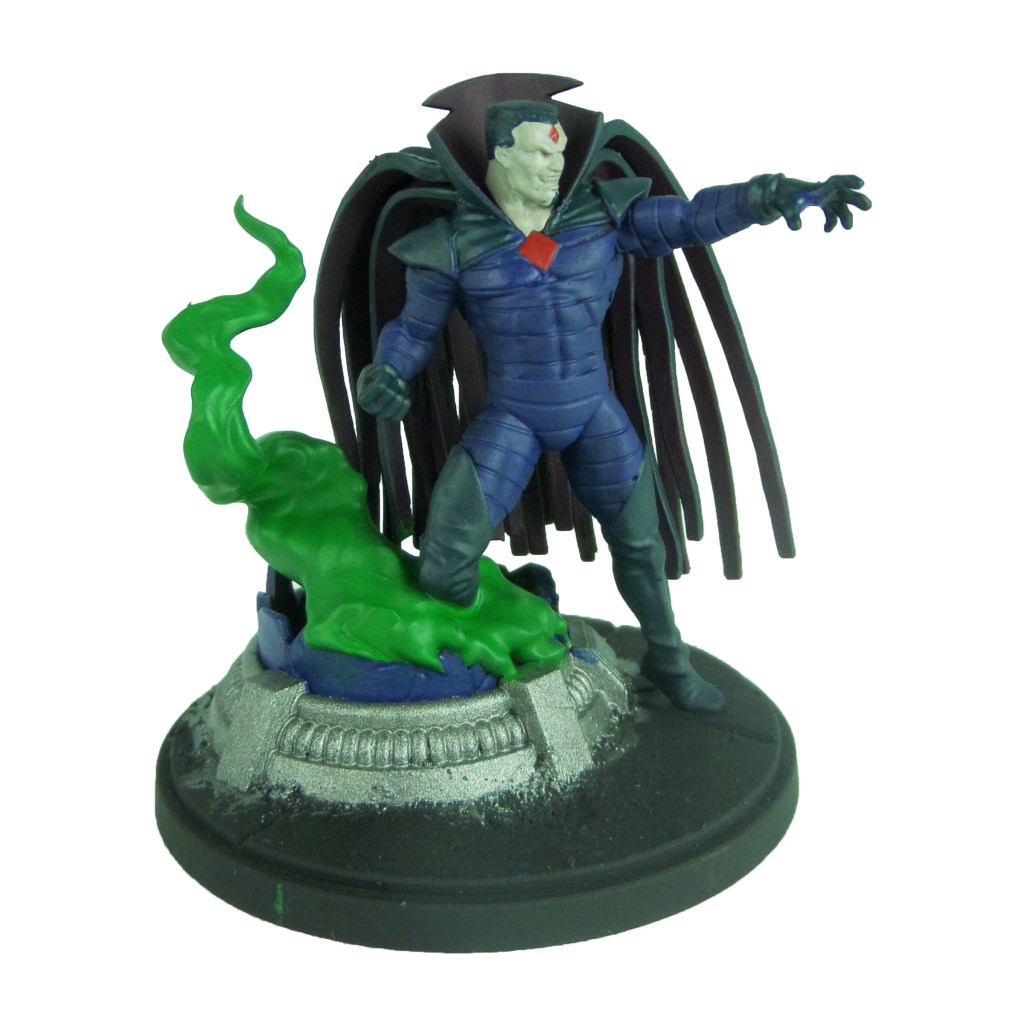
MCP – Mister Sinister Painting Guide

Welcome to my latest painting guide!

I need your support. Because my guides takes time and supplies to do, any support you can offer would mean the world to me. A supportive message in the comments is enough, but if you have the means why not send me a gift on Ko-Fi or PayPal. Thank you!

Prep: Fully build the model and undercoat black. I regret not keeping the cape seperate

Stage 1

Kantor Blue: Apply a basecoat to the main body and chamber glass.

Incubi Darkness: Apply a basecoat to the boots, gloves, hair and outer cloak.

Barak-Nar Burgundy: Apply a basecoat to the interior of the cape.

Rakarth Flesh: Apply a basecoat to the skin.

Leadbelcher: Apply a basecoat to the chamber base.

Warpstone Glow: Apply a basecoat to the chamber smoke.

Mephiston Red: Apply a basecoat to the chest and forehead symbol.

Stage 2

Thunderhawk Blue: Apply an edge highlight and then a thinned layer, focussing down the centre of the arms legs and each side of the chest. Also apply a layer to the boots, gloves, hair and outer cloak.

Khorne Red: Apply a layer to the inner cloak and collar.

Pallid Wych Flesh: Apply a layer to the skin.

Drakenhof Nightshade: Apply a shade to the chamber base.

Moot Green: Apply a layer to the lower section of the smoke.

Evil Sunz Scarlet: Apply a layer to the chest and forehead symbols.

Incubi Darkness: Apply a layer to the eye sockets and mouth.

Kabalite Green: Apply a layer to the top of the chamber glass.

Stage 3

Russ Grey: Apply a line highlight to the body, gloves, boots, cape and hair.

Mephiston Red: Apply an edge highlight to the inner cloak, collar and a layer to the eyes.

White Scar: Apply a line highlight to the skin.

Nuln Oil: Apply a shade to the chamber base.

Moot Green/Gauss Blaster Green: Make a 1:1 mix and apply a layer to the the lower sections of the smoke.

Wild Rider Red: Apply an edge highlight to the chest symbol and a spot highlight to the forehead symbol.

Pallid Wych Flesh: Apply a layer to the teeth.

Sybarite Green: Apply an edge highlight to the top of the glass.

Stage 4

Fenrisian Grey: Apply a spot highlight to the body, gloves, cape and hair.

Evil Sunz Scarlet: Apply a spot highlight to the inner cloak, collar and eyes.

Canoptek Alloy: Apply a line highlight to the chamber base.

Gauss Blaster Green: Apply a thinned layer to the lower mass of the smoke and a spot highlight to the chamber glass.

Finish by painting the base with the Base Painting guide.
MCP – Quicksilver & Scarlet Witch Painting Guide

Welcome to my latest painting guide!

I need your support. Because my guides takes time and supplies to do, any support you can offer would mean the world to me. A supportive message in the comments is enough, but if you have the means why not send me a gift on Ko-Fi or PayPal. Thank you!

Prep: Fully build both models and undercoat black.

Quicksilver

Stage 1

Caledor Sky: Apply a basecoat to the bodysuit.

Celestra Grey: Apply a basecoat to the suit pattern, boots, gloves and hair.

Bugman’s Glow: Apply a basecoat to the skin.

Mephiston Red: Apply a basecoat to the explosion.

Stage 2

Teclis Blue: Apply a layer to the bodysuit.

Ulthuan Grey: Apply a layer to the suit pattern, boots, gloves and hair.

Cadian Fleshtone: Apply a layer to the skin.

Trollslayer Orange: Apply a thinned layer of the centre of the explosion.

Skavenblight Dinge: Apply a layer to the out most areas of the explosion.

Stage 3

Lothern Blue: Apply a thinned layer to the bodysuit.

White Scar: Apply a thinned layer to the suit pattern, boots, gloves and hair.

Basic Skintone 70.815(Vallejo): Apply a thinned layer to the skin.

Yriel Yellow: Apply a thinned layer to the explosion moving closer than the last stage.

Abaddon Black: Apply a thinned layer to the tips of the explosion.

Stage 4

Blue Horror: Apply a line highlight to the suit.

Light Flesh 70.928(Vallejo): Apply a spot highlight to the skin.

Dorn Yellow: Apply a spot highlight to the centre of the explosion.

Finish by painting the base with the Base Painting guide.

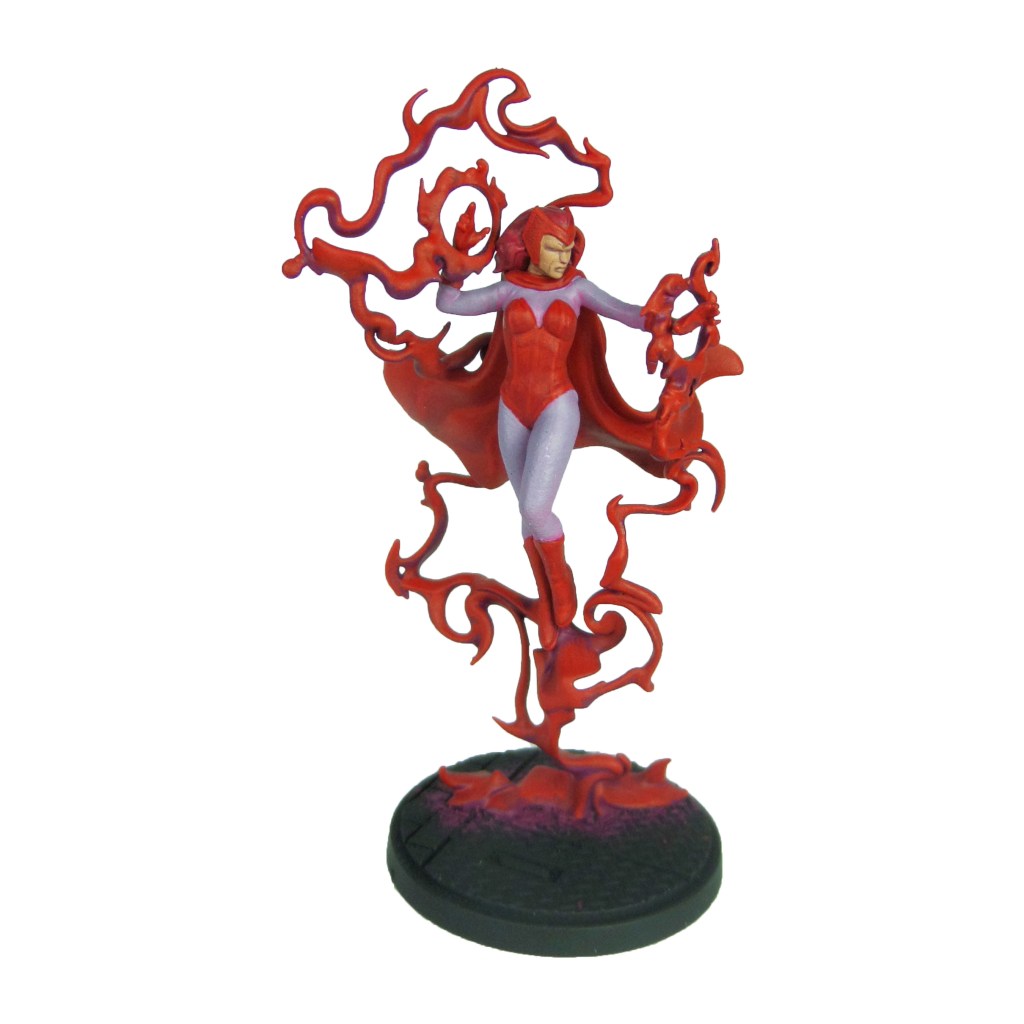
Scarlet Witch

Stage 1

Mephiston Red: Apply a basecoat to the bodysuit, cape, boots, gloves and tiara.

Emperor’s Children: Apply a basecoat to the undersuit.

Screamer Pink: Apply a basecoat to the magic.

Bugman’s Glow: Apply a basecoat to the skin.

Khorne Red: Apply a basecoat to the hair.

Stage 2

Evil Sunz Scarlet: Apply a thinned layer and edge highlight to the bodysuit, cape, boots, gloves and tiara. Apply a layer to the magic.

Fulgrim Pink: Apply a layer to the undersuit.

Cadian Fleshtone: Apply a layer to the skin.

Wazdakka Red: Apply a layer to the hair.

Stage 3

Evil Sunz Scarlet/Slaanesh Grey: Make a 1:1 mix and apply a line highlight to the bodysuit, cape, boots, gloves and tiara.

Pink Horror: Apply a thinned layer to the magic.

Fulgrim Pink: Apply a thinned layer to the undersuit.

Basic Skin Tone 70.815(Vallejo): Apply a thinned layer to the skin.

Squig Orange: Apply a line highlight to the hair.

Stage 4

Slaanesh Grey: Apply a spot highlight to the bodysuit, cape, boots, gloves and tiara.

Emperor’s Children: Apply a spot highlight to the magic.

Fulgrim Pink/White Scar: Make a 1:1 mix and apply a line highlight to the undersuit.

Light Flesh 70.928(Vallejo): Apply a spot highlight to the skin.

Bloodletter: Apply a glaze to the hair.

Finish by painting the base with the Base Painting guide.

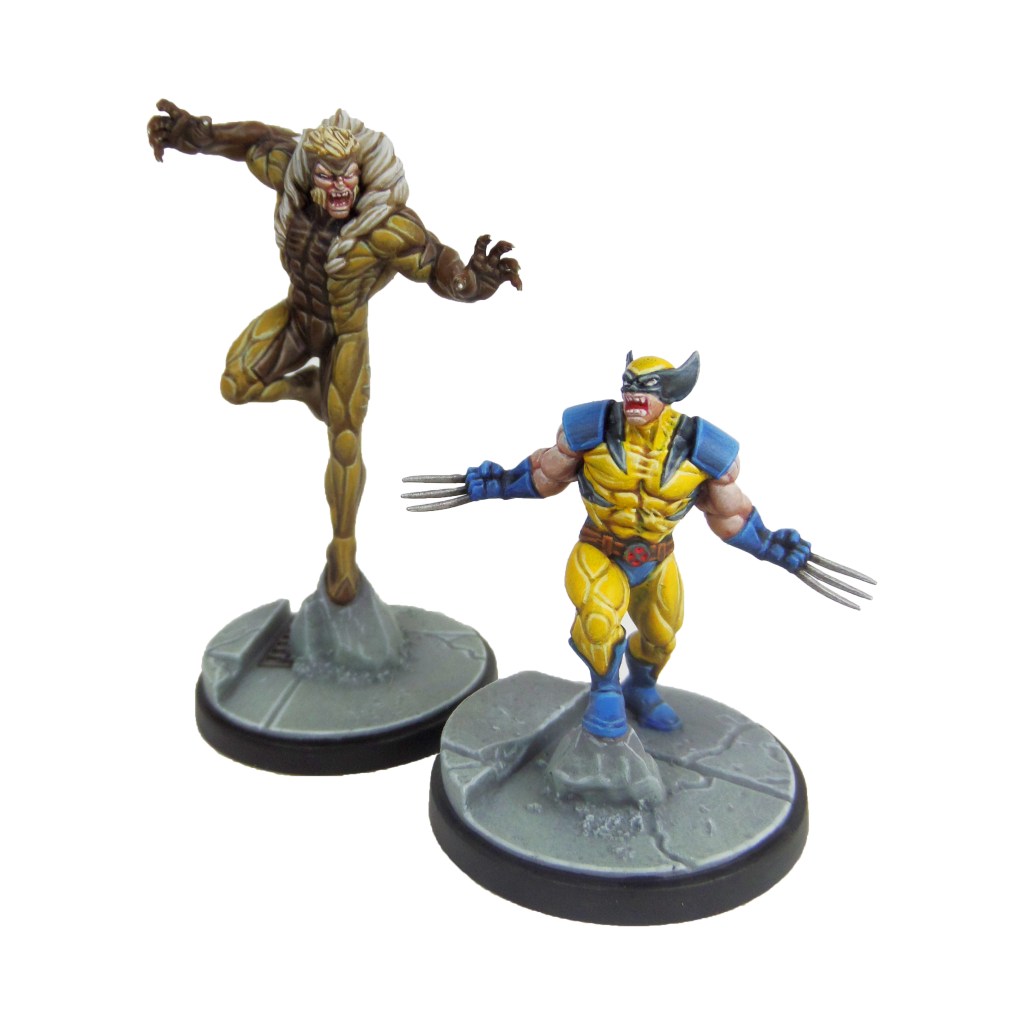
MCP – Sabretooth & Wolverine Painting Guide

Welcome to my latest painting guide!

I need your support. Because my guides takes time and supplies to do, any support you can offer would mean the world to me. A supportive message in the comments is enough, but if you have the means why not send me a gift on Ko-Fi or PayPal. Thank you!

Prep: Fully build both models and undercoat black.

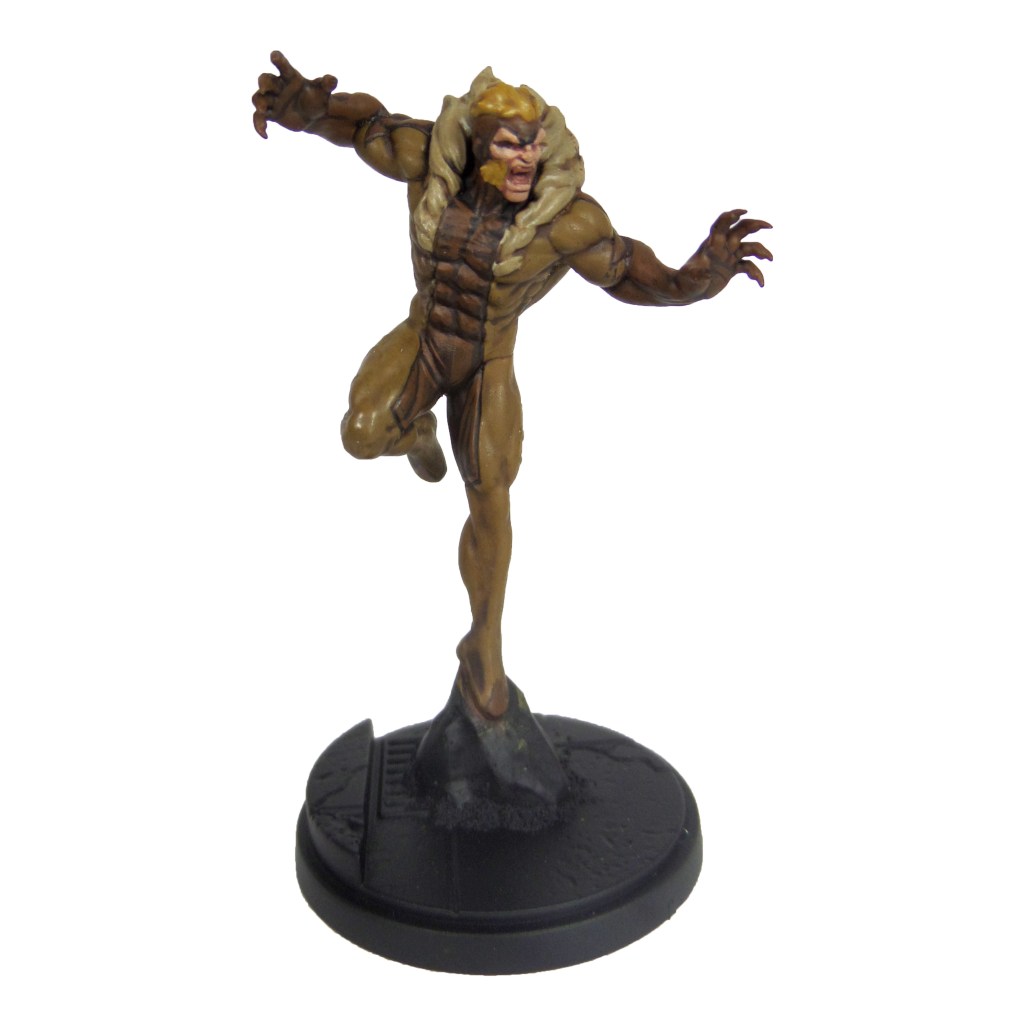
Sabretooth

Stage 1

XV88: Apply a basecoat to the lighter bodysuit areas.

Rhinox Hide: Apply a basecoat to the darker bodysuit areas.

Zamesi Desert: Apply a basecoat to the hair.

Bugman’s Glow: Apply a basecoat to the skin.

Karak Stone: Apply a basecoat to the fur trim.

Stage 2

Agrax Earthshade: Apply a shade to the light bodysuit, hair and fur trim.

Mournfang Brown: Apply a layer to the darker bodysuit areas.

Cadian Fleshtone; Apply a layer to the skin.

Stage 3

Balor Brown: Apply a layer to the lighter bodysuit areas, focussing towards the tops of the muscles and features.

Steel Legion Drab: Apply a line highlight to the darker bodysuit areas.

Blonde Hair 9257(MSP): Apply a layer to the hair.

Basic Skintone 70.815(Vallejo): Apply a layer to the skin.

Karak Stone: Apply a layer to the fur trim.

Bloodletter: Apply a glaze to the mouth.

Stage 4

Krieg Khaki: Apply a highlight to the muscles and features of the lighter bodysuit areas.

Karak Stone: Apply a spot highlight to the darker bodysuit areas.

Blonde Highlight 9258(MSP): Apply a spot highlight to the hair.

Light Flesh 70.928(Vallejo): Apply a spot highlight to the skin.

Pallid Wych Flesh: Apply a highlight to the fur trim and a layer to the teeth.

White Scar: Apply a layer to the eyes.

Finish by painting the base and rocks with the Base Painting guide.

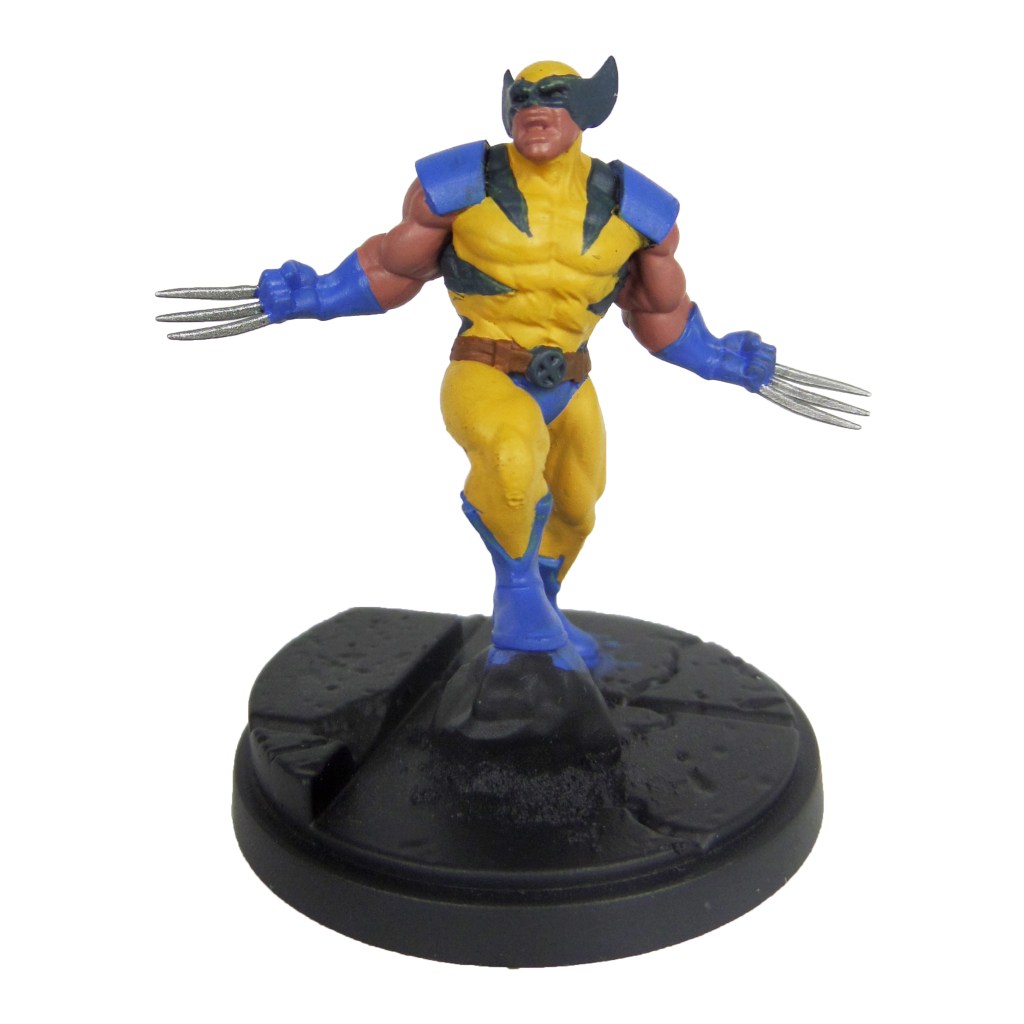
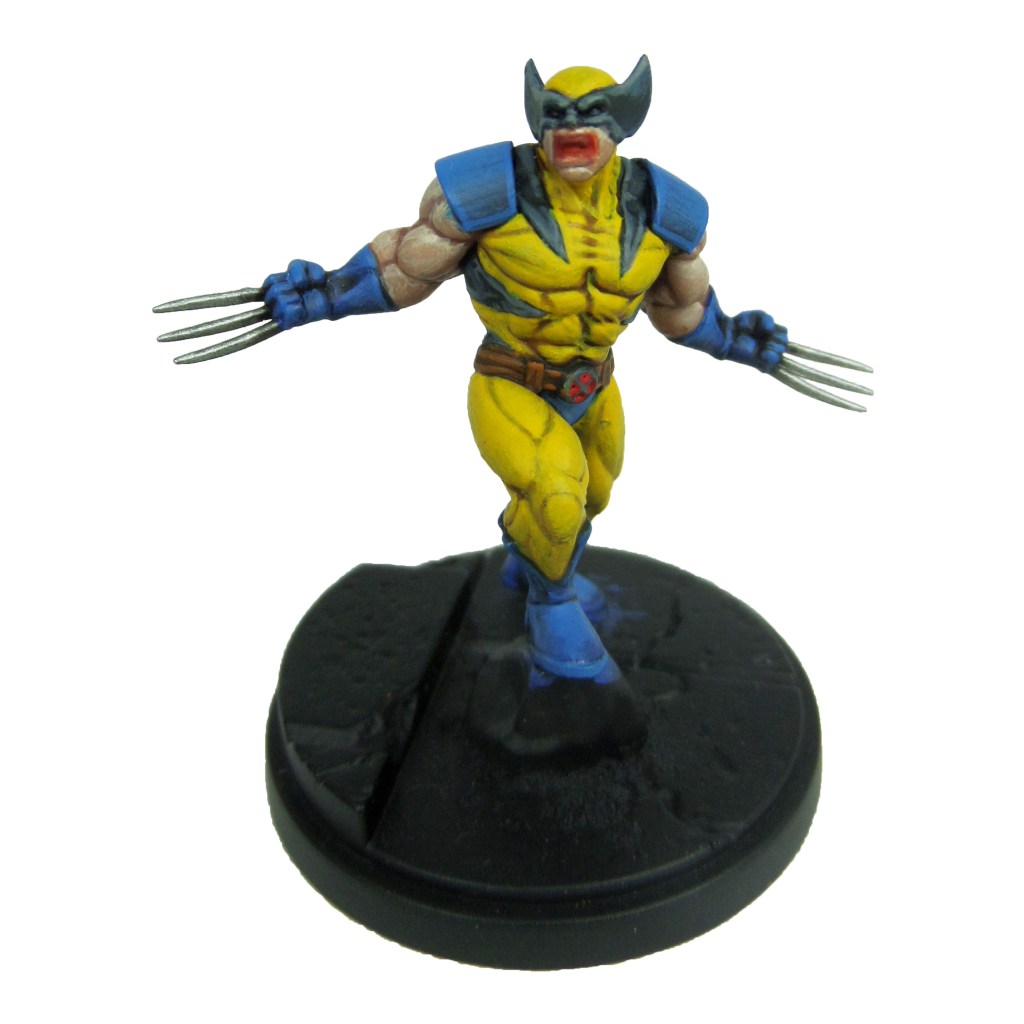
Wolverine

Stage 1

Averland Sunset: Apply a layer to the bodysuit.

Caledor Sky: Apply a basecoat to the shoulders, gloves, boots and pants.

Leadbelcher: Apply a basecoat to the claws.

Bugman’s Glow: Apply a basecoat to the skin.

Mournfang Brown: Apply a basecoat to the belt.

Incubi Darkness: Apply a basecoat to the mask and stripes.

Stage 2

Agrax Earthshade: Apply a shade to the bodysuit.

Nuln Oil: Apply a shade to the blues.

Cadian Fleshtone: Apply a layer to the skin.

Thunderhawk Blue: Apply a layer to the mask and stripes, focussing towards the edges.

Stage 3

Yriel Yellow: Apply a layer to the bodysuit.

Teclis Blue: Apply a layer to the blues.

Ironbreaker: Apply a layer to the claws.

Basic Skintone 70.815(Vallejo): Apply a layer to the skin.

Skrag Brown: Apply a line highlight to the belt.

Dawnstone: Apply a line highlight to the mask and stripes.

Bloodletter: Apply a glaze to the mouth.

Evil Sunz Scarlet: Apply a layer to the interior of the buckle.

Stage 4

Dorn Yellow: Apply a line highlight to the bodysuit.

Temple Guard Blue: Apply a line highlight to the blues.

Stormhost Silver: Apply a layer to the claws.

Light Flesh 70.928(Vallejo): Apply a spot highlight to the skin.

Deathclaw Brown: Apply a spot highlight to the belt.

Celestra Grey: Apply a spot highlight to the mask and stripes.

Pallid Wych Flesh: Apply a layer to the teeth.

White Scar: Apply a layer to the eyes.

Finish by painting the base and rocks with the Base Painting guide.

Gallery

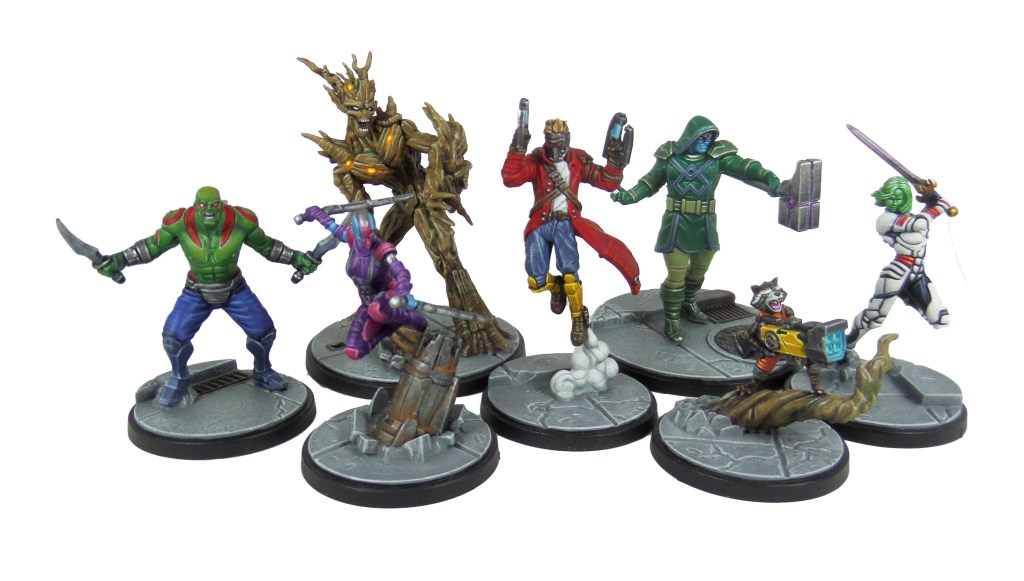
MCP – Guardians of the Galaxy Complete!

Another team completed! Well, at least until Angela is released.

This was a really cool batch to paint, with a fairly diverse line up of characters. That’s what I love about painting Crisis protocol, every model is unique and a new challenge.

Find out how I painted them with the links below…

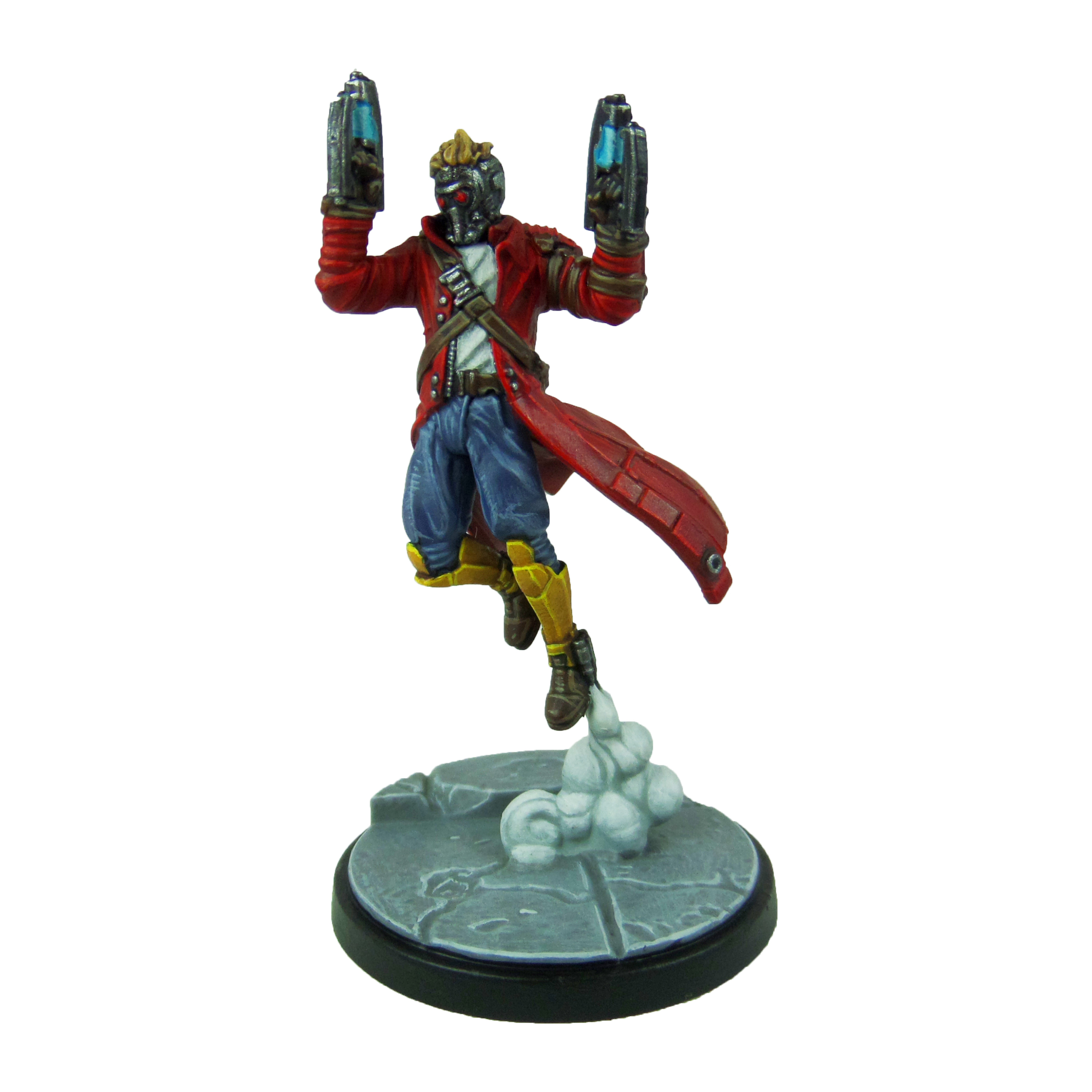
Starlord

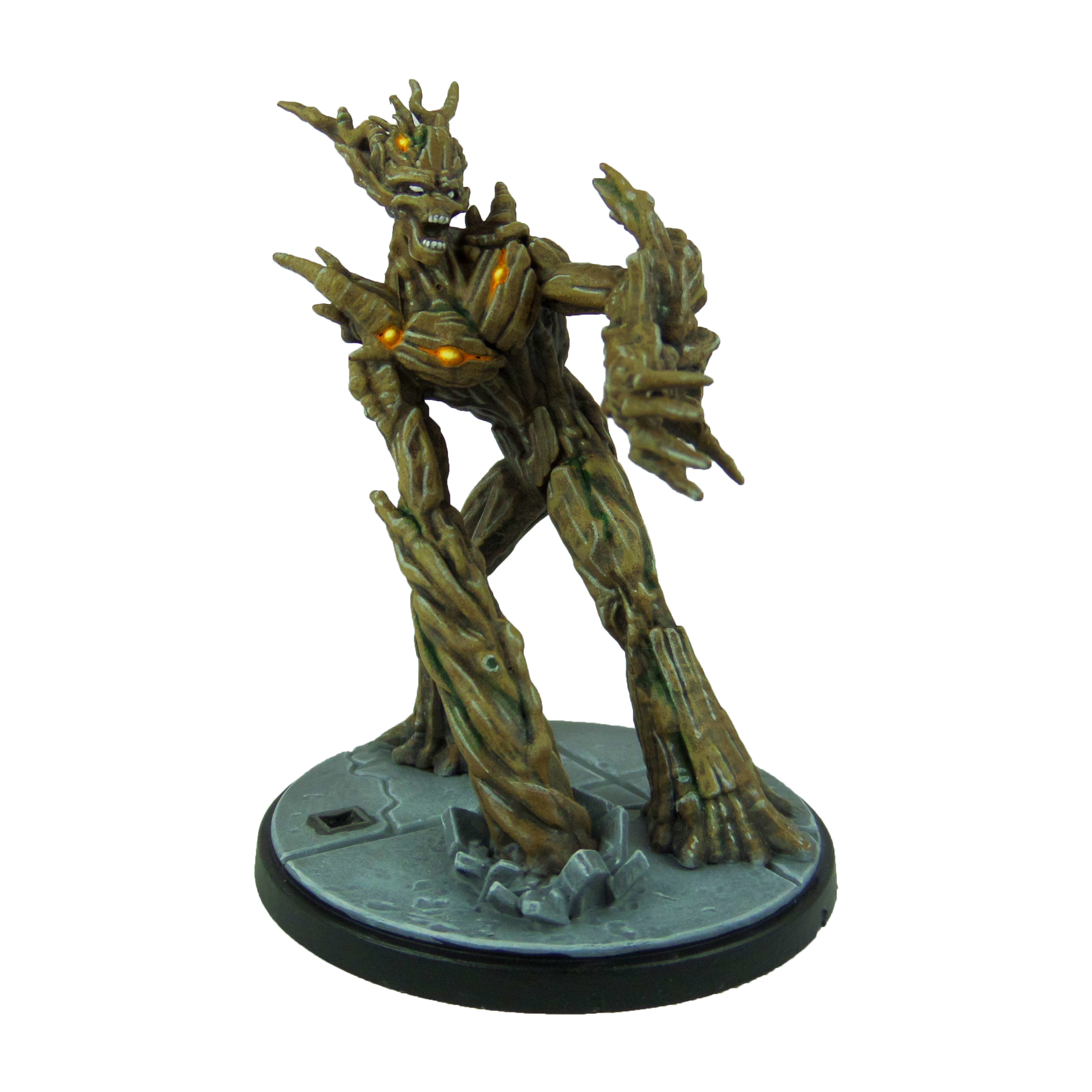
Groot & Rocket

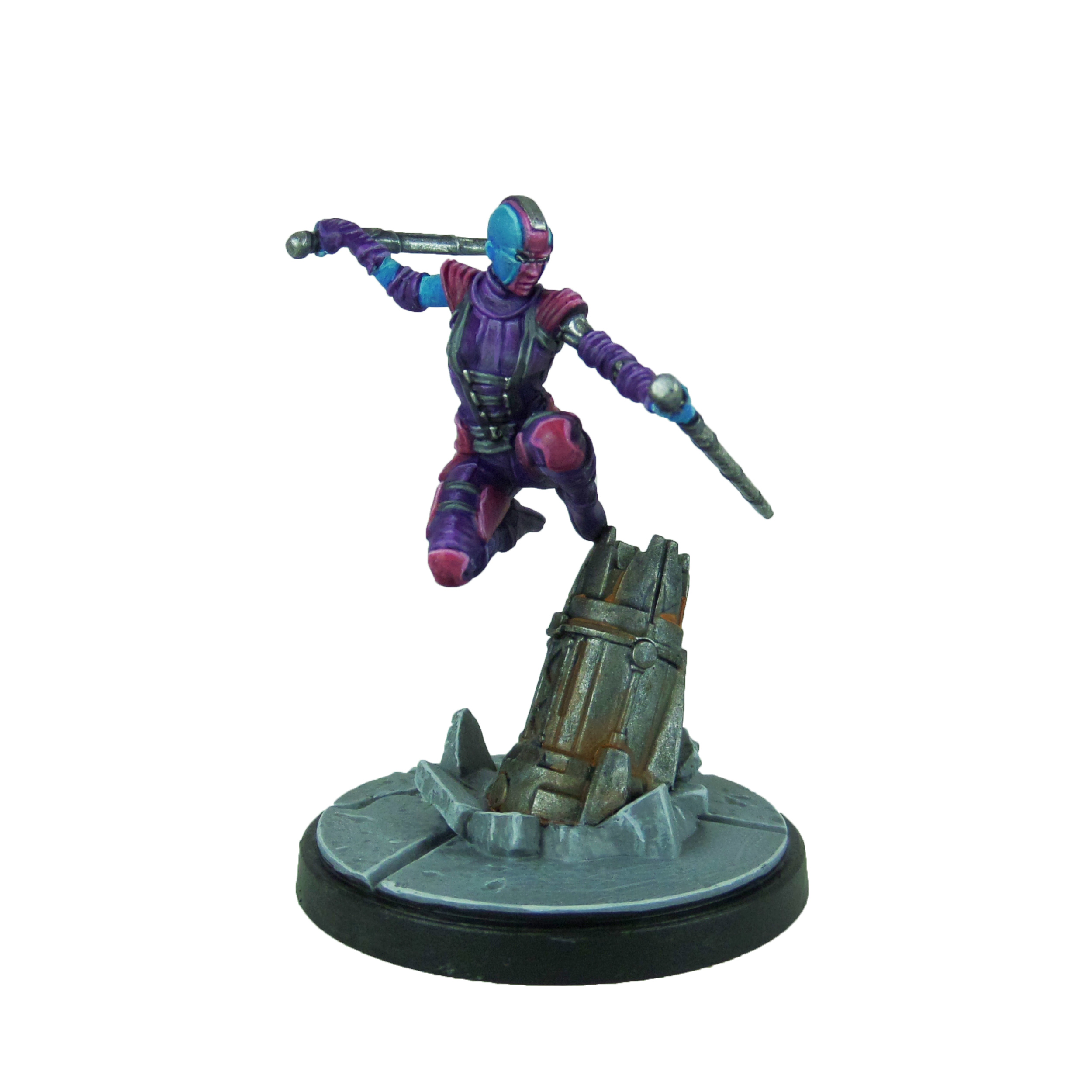
Nebula & Gamora

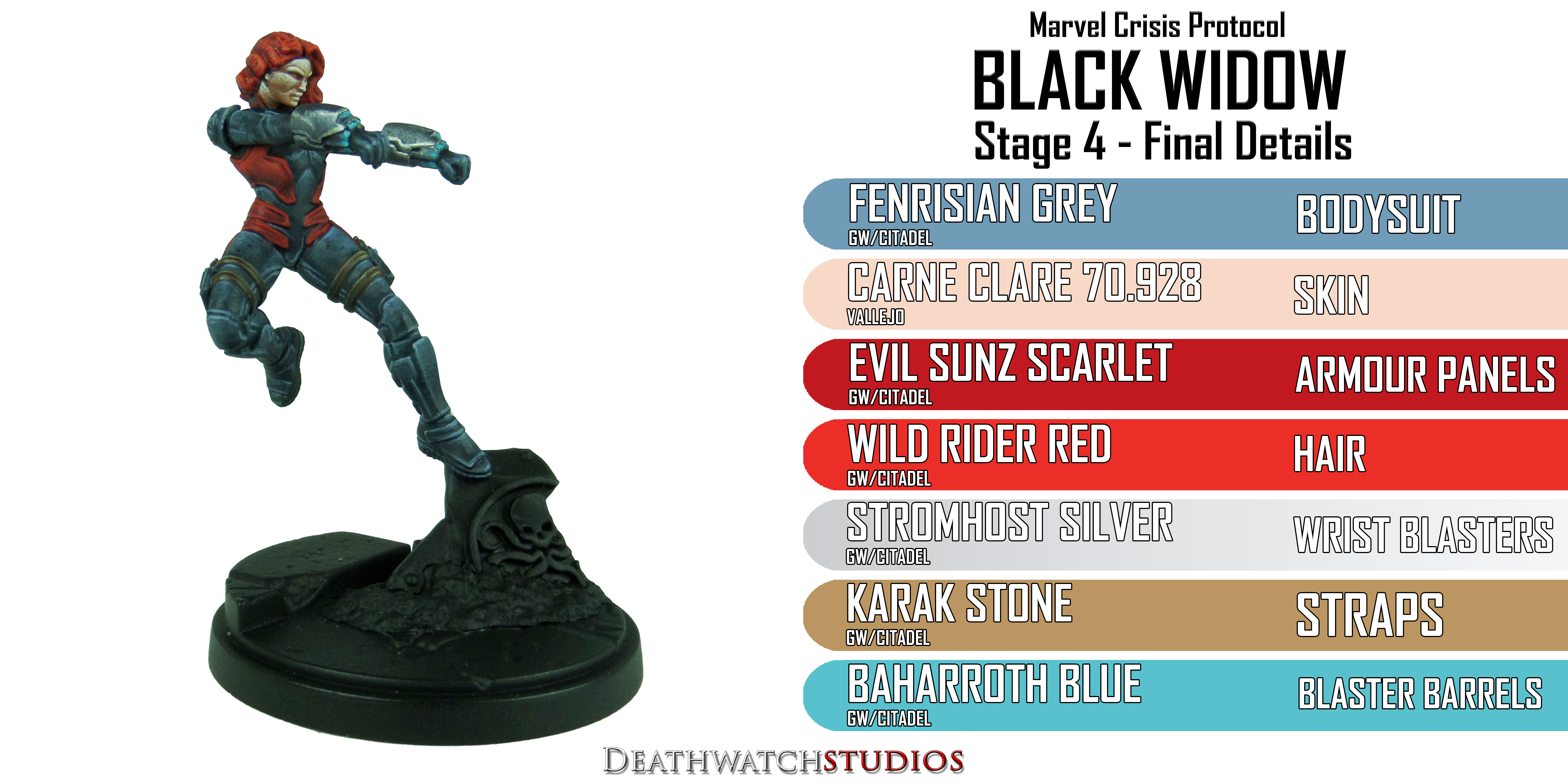
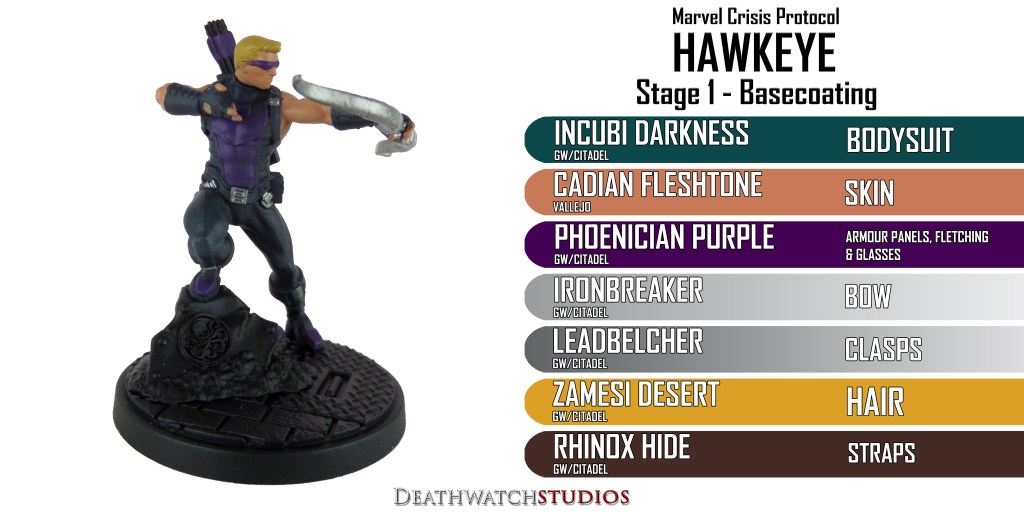
MCP – Black Widow, Agent of Shield & Hawkeye Painting Guide

Welcome to my latest painting guide!

I need your support. Because my guides takes time and supplies to do, any support you can offer would mean the world to me. A supportive message in the comments is enough, but if you have the means why not send me a gift on Ko-Fi or PayPal. Thank you!

hawkeye

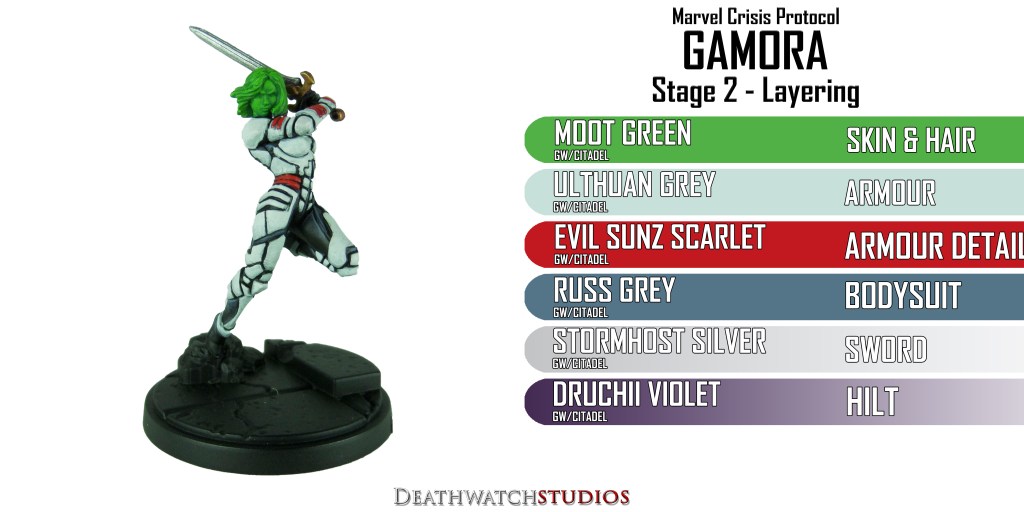
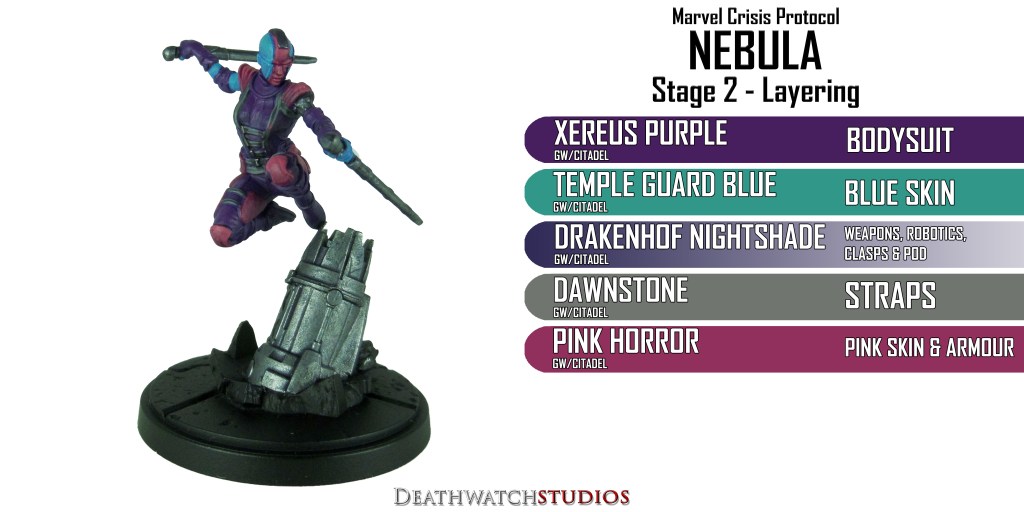
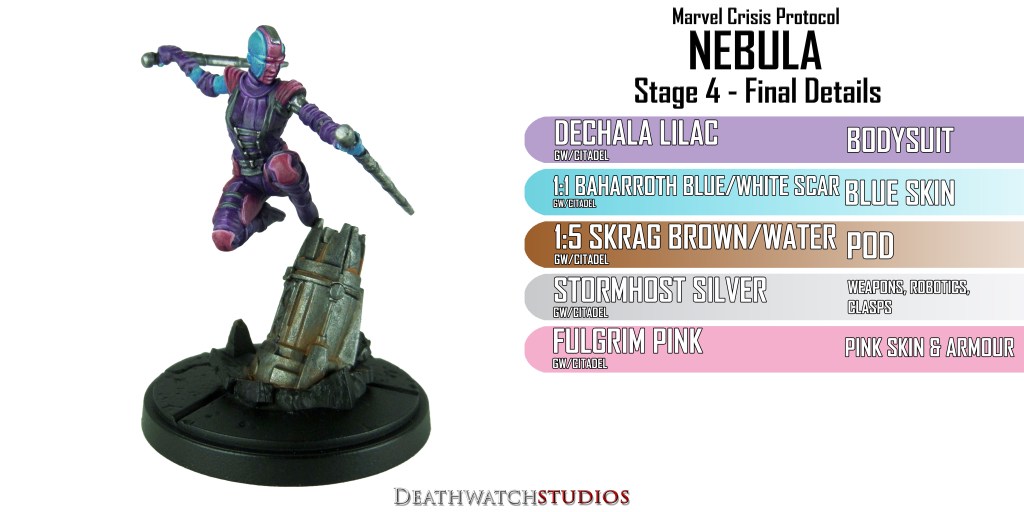
MCP- Gamora & Nebula Painting Guide

Welcome to my latest painting guide!

I need your support. Because my guides takes time and supplies to do, any support you can offer would mean the world to me. A supportive message in the comments is enough, but if you have the means why not send me a gift on Ko-Fi or PayPal. Thank you!

I began by undercoating both models with black.

Leave me a comment and let me know what you think or if you have any questions.