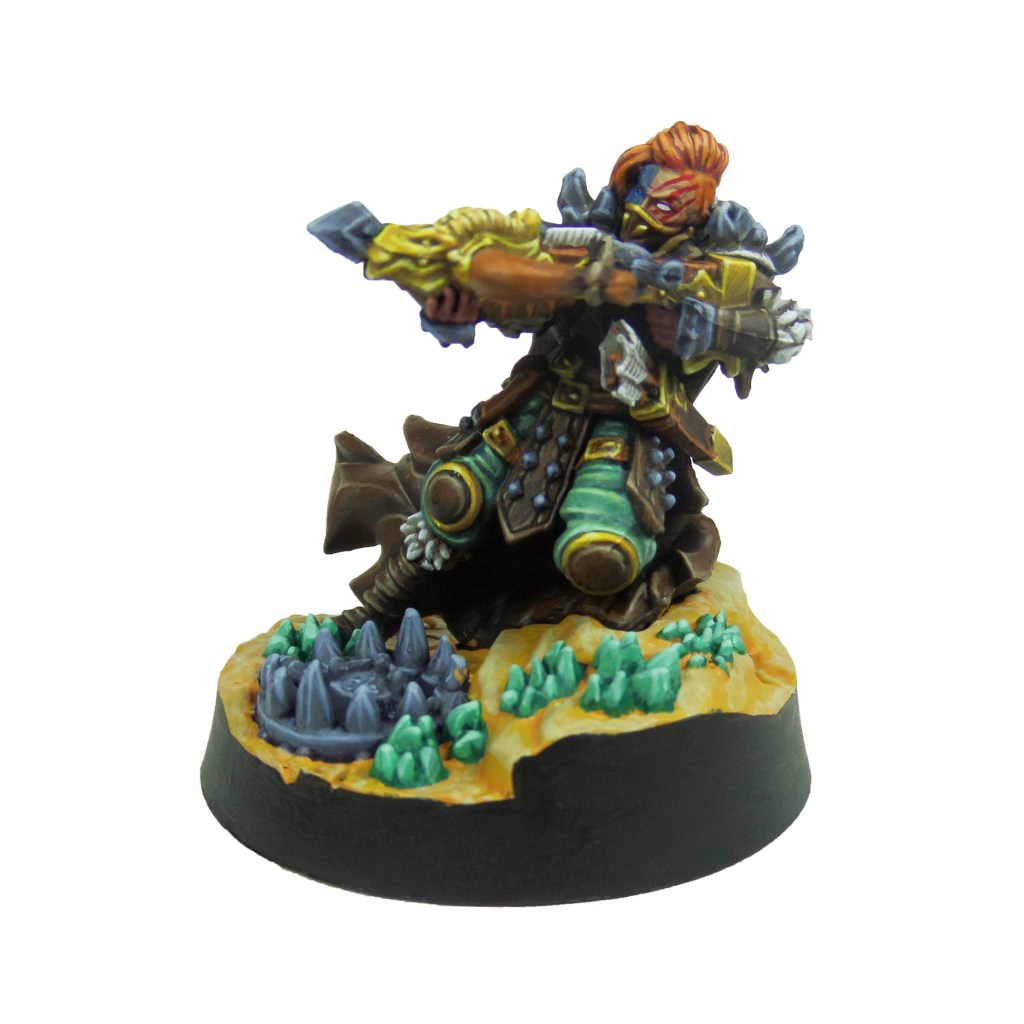
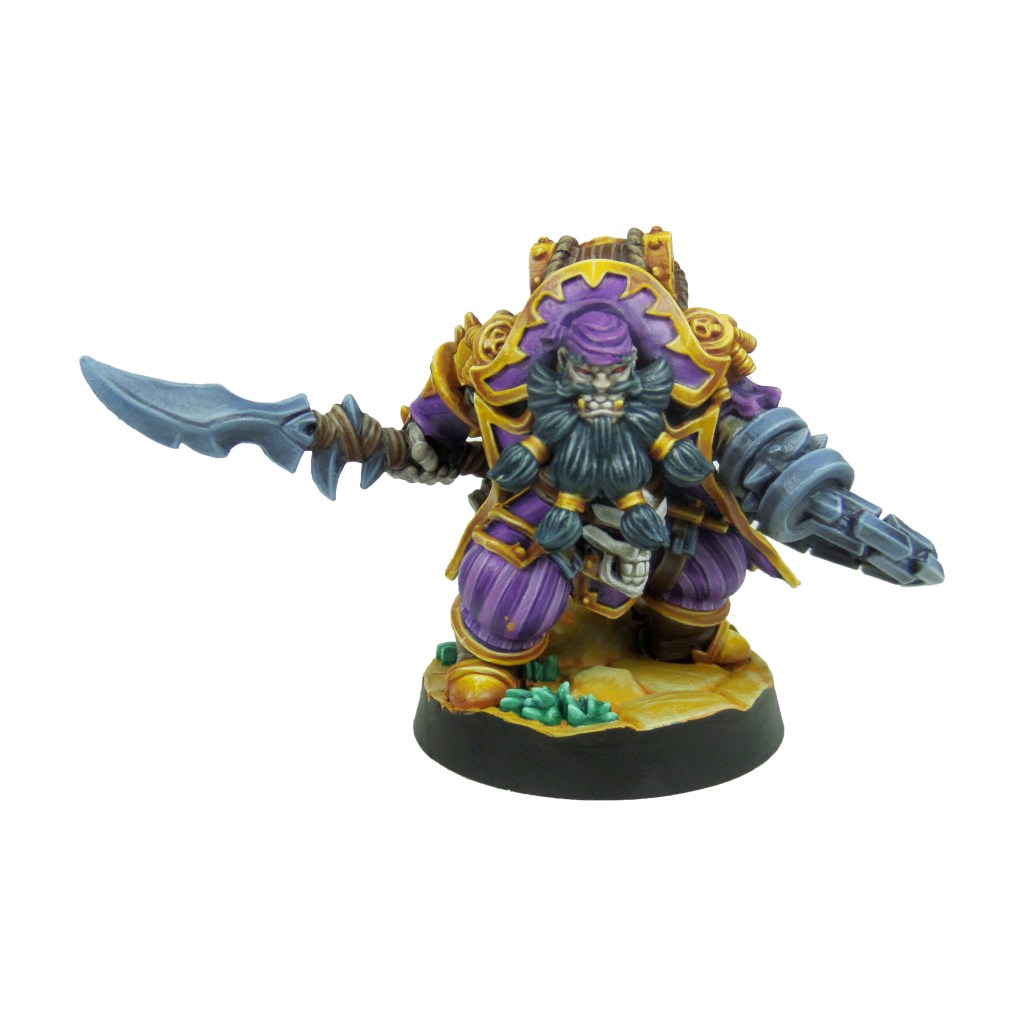
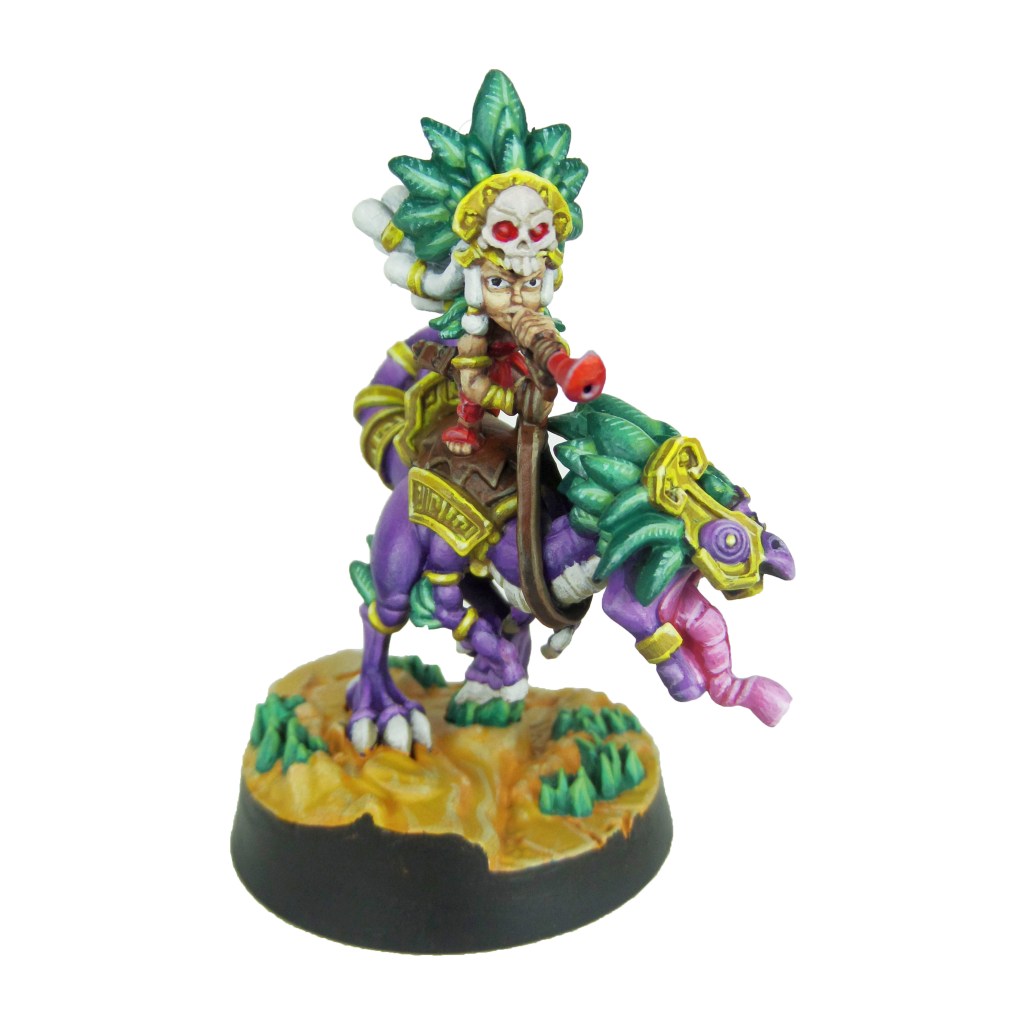
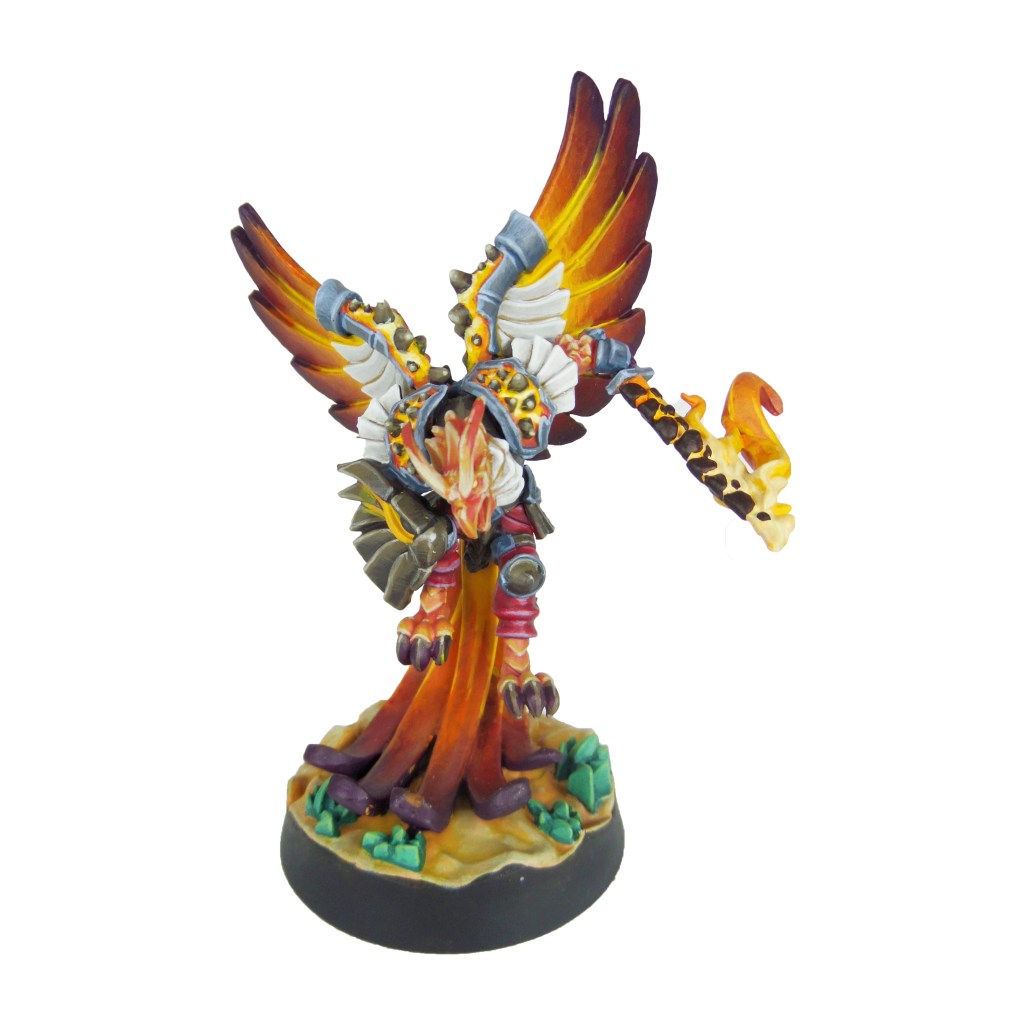
I completed these a few months ago for guides in Tabletop Gaming magazine. The first covering the core set characters and statues, and the second covering the Circle of Blood & Art of War expansions.
I found the minis to be great quality and detail. Much bigger than the minis I normally paint, in fact towering over them. It might take longer, but I enjoyed having the space to play with.
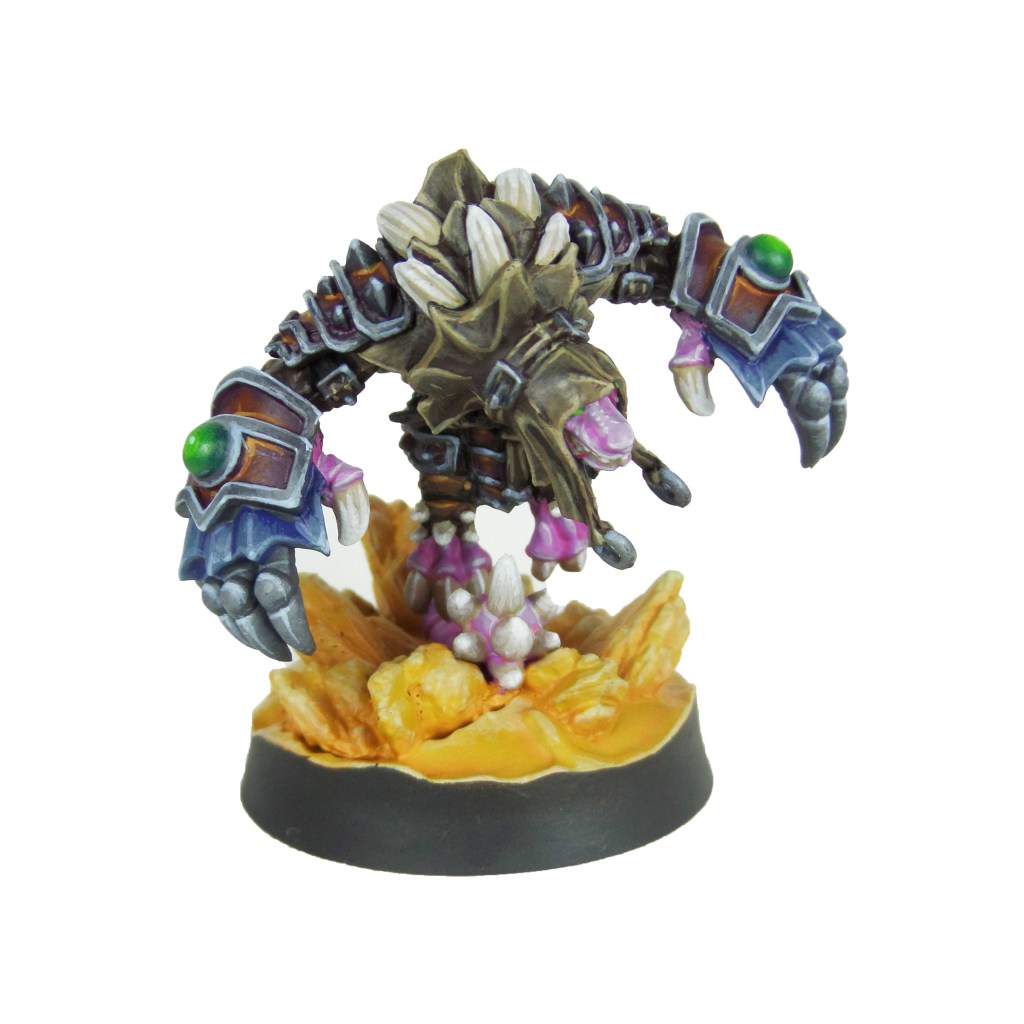
Super Fantasy Brawl is an Arena combat game with champions from the fantasy world teleported through time to fight for the utopian futures enjoyment. Each model is an individual character which offers a varied and interesting line up and a plethora of painting opportunities.
I tried to stretch my boundaries with these, deciding to not use any metallics, instead going for a semi NMM. I’m really happy with what I pulled off and it emboldened me to try on it on future figures too. In fact, I’ve not used a metallic in a few months.
I need your support. Because my guides takes time and supplies to do, any support you can offer would mean the world to me. A supportive message in the comments is enough, but if you have the means why not send me a gift on Ko-Fi or PayPal. Thank you!
Prep: Fully build both models and undercoat black.
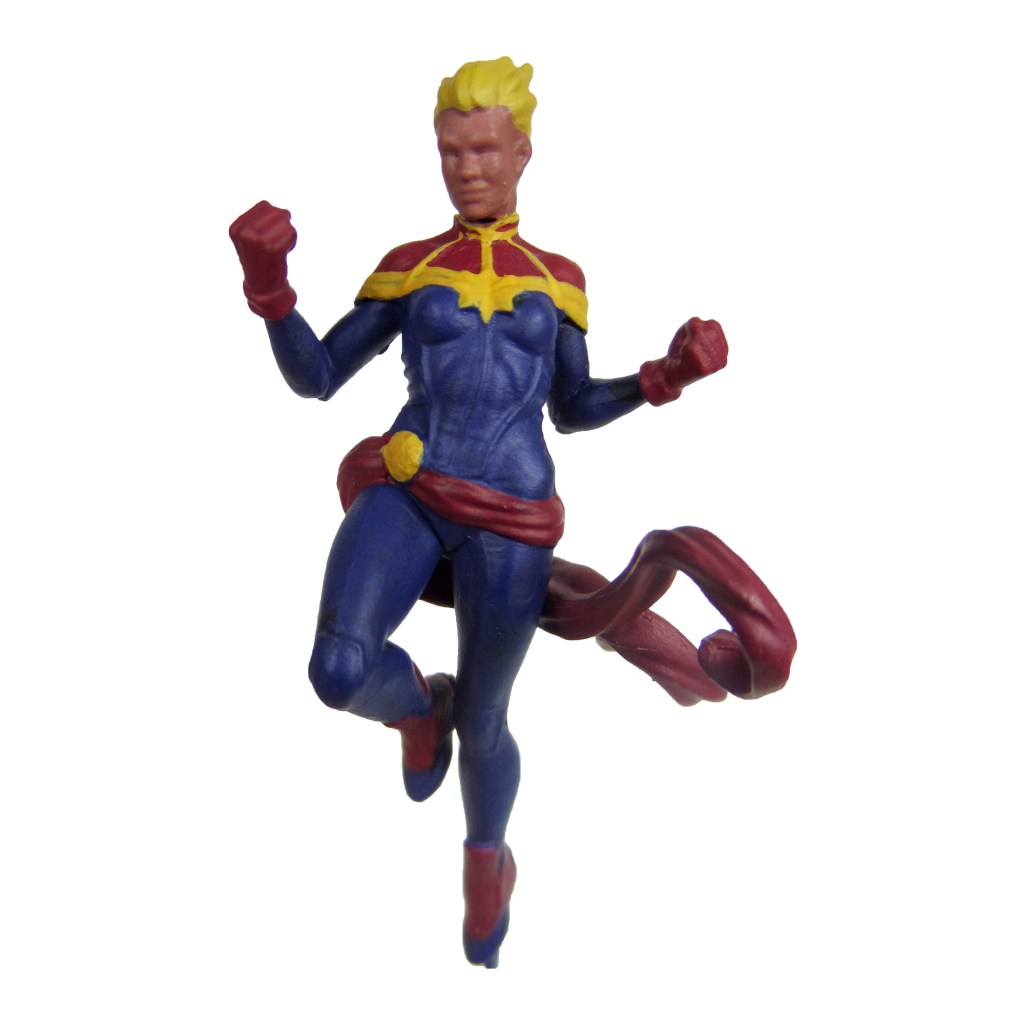
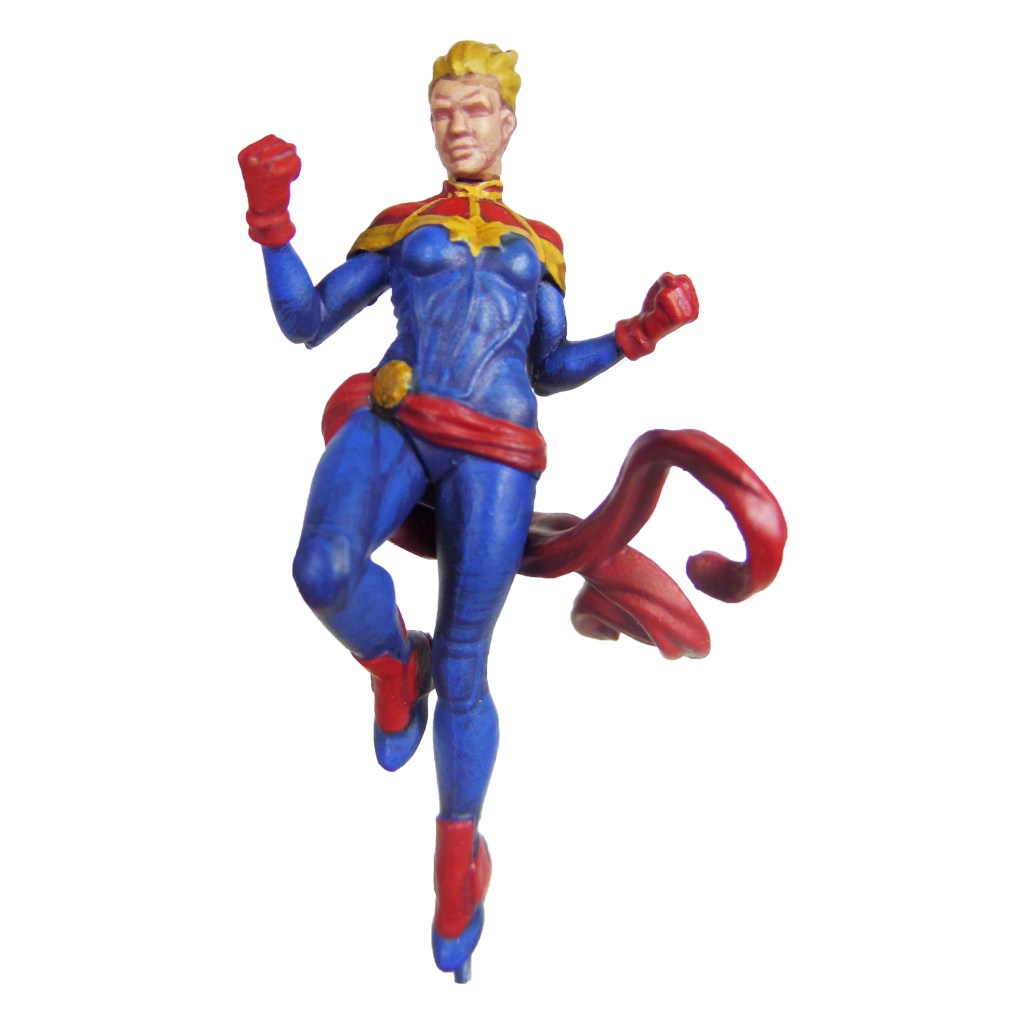
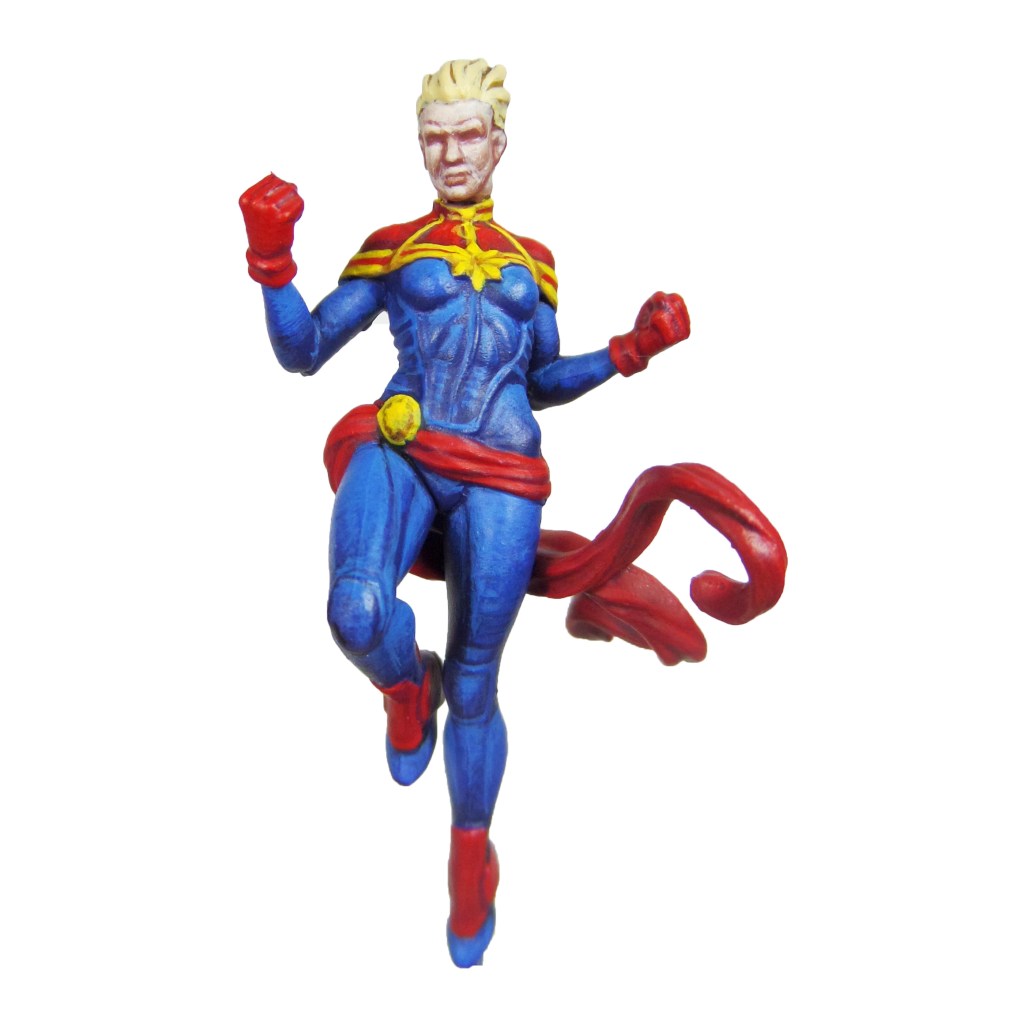
Captain Marvel
Stage 1
Kantor Blue: Apply a basecoat to the bodysuit.
Khorne Red: Apply a basecoat to the reds; the boots, sash, gloves and shoulders.
Averland Sunset: Apply a basecoat to the lining.
Bugman’s Glow: Apply a basecoat to the skin.
Zamesi Desert: Apply a basecoat to the hair.
Stage 2
Caledor Sky: Apply a layer to the bodysuit.
Mephiston Red: Apply a layer to the reds.
Agrax Earthshade: Apply a shade to the hair and lining.
Cadian Fleshtone: Apply a layer to the skin.
Stage 3
Teclis Blue: Apply a highlight to the bodysuit.
Evil Sunz Scarlet: Apply a highlight to the reds.
Yriel Yellow: Apply a line highlight to the lining.
Basic Skintone 70.815(Vallejo): Apply a highlight to the skin.
Blonde Hair 9257(MSP): Apply a layer to the hair.
Stage 4
Baharroth Blue: Apply a line highlight to the bodysuit
Wild Rider Red: Apply a line highlight to the reds.
Dorn Yellow: Apply a spot highlight to the lining.
Light Flesh 70.928(Vallejo): Apply a spot highlight to the skin.
Blonde Highlight 9258(MSP): Apply a spot highlight to the hair.
I need your support. Because my guides takes time and supplies to do, any support you can offer would mean the world to me. A supportive message in the comments is enough, but if you have the means why not send me a gift on Ko-Fi or PayPal. Thank you!
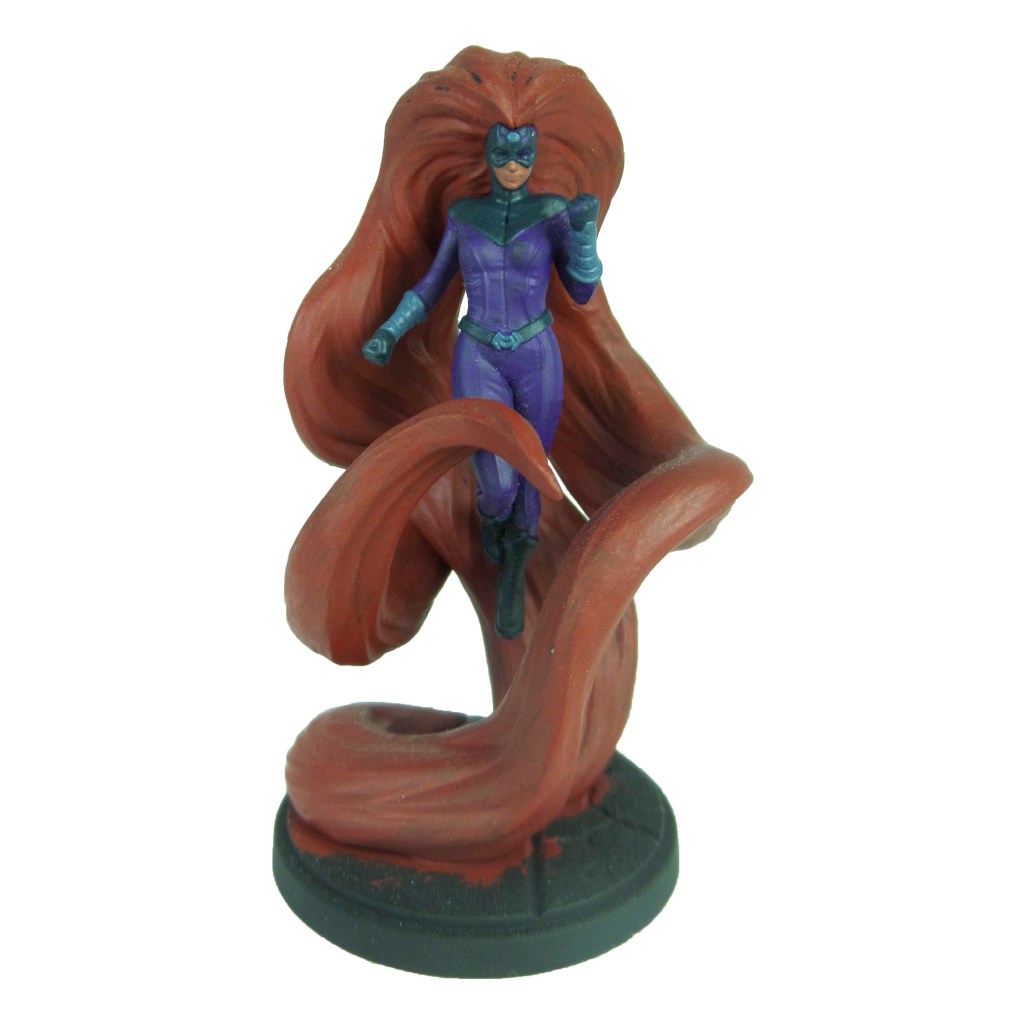
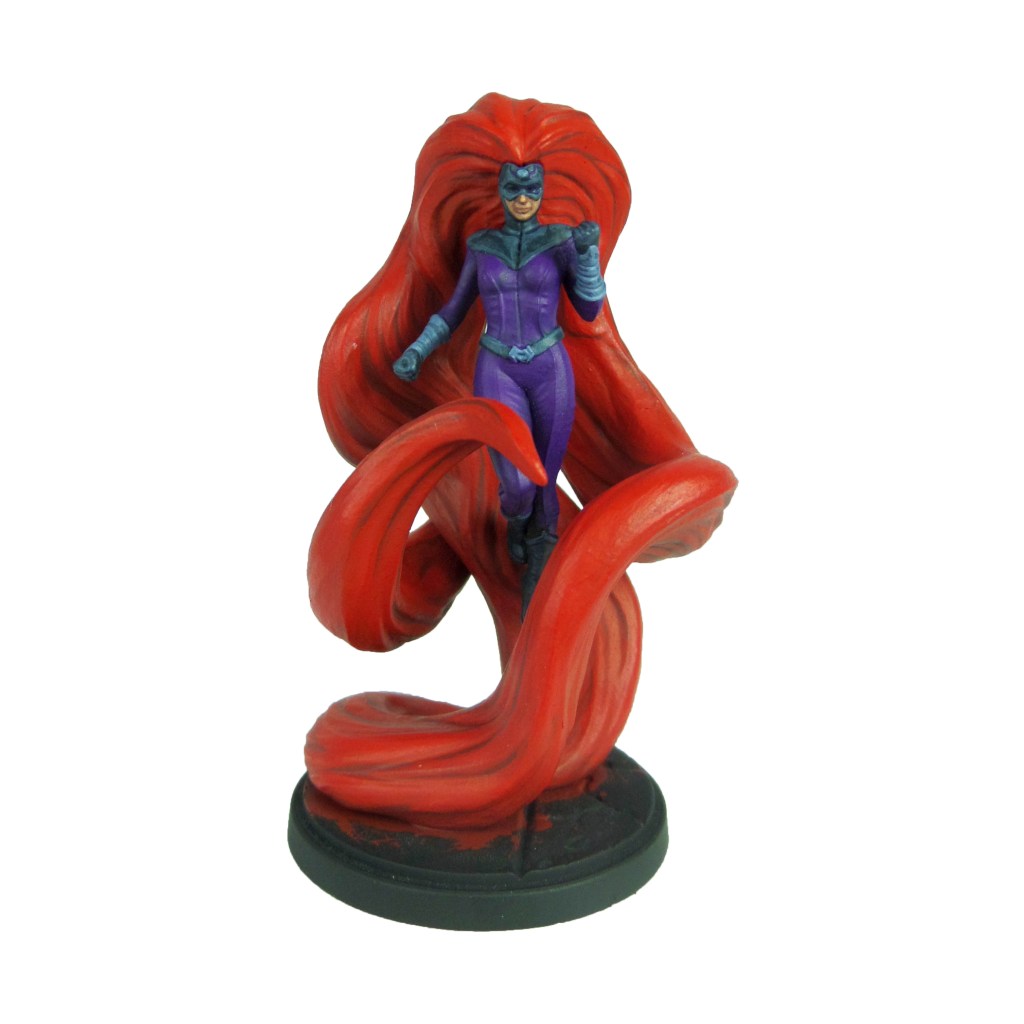
Prep: Fully build Black Bolt, build Medusas body and hair but leave separate, and undercoat black.
Black Bolt
Stage 1
Incubi Darkness: Apply a basecoat to the bodysuit.
Celestra Grey: Apply a basecoat to the suit markings.
Bugman’s Glow: Apply a basecoat to the skin.
Thunderhawk Blue: Apply a basecoat to the forehead symbol.
Stage 2
Thunderhawk Blue: Apply a thinned layer to the bodysuit.
Ulthuan Grey: Apply a layer to the suit markings.
Cadian Fleshtone: Apply a layer to the skin.
Russ Grey: Apply a layer to the forehead symbol.
Flayed One Flesh: Apply a basecoat to the teeth.
Stage 3
Russ Grey: Apply a line highlight to the bodysuit.
White Scar: Apply a layer to the suit markings and teeth.
Basic Skin Tone: Apply a thinned layer to the skin.
Blue Horror: Apply a line highlight to the forehead symbol.
Stage 4
Fenrisian Grey: Apply a spot highlight to the bodysuit.
Light Flesh 70.928(Vallejo): Apply a spot highlight to the skin.
White Scar: Apply a spot highlight to the forehead symbol.
I need your support. Because my guides takes time and supplies to do, any support you can offer would mean the world to me. A supportive message in the comments is enough, but if you have the means why not send me a gift on Ko-Fi or PayPal. Thank you!
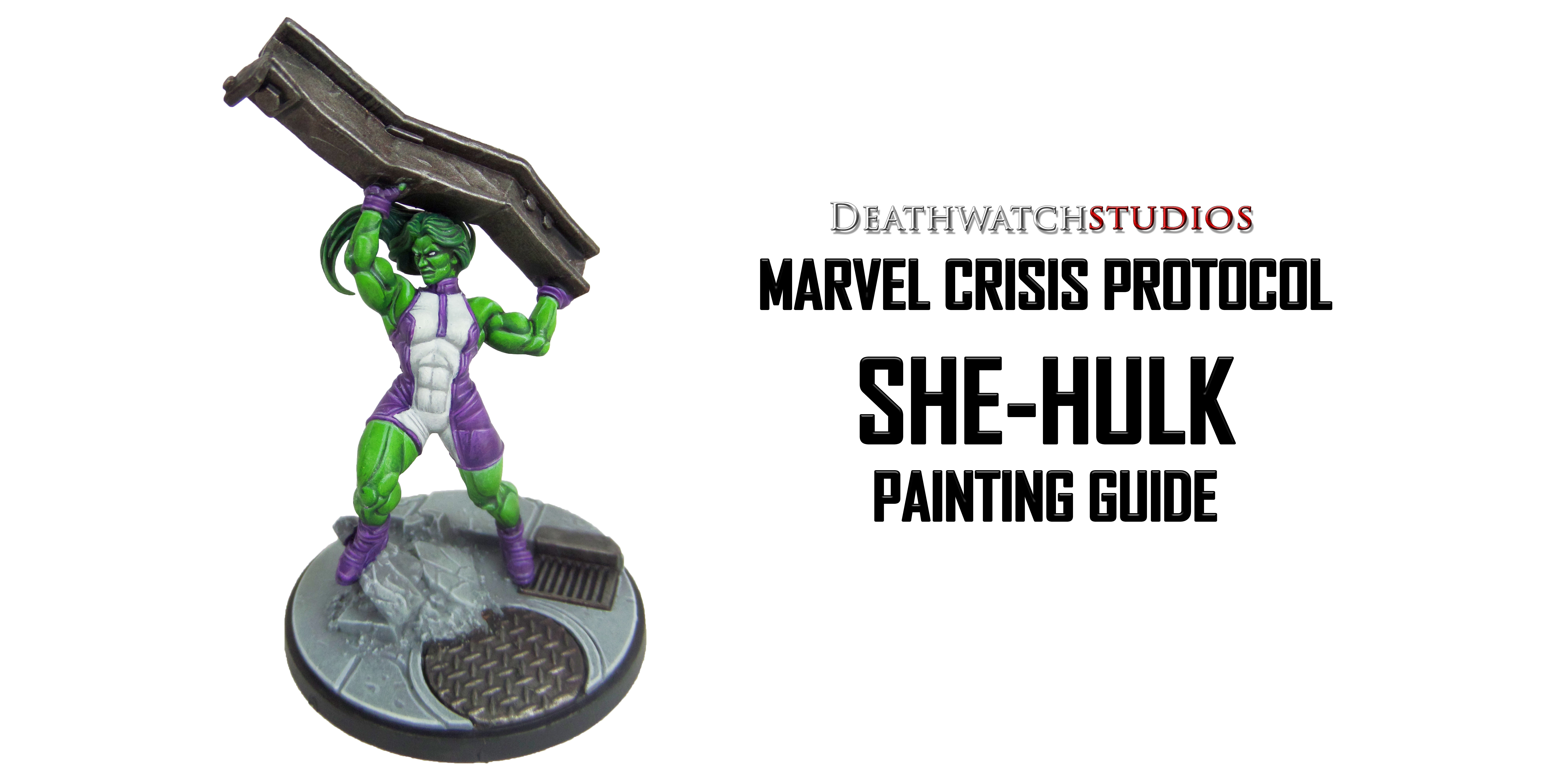
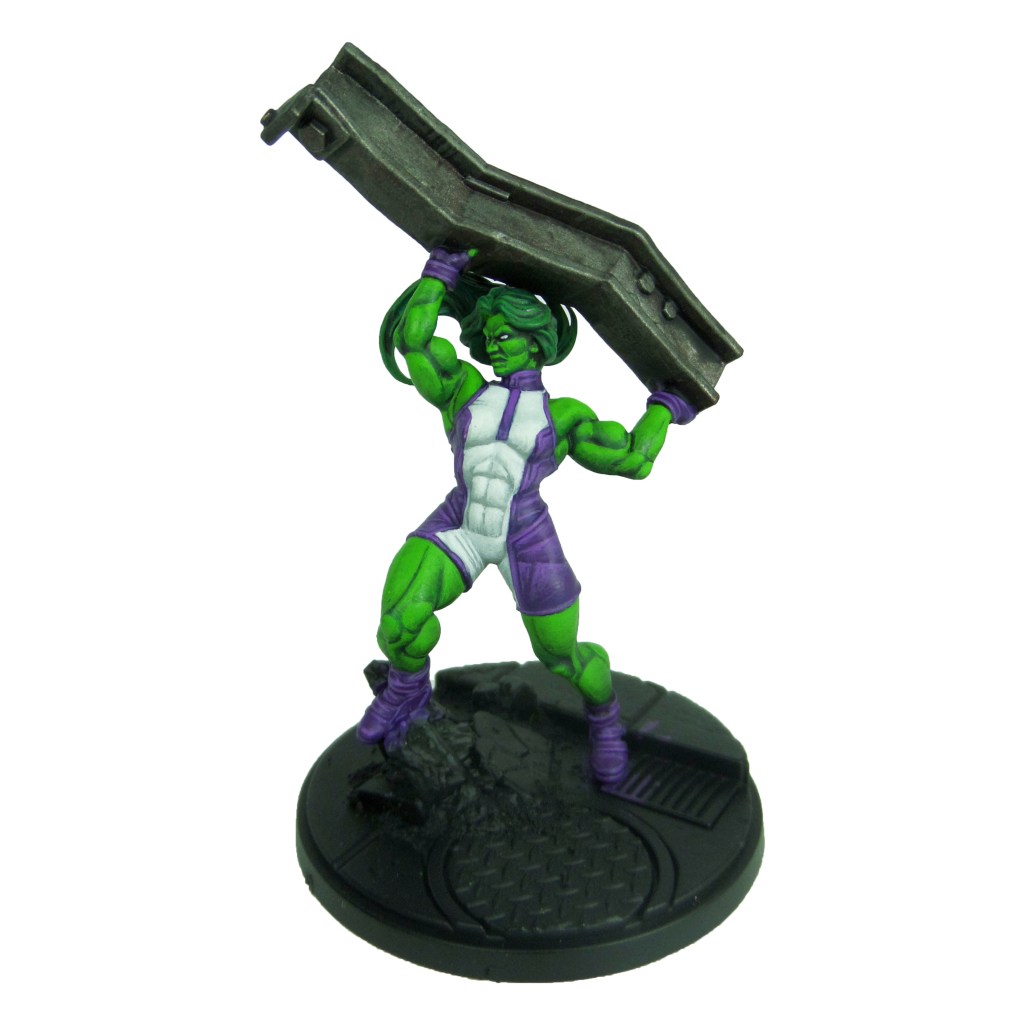
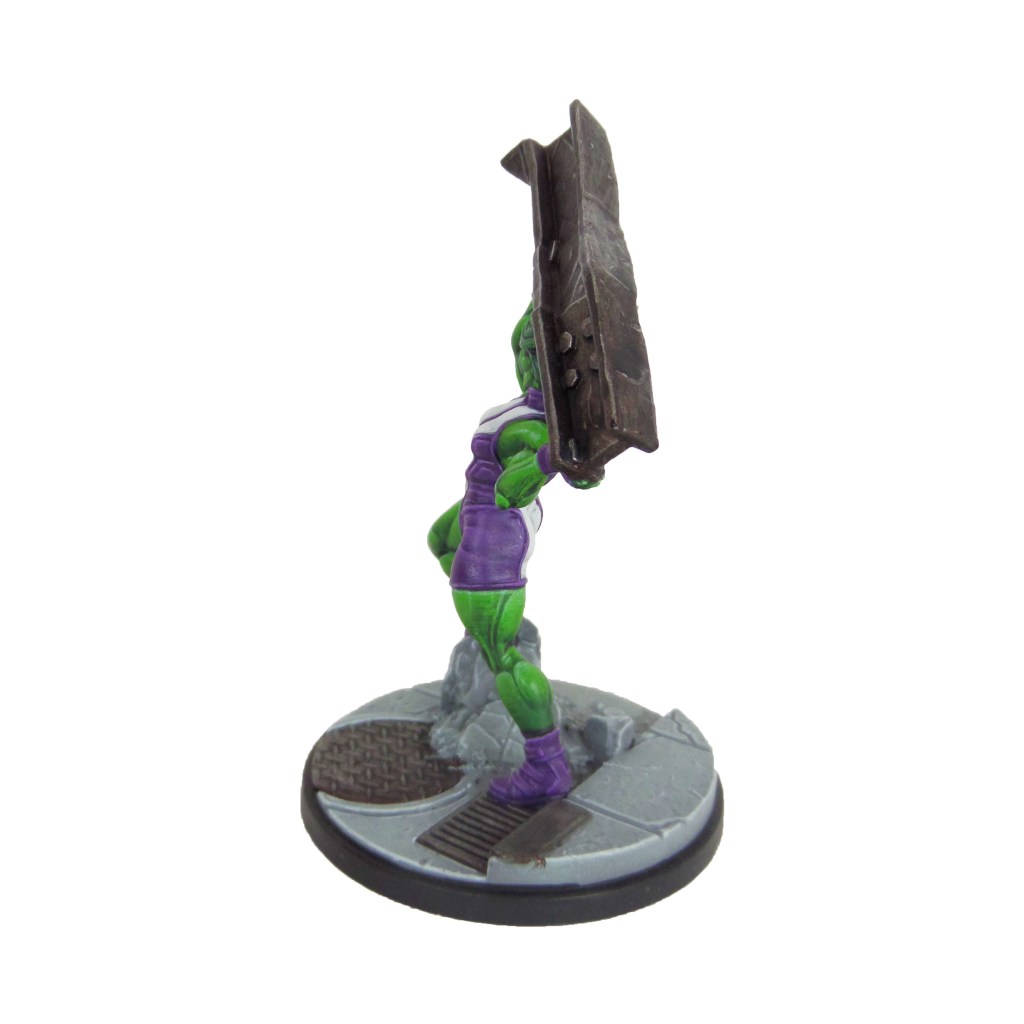
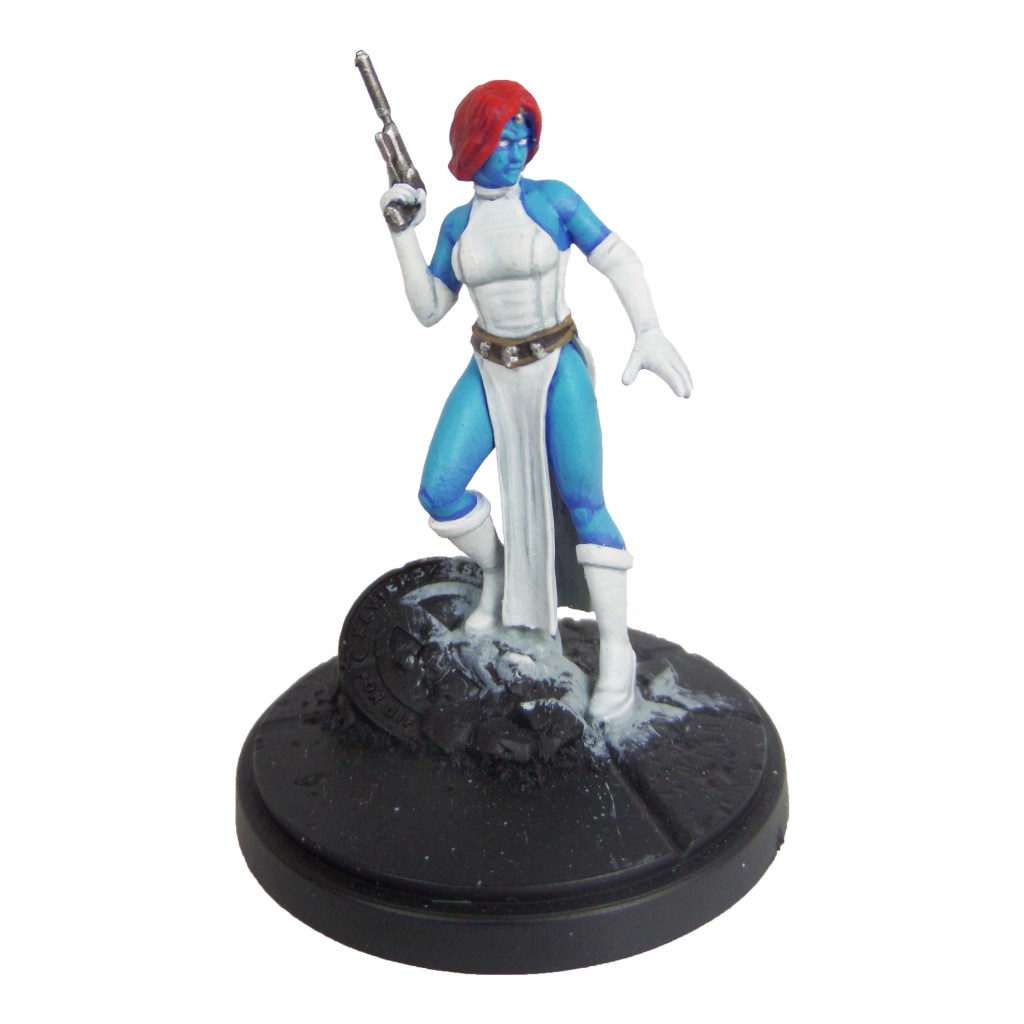
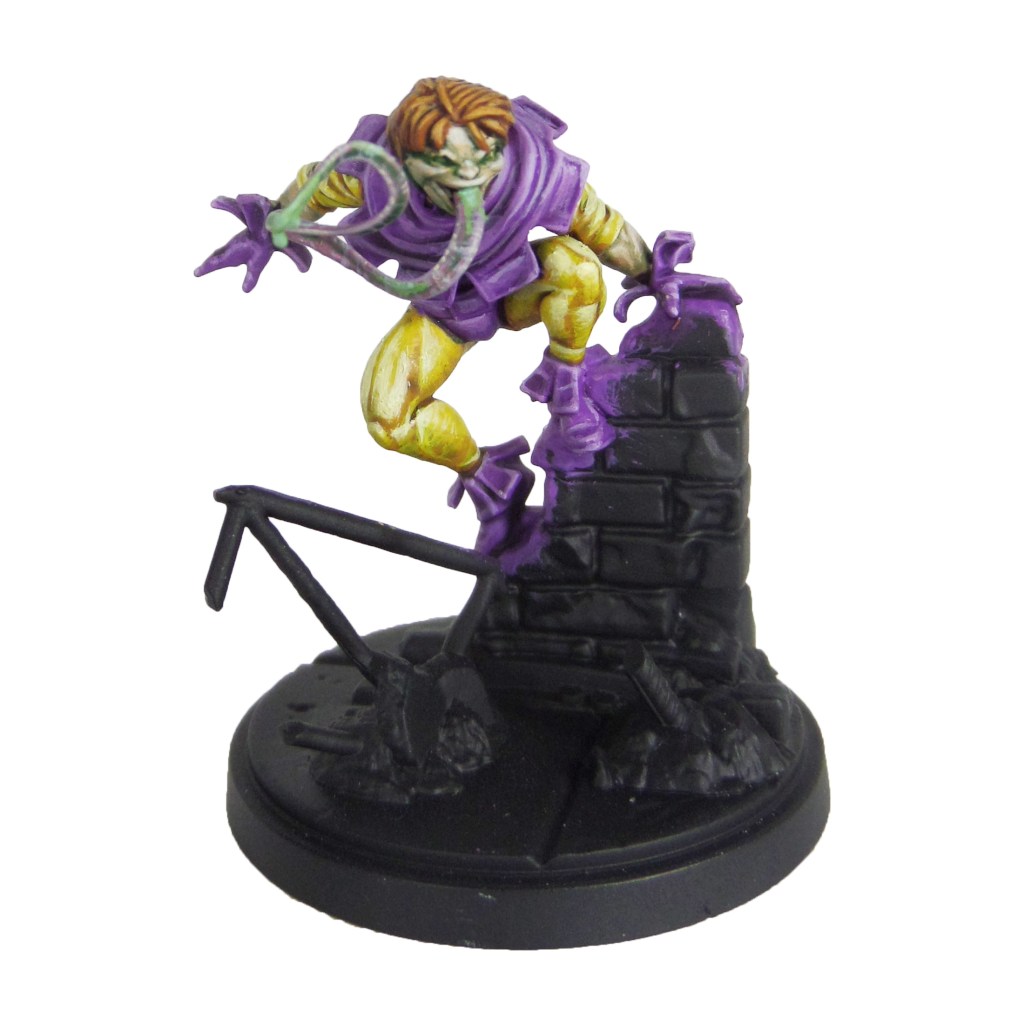
Prep: Fully build the model and undercoat black.
Stage 1
Celestra Grey: Apply a basecoat to the middle of the bodysuit.
Warpstone Glow: Apply a basecoat to the skin.
Warplock Bronze: Apply a basecoat to the girder.
Phoenician Purple: Apply a basecoat to the gloves, boots and outer bodysuit.
Kabalite Green: Apply a basecoat to the hair.
Stage 2
Ulthuan Grey: Apply a layer to the middle of the bodysuit
Druchii Violet: Apply a shade to the skin.
Leadbelcher: Apply a drybrush to the girder.
Xereus Purple: Apply a layer to the gloves, boots and outer bodysuit.
Nuln Oil: Apply a shade to the hair.
Stage 3
White Scar: Apply a highlight to the middle of the bodysuit, also apply a layer to the eyes.
Moot Green: Apply a layer to the skin. Build this up over several thin layers, focussing further up each muscle and feature as you go.
Nuln Oil: Apply a shade to the girder.
Genestealer Purple: Apply a highlight to the gloves, boots and outer bodysuit.
Warpstone Glow: Apply a layer to the hair.
Stage 4
Gauss Blaster Green: Apply a highlight to the skin.
Ironbreaker: Apply a line highlight to the girder.
Dechala Lilac: Apply a line highlight to the gloves, boots and outer bodysuit.
Skarsnik Green: Apply a line highlight to the hair, focussing on the roots and tips.
I need your support. Because my guides takes time and supplies to do, any support you can offer would mean the world to me. A supportive message in the comments is enough, but if you have the means why not send me a gift on Ko-Fi or PayPal. Thank you!
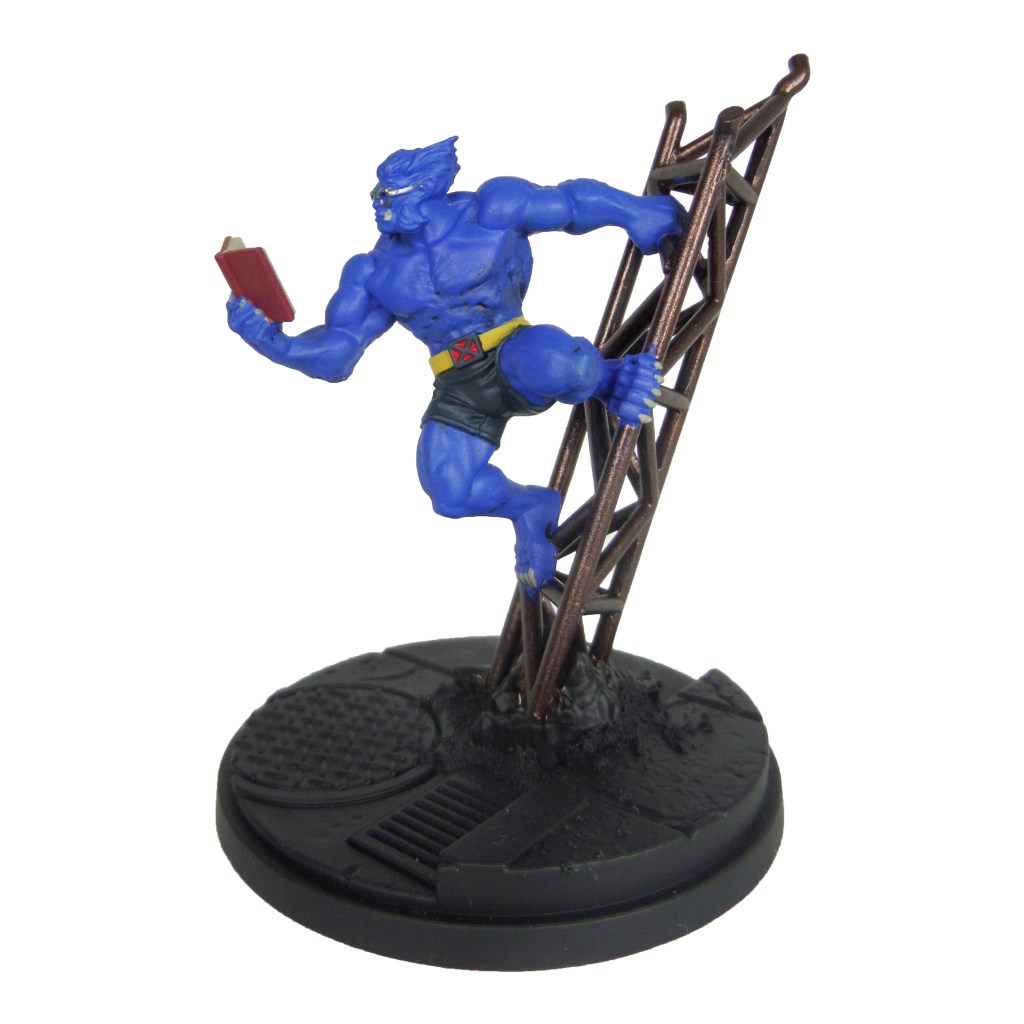
Prep: Fully build both models and undercoat black.
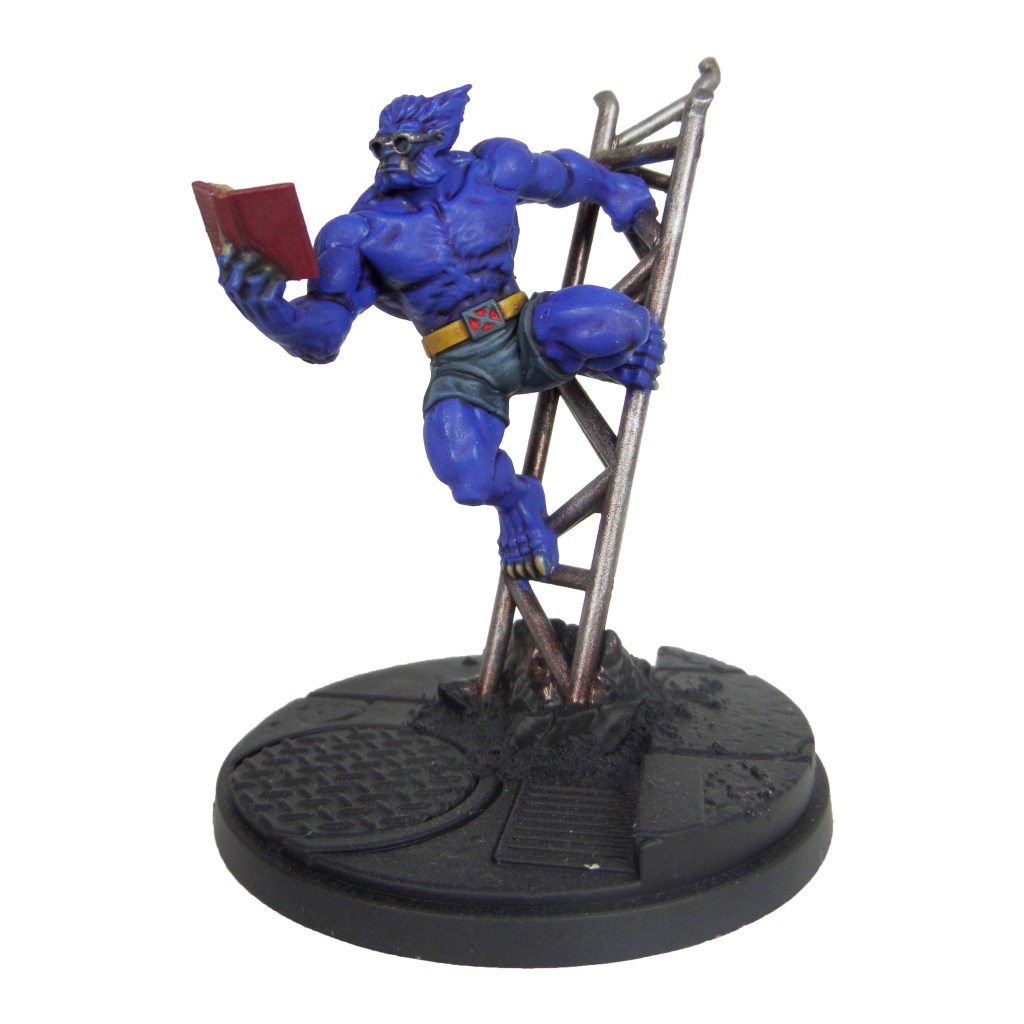
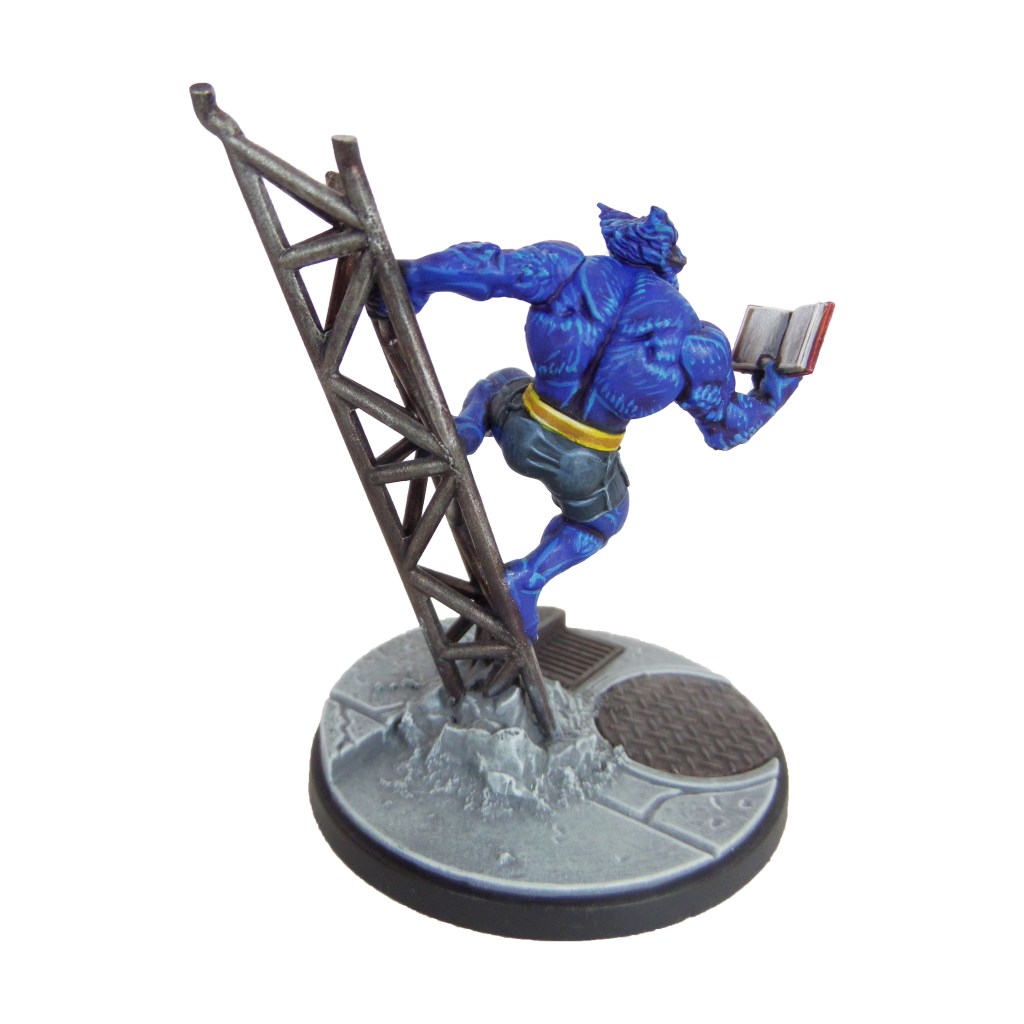
Beast
Stage 1
Caledor Sky: Apply a basecoat to the fur.
Incubi Darkness: Apply a basecoat to the shorts.
Khorne Red: Apply a basecoat to the book cover.
Warplock Bronze: Apply a basecoat to the metal bars.
Leadbelcher: Apply a basecoat to the glasses.
Averland Sunset: Apply a basecoat to the belt.
Karak Stone: Apply a basecoat to the teeth, claws and book pages.
Evil Sunz Scarlet: Apply a basecoat to the inset of the buckle.
Stage 2
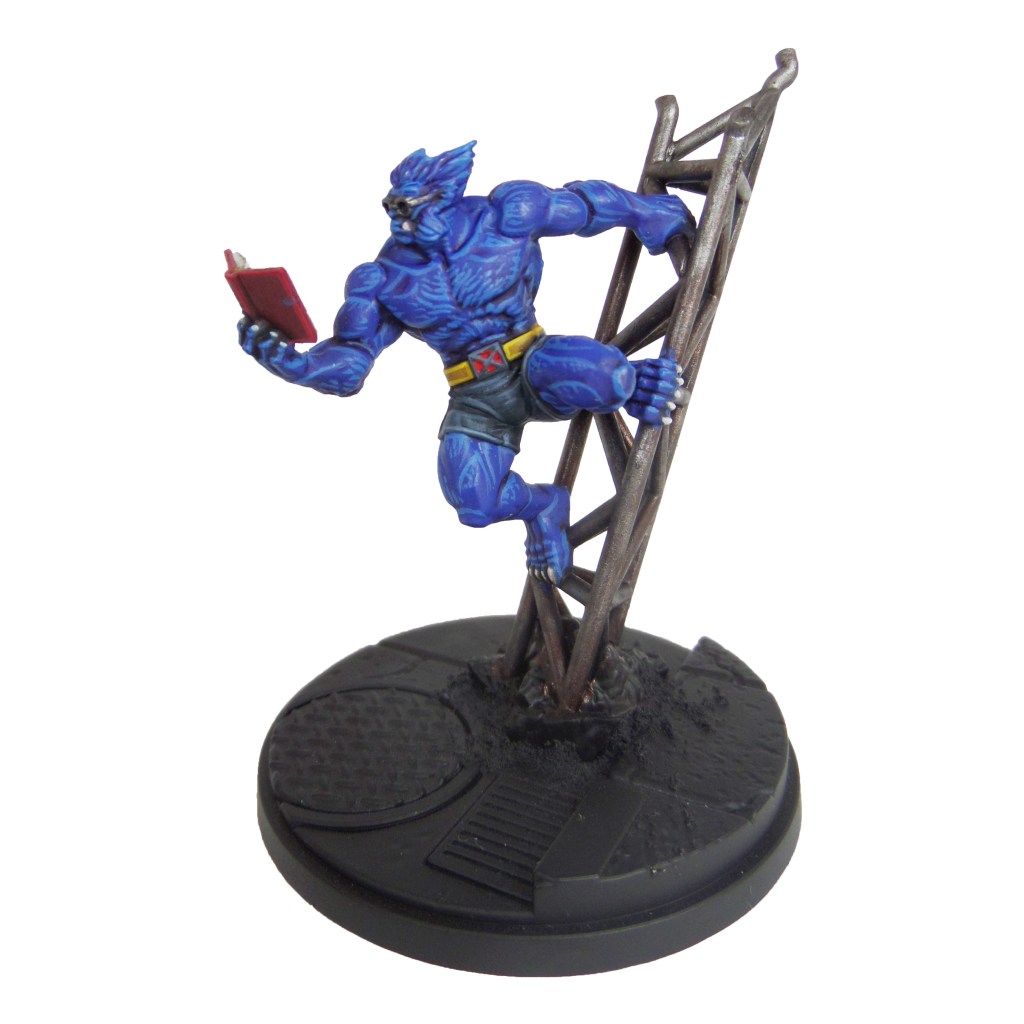
Druchii Violet: Apply a shade to the fur.
Thunderhawk Blue: Apply a layer to the shorts and outside of the belt buckle.
Agrax Earthshade: Apply a shade to the book and belt.
Nuln Oil: Apply a shade to the glasses.
Leadbelcher: Apply a layer to the metal bars.
Stage 3
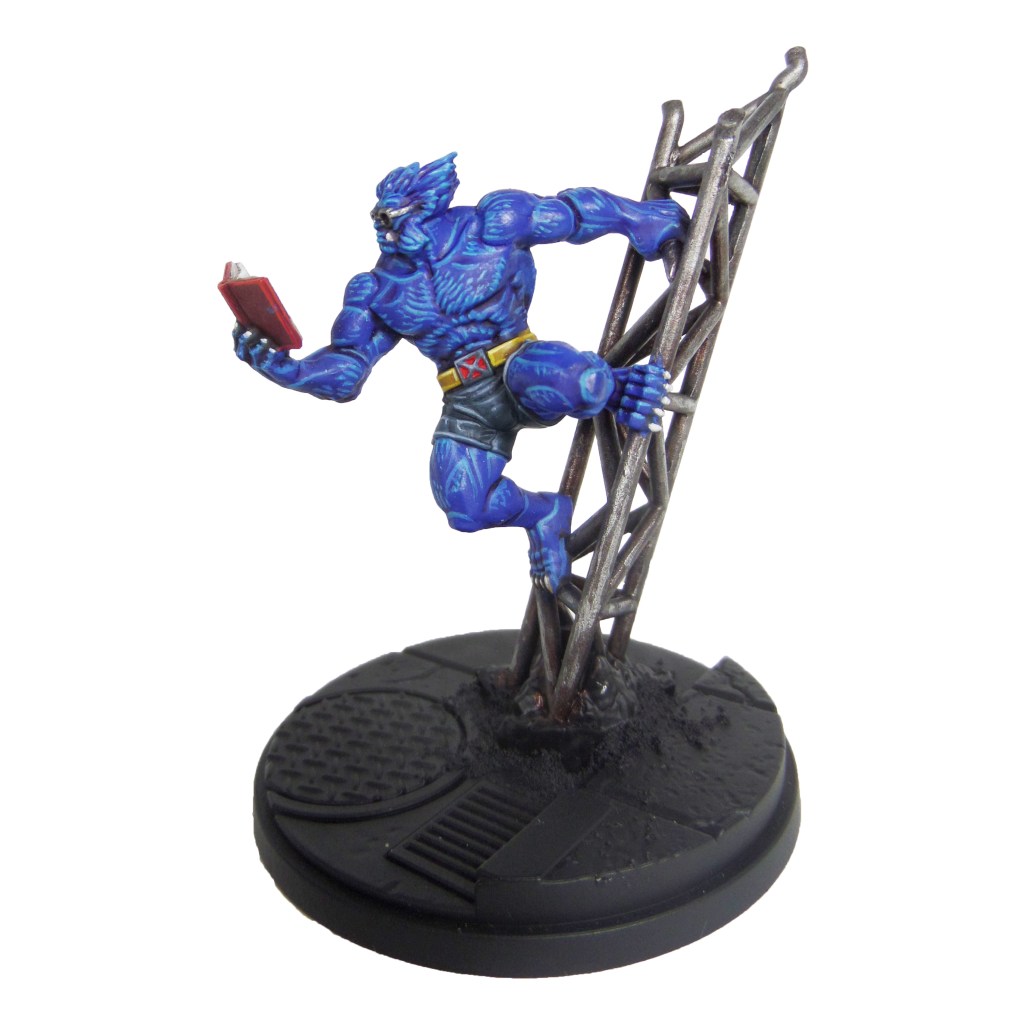
Teclis Blue: Apply a line highlight to the fur. Add small dashes and dots to the larger areas to simulate some of the hairs..
Russ Grey: Apply a line highlight to the shorts.
Agrax Earthshade: Apply a shade to the metal bars.
Yriel Yellow: Apply a line highlight to the belt.
Pallid Wych Flesh: Apply a line highlight to the teeth, claws and book pages.
Wazdakka Red: Apply a line highlgiht to the book cover.
Stage 4
Temple Guard Blue: Apply a spot highlgiht to the fur, adding to the dots and dashes as well.
Fenrisian Grey: Apply a spot highlgiht to the shorts.
Stormhost Silver: Apply a spot highlgiht to the glasses.
Dorn Yellow: Apply a spot highlgiht to the belt.
White Scar: Apply a spot highlgiht to the teeth, claws and book pages.
Evil Sunz Scarlet: Apply a spot highlgiht to the book cover
Ironbreaker: Apply a light drybrush to the metal bars.
I need your support. Because my guides takes time and supplies to do, any support you can offer would mean the world to me. A supportive message in the comments is enough, but if you have the means why not send me a gift on Ko-Fi or PayPal. Thank you!
Prep: Fully build both models and undercoat black.
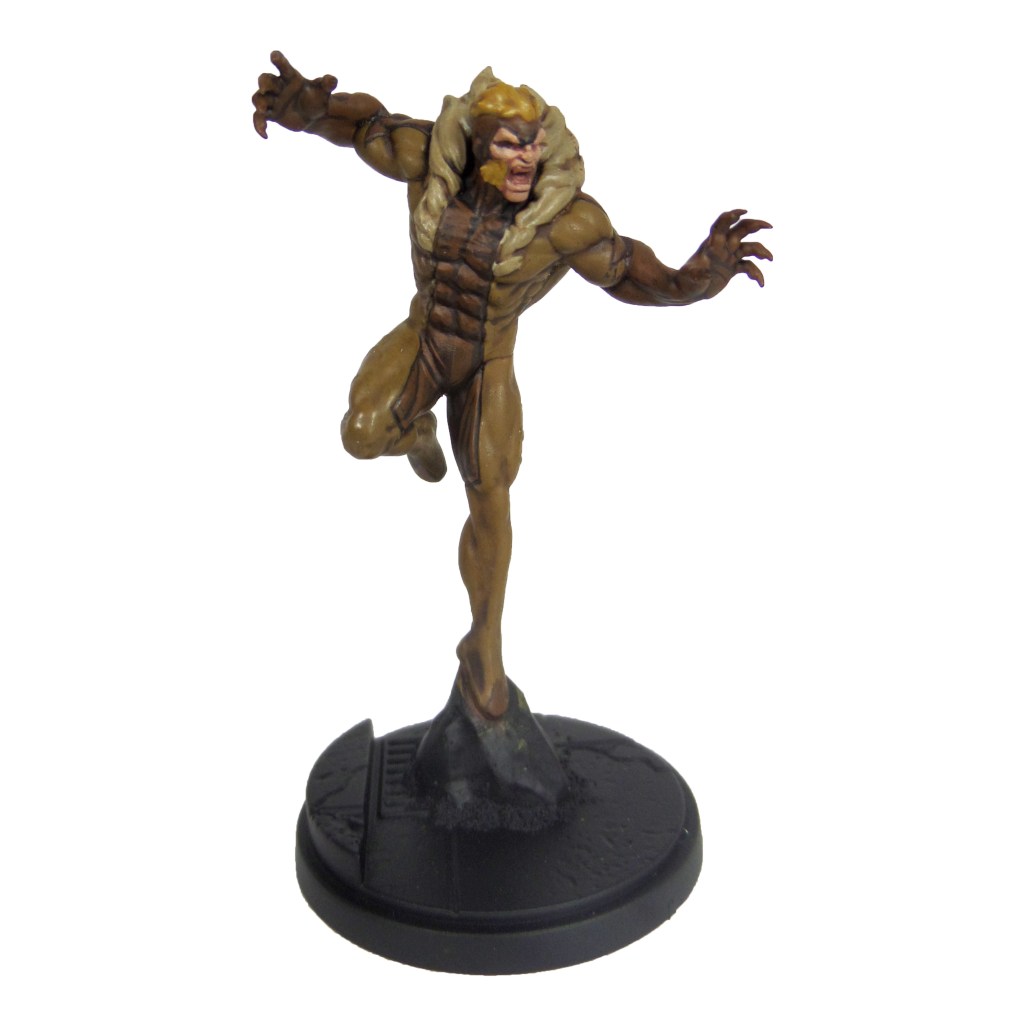
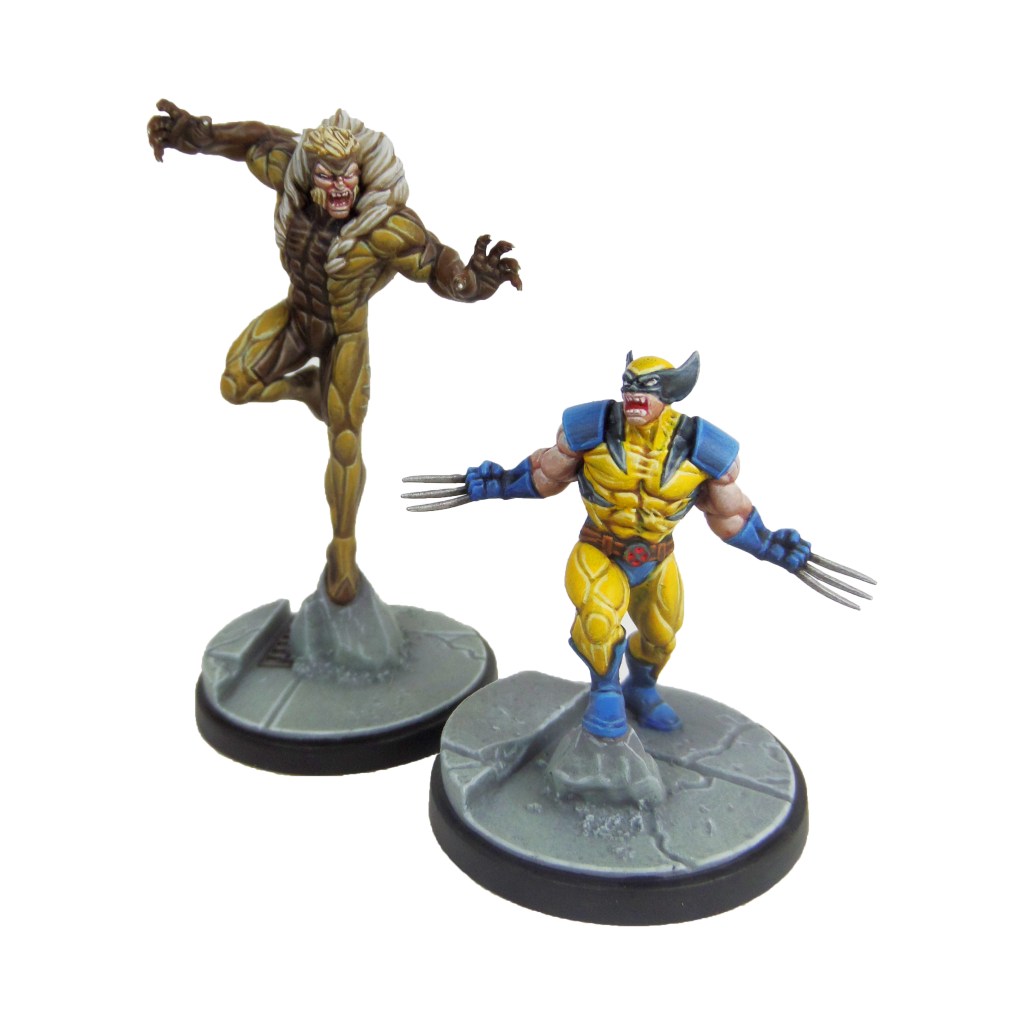
Sabretooth
Stage 1
XV88: Apply a basecoat to the lighter bodysuit areas.
Rhinox Hide: Apply a basecoat to the darker bodysuit areas.
Zamesi Desert: Apply a basecoat to the hair.
Bugman’s Glow: Apply a basecoat to the skin.
Karak Stone: Apply a basecoat to the fur trim.
Stage 2
Agrax Earthshade: Apply a shade to the light bodysuit, hair and fur trim.
Mournfang Brown: Apply a layer to the darker bodysuit areas.
Cadian Fleshtone; Apply a layer to the skin.
Stage 3
Balor Brown: Apply a layer to the lighter bodysuit areas, focussing towards the tops of the muscles and features.
Steel Legion Drab: Apply a line highlight to the darker bodysuit areas.
Blonde Hair 9257(MSP): Apply a layer to the hair.
Basic Skintone 70.815(Vallejo): Apply a layer to the skin.
Karak Stone: Apply a layer to the fur trim.
Bloodletter: Apply a glaze to the mouth.
Stage 4
Krieg Khaki: Apply a highlight to the muscles and features of the lighter bodysuit areas.
Karak Stone: Apply a spot highlight to the darker bodysuit areas.
Blonde Highlight 9258(MSP): Apply a spot highlight to the hair.
Light Flesh 70.928(Vallejo): Apply a spot highlight to the skin.
Pallid Wych Flesh: Apply a highlight to the fur trim and a layer to the teeth.
I need your support. Because my guides takes time and supplies to do, any support you can offer would mean the world to me. A supportive message in the comments is enough, but if you have the means why not send me a gift on Ko-Fi or PayPal. Thank you!
Prep: Fully build both models and undercoat black.
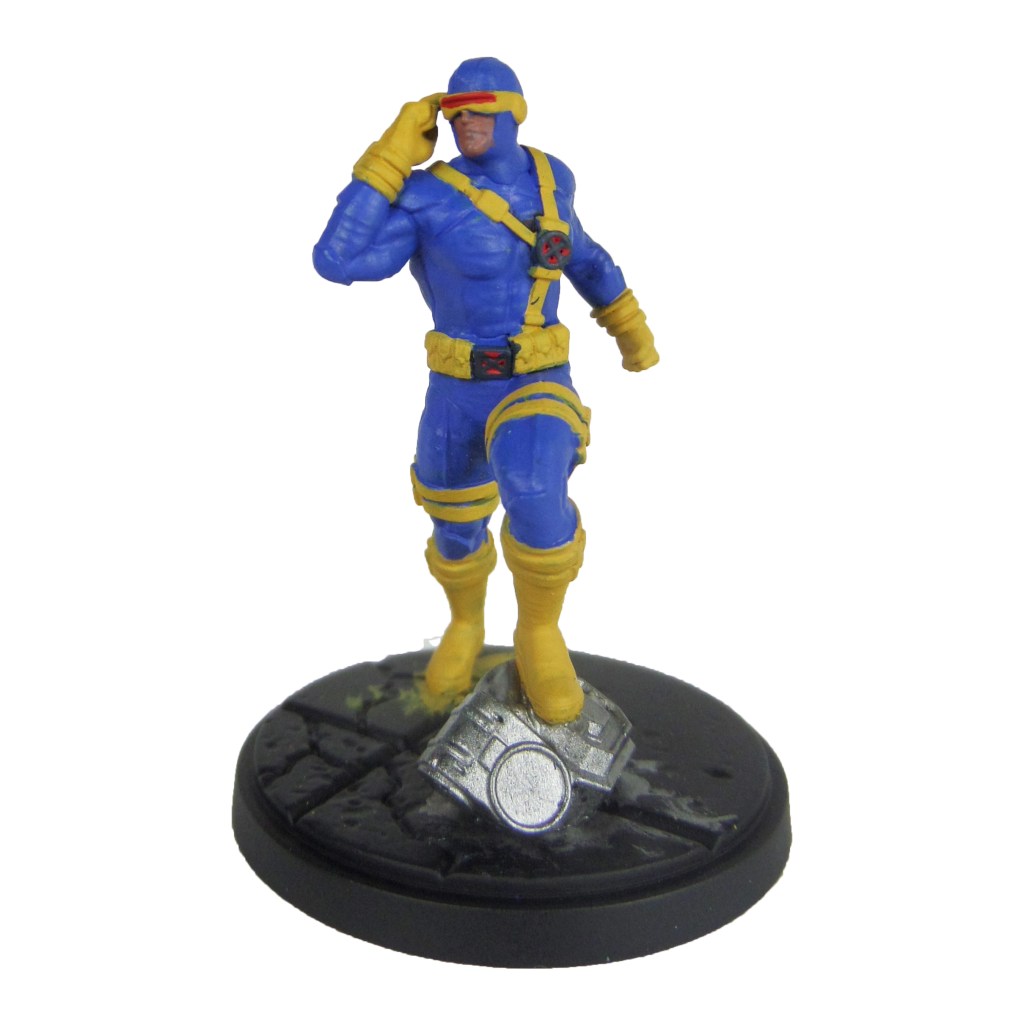
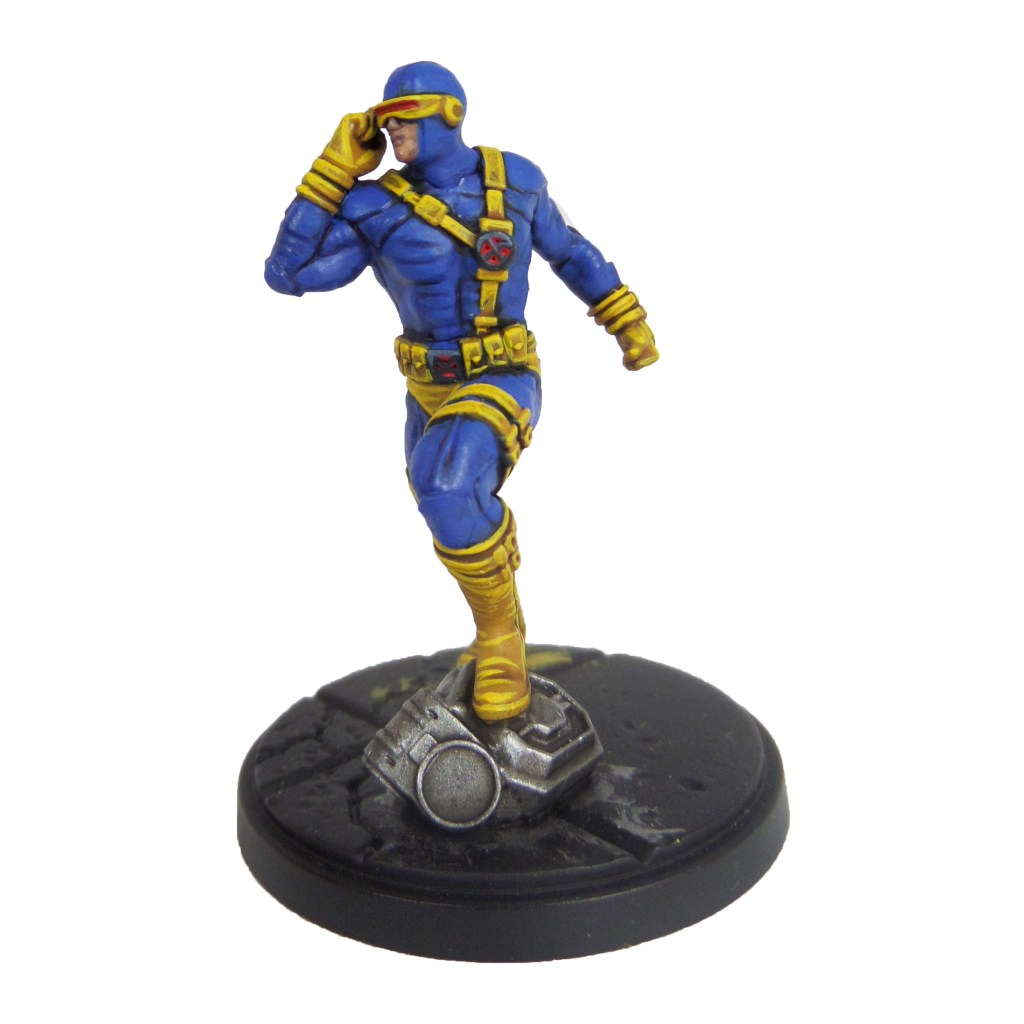
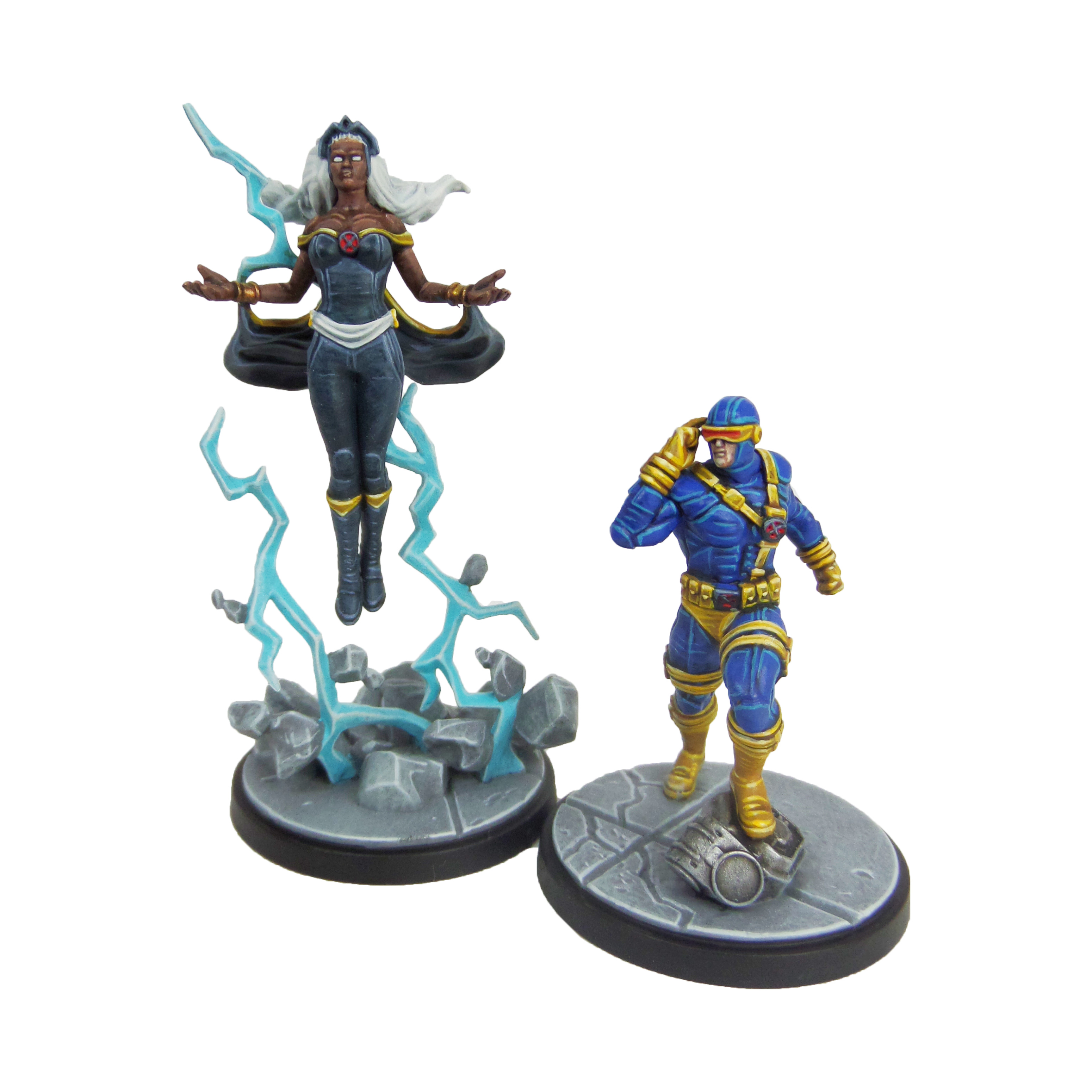
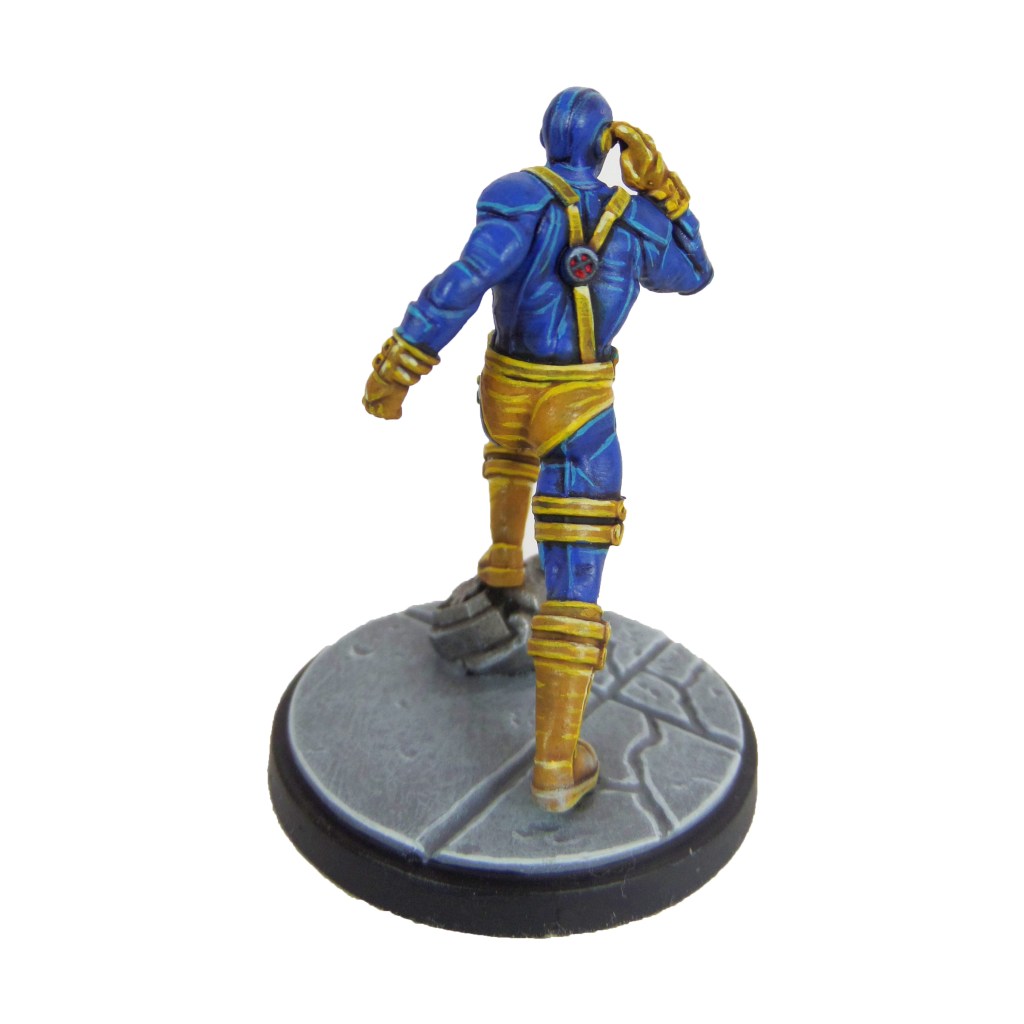
Cyclops
Stage 1
Caledor Sky: Apply a basecoat to the bodysuit.
Averland Sunset: Apply a basecoat to thestraps, boots, gloves and visor.
Evil Sunz Scarlet: Apply a basecoat to the inset of the x-men symbols and visor.
Incubi Darkness: Apply a basecoat to the outside of the x-men symbols.
Bugman’s Glow: Apply a basecoat to the skin.
Leadbelcher: Apply a basecoat to the scenery on the base.
Stage 2
Drakenhof Nightshade: Apply a shade to the bodysuit.
Agrax Earthshade: Apply a shade to the straps, boots, gloves and visor.
Nuln Oil: Apply a shade to the scenery
Thunderhawk Blue: Apply a layer to the outside of the x-men symbols.
Cadian Fleshtone: Apply a layer to the skin.
Stage 3
Caledor Sky: Apply a layer to the bodysuit.
Yriel Yellow: Apply a line highlgiht to the straps, gloves, boots and visor.
Evil Sunz Scarlet: Apply a spot highlight to the interior of the symbols and visor.
Russ Grey: Apply a line highlight to the outside of the x-men symbol.
Ironbreaker: Apply a line highlight to the scenery.
Stage 4
Temple Guard Blue: Apply a line highlight to the bodysuit.
Dorn Yellow: Apply a spot highlight to the straps, gloves, boots and visor.
Wild Rider Red: Apply a spot highlight to the interior of the x-men symbol. and visor.
Fenrisian Grey: Apply a spothighlight to the outside of the x-men symbol.
I need your support. Because my guides takes time and supplies to do, any support you can offer would mean the world to me. A supportive message in the comments is enough, but if you have the means why not send me a gift on Ko-Fi or PayPal. Thank you!
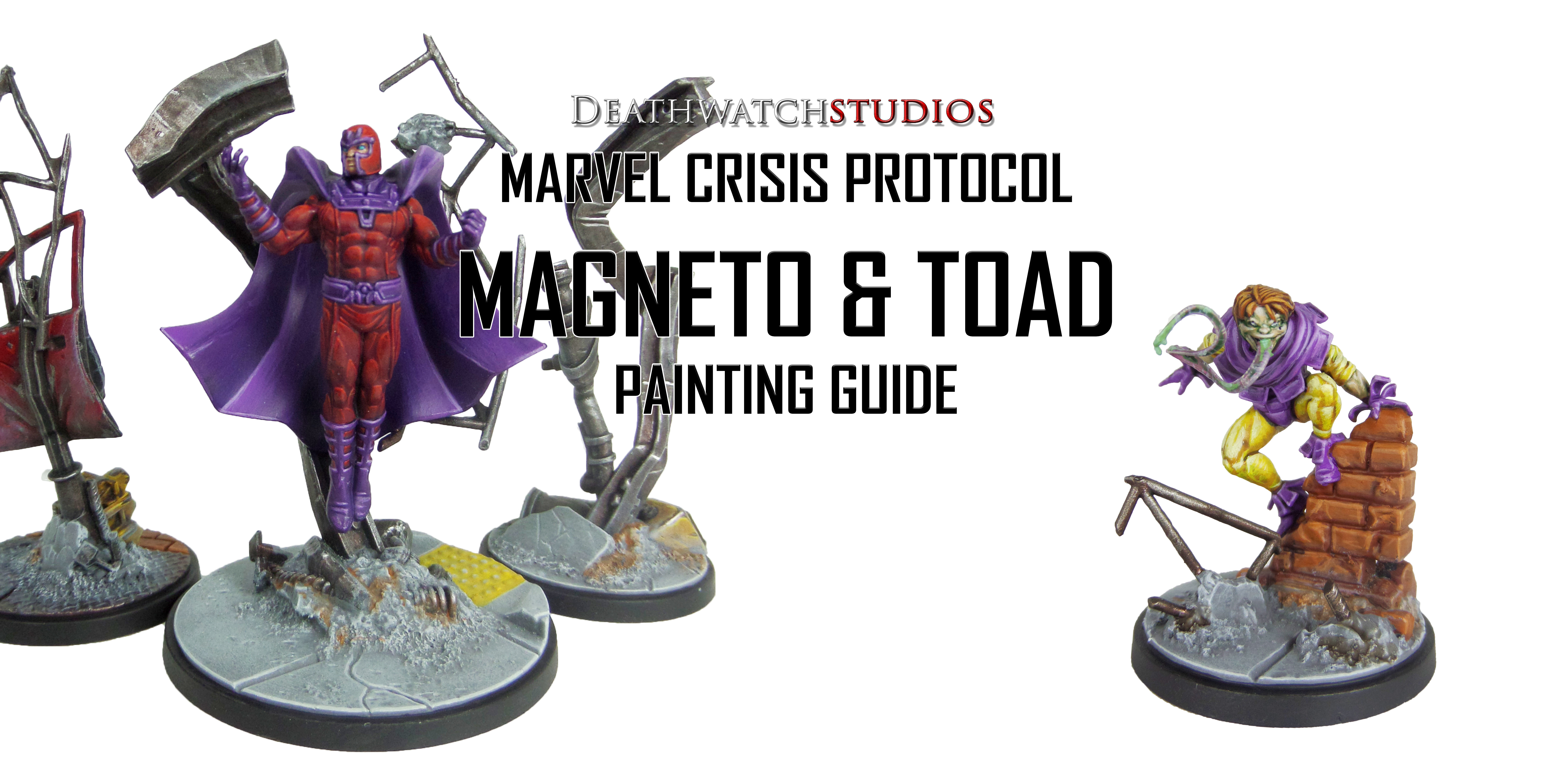
Prep: Fully build both models and undercoat black.
Magneto
Stage 1
Phoenician Purple: Apply a basecoat to the boots, gloves, belt, cape and helmet lining.
Khorne Red: Apply a basecoat to the bodysuit and helmet.
Bugman’s Glow: Apply a basecoat to the skin.
Warplock Bronze: Apply a basecoat to the metals in the debris.
Stage 2
Xereus Purple: Apply a layer to the boots, gloves, belt, cape and helmet lining.
Druchii Violet: Apply a shade to the bodysuit and helmet.
Cadian Fleshtone: Apply a layer to the skin.
Leadbelcher: Apply a layer to the metals in the debris.
Stage 3
Genestealer Purple: Apply a highlight to the boots, gloves, belt, cape and helmet lining.
Evil Sunz Scarlet: Apply a line highlight to the bodysuit and helmet.
Flayed One Flesh: Apply a line highlight to the skin.
Nuln Oil: Apply a shade to the metals in the debris.
Basic Skintone 70.815(Vallejo): Apply a layer to the skin.
Stage 4
Dechala Lilac: Apply a spot highlight to the boots, gloves, belt, cape and helmet lining.
Wild Rider Red: Apply a spot highlight to the bodysuit and helmet.
Stormhost Silver: Apply a line highlight to the metals in the debris.
Light Flesh 70.928 (Vallejo): Apply a spot highlight ot the skin.
I need your support. Because my guides takes time and supplies to do, any support you can offer would mean the world to me. A supportive message in the comments is enough, but if you have the means why not send me a gift on Ko-Fi or PayPal. Thank you!
Prep: Fully build both models and undercoat black.
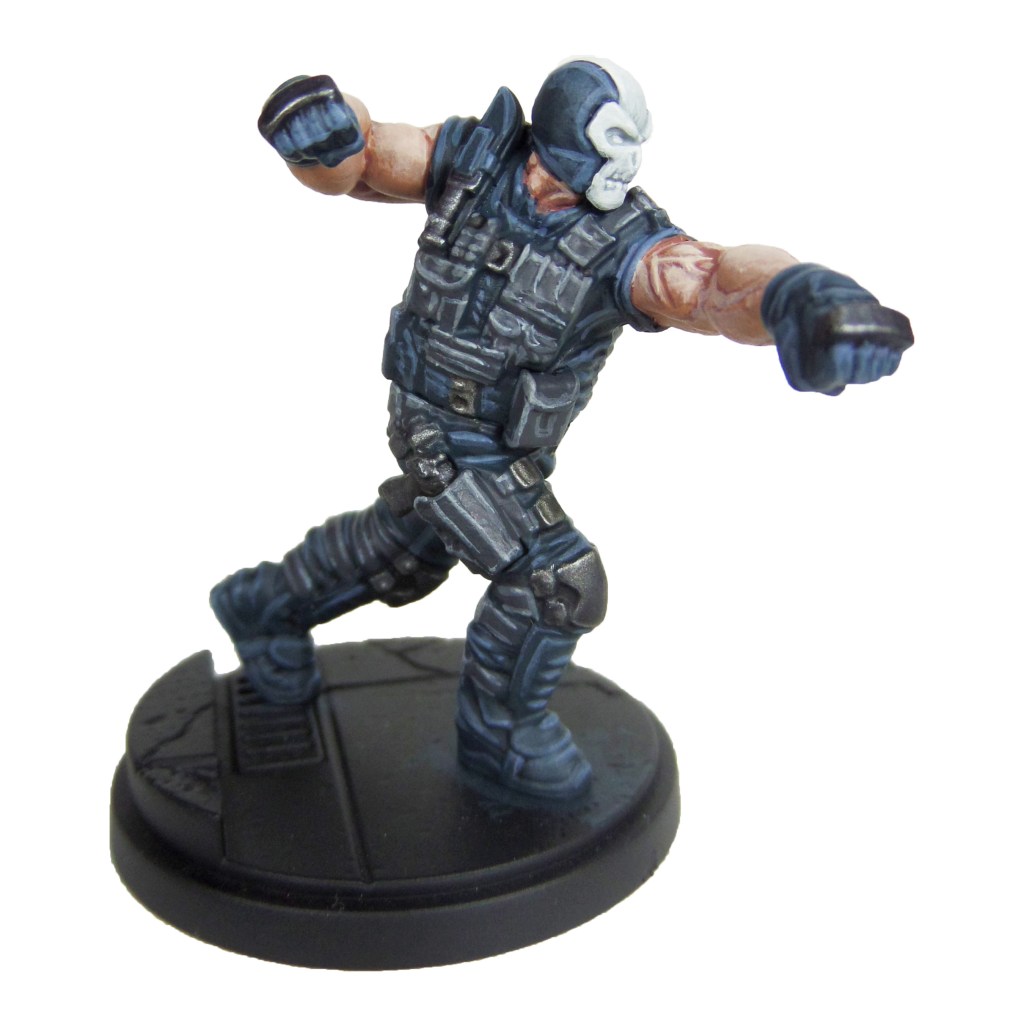
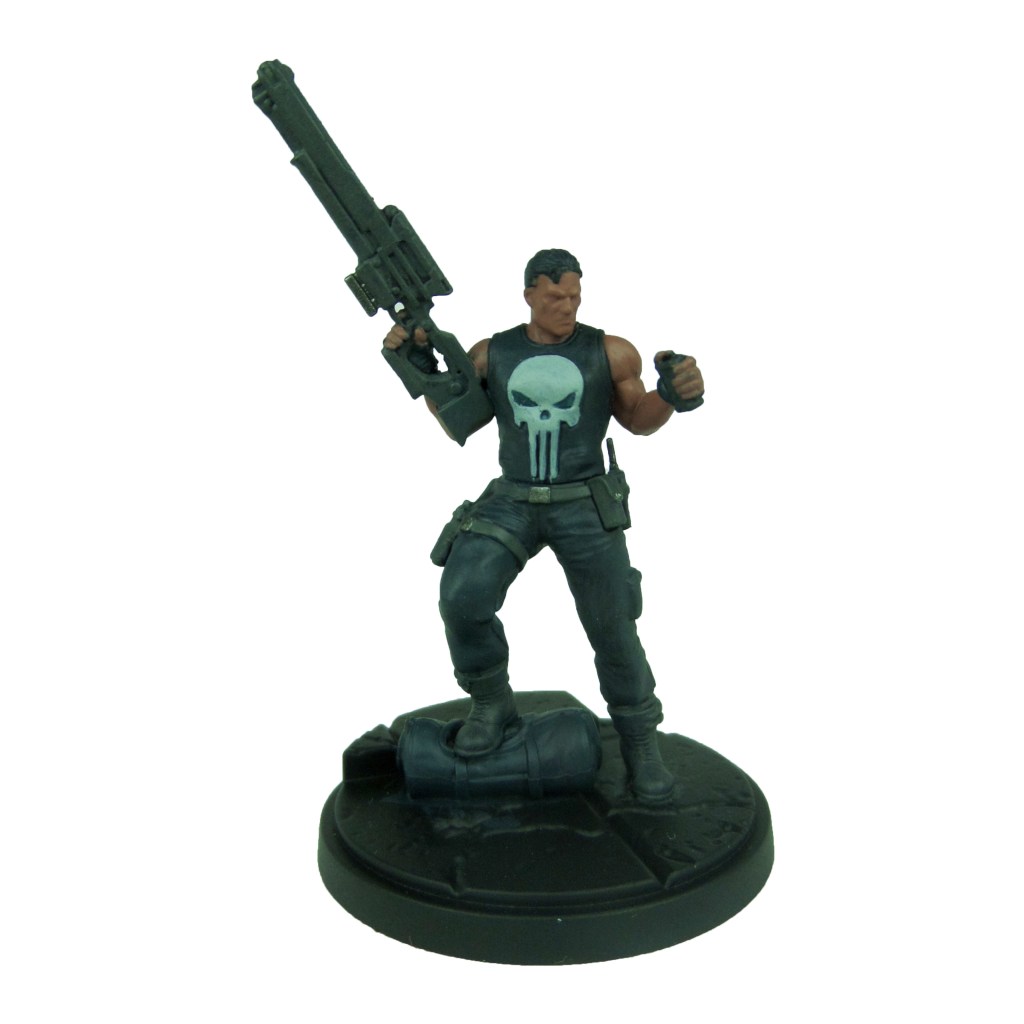
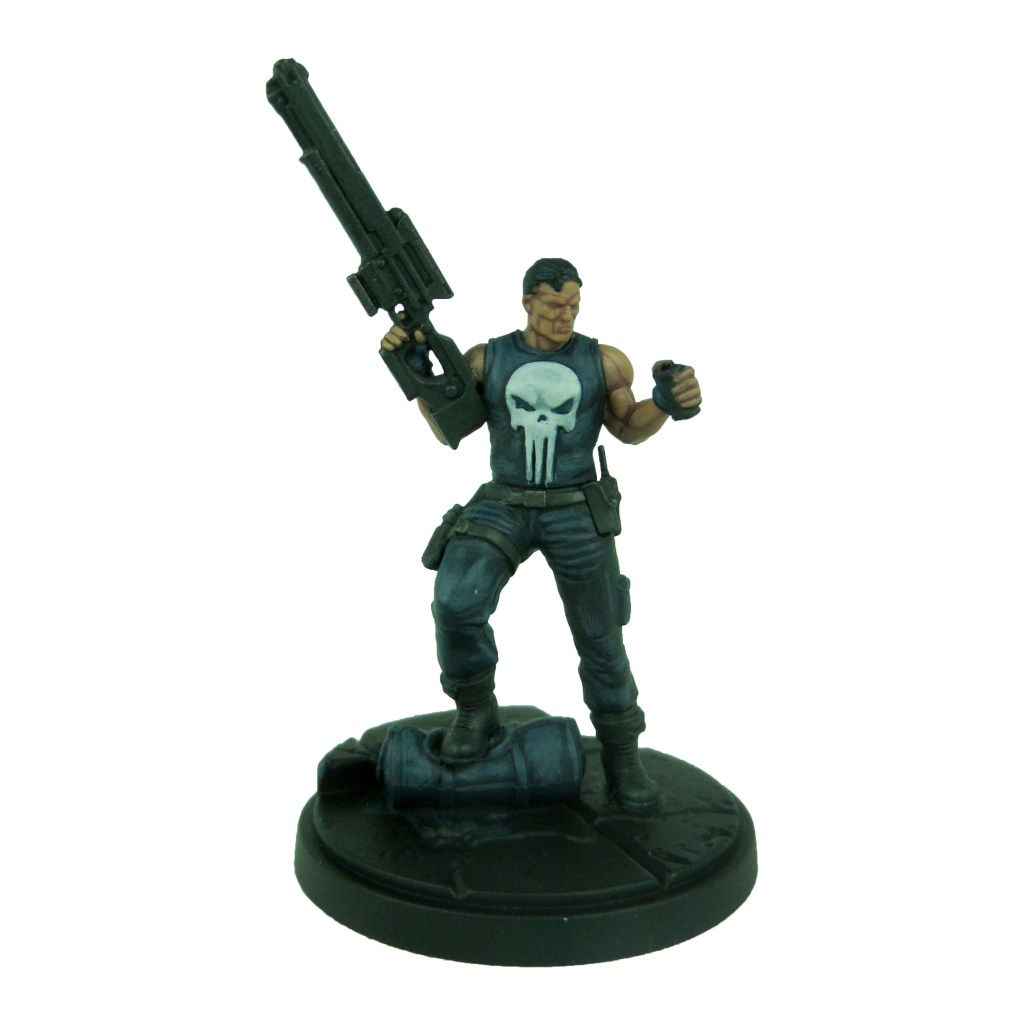
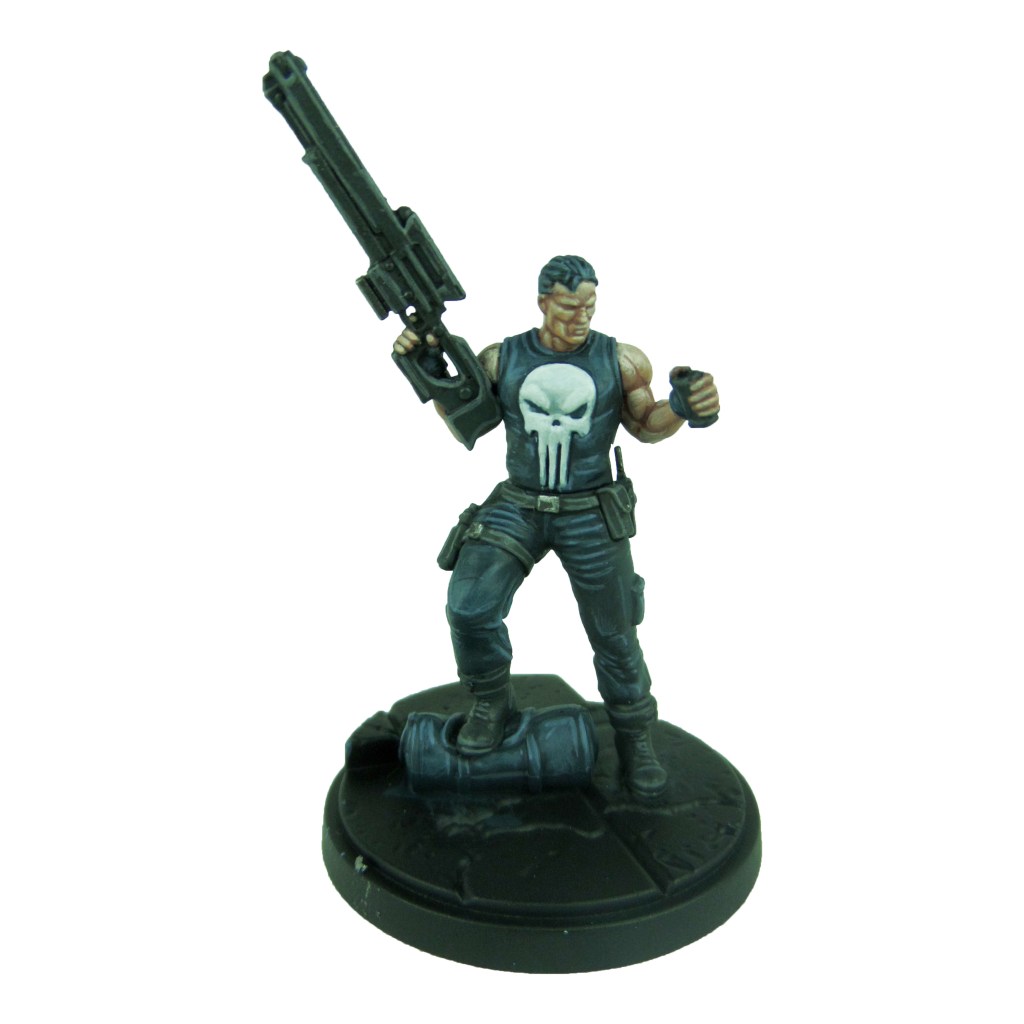
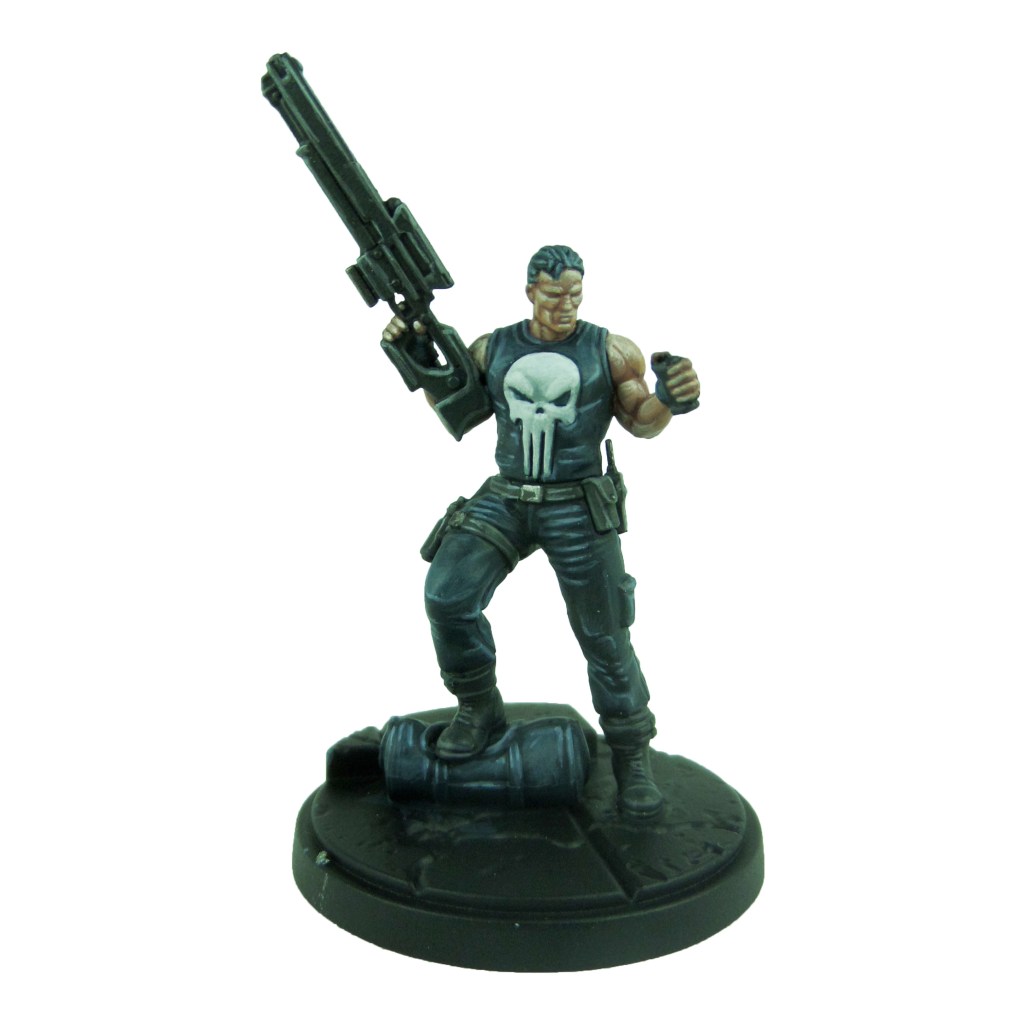
Punisher
Stage 1
Incubi Darkness: Apply a basecoat to the vest, trousers and bag.
Skavenblight Dinge: Apply a basecoat to the boots, straps, pouches and gun.
Celestra Grey: Apply a basecoat to the skull.
Bugman’s Glow: Apply a basecoat to the skin.
Iron Warriors: Apply a basecoat to the buckles.
Stage 2
Thunderhawk Blue: Apply a layer to the trousers, vest and bag.
Nuln Oil: Apply a shade to the boots, straps, pouches and gun.
Ulthuan Grey: Apply a layer to the skull.
Cadian Fleshtone: Apply a layer to the skin.
Stage 3
Russ Grey: Apply a highlight to the trousers and vest.
Dawnstone: Apply a line highlight to the boots, straps, pouches and gun.
White Scar: Apply a highlight to the skull.
Basic Skintone 70.815(Vallejo): Apply a highlight to the skin.
Ironbreaker: Apply a line highlight to the buckles.
Stage 4
Fenrisian Grey: Apply a spot highlight to the trousers and vest.
Celestra Grey: Apply a spot highlight to the boots, straps, pouches and gun.
Light Flesh 70.928 (Vallejo): Apply a spot highlight to the skin.
Stormhost silver: Apply a spot highlight to the buckles.
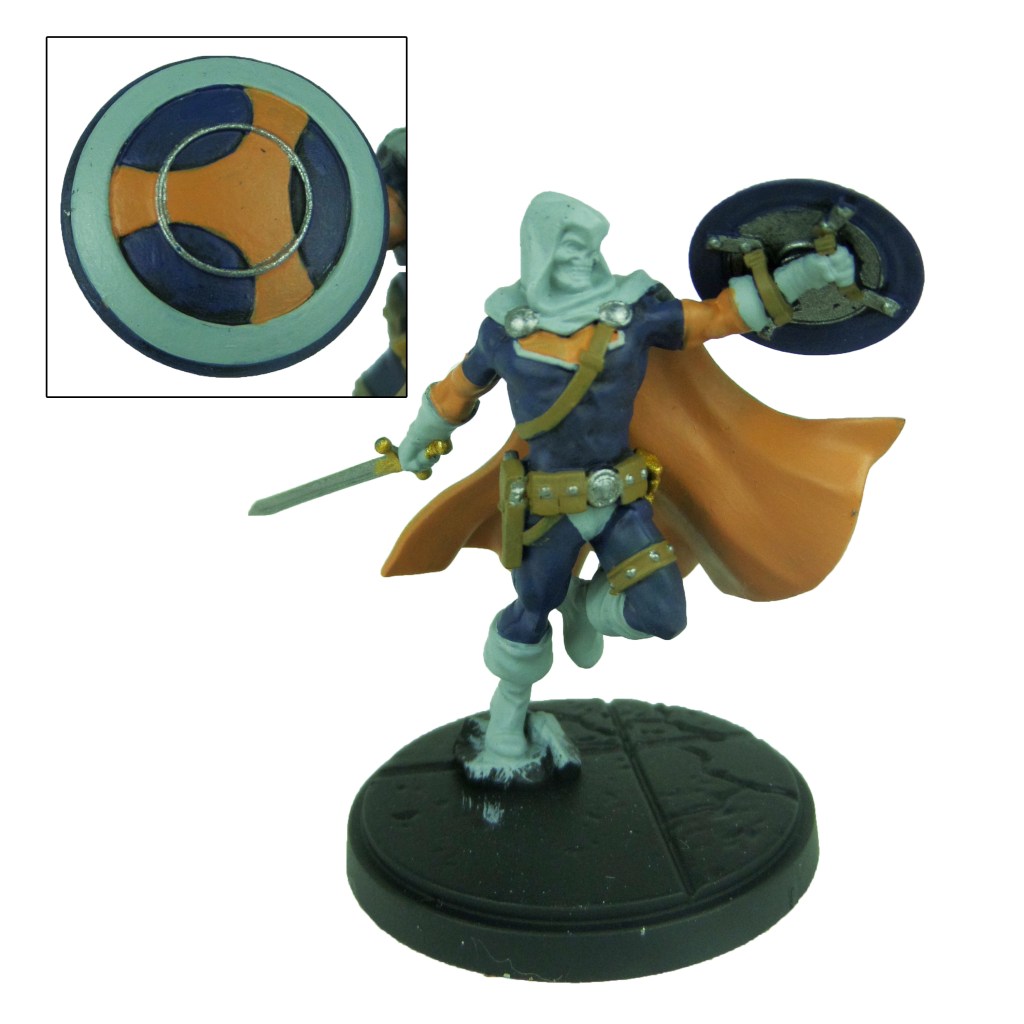
Taskmaster
Stage 1
Kantor Blue: Apply a basecoat to the suit and inner shield.
Jokearo Orange: Apply a basecoat to the arms, inner cape and the chest and shield symbol.
Celestra Grey: Apply a basecoat to the boots, gloves, cape and face, as well as the outer circle on the shield.
Leadbelcher: Apply a basecoat to the sword, buttons, clasps and inner circle of the shield.
XV88: Apply a basecoat to the straps and pouches.
Retributor Armour: Apply a basecoat to the sword hilt.
Stage 2
Caledor Sky: Apply a layer to the blue sections.
Averland Sunset: Apply a layer to the arms, inner cape and the chest and shield symbol.
Ulthuan Grey: Apply a layer to the boots, gloves, cape and face, as well as the outer circle on the shield.
Nuln Oil: Apply a shade to the sword, buttons, clasps and inner circle of the shield.
Agrax Earthshade: Apply a shade to the straps and pouches.
Druchii Violet: Apply a shade to the sword hilt.
Stage 3
Temple Guard Blue: Apply a line highlight to the blue sections.
Yriel Yellow: Apply a line highlight to the arms, inner cape and the chest and shield symbol.
White Scar: Apply a highlight to the boots, gloves, cape and face, as well as the outer circle on the shield.
Ironbreaker: Apply a layer to the sword, buttons, clasps and inner circle of the shield.
Balor Brown: Apply a line highlight to the straps and pouches.
Auric Armour Gold: Apply a layer to the sword hilt.
Stage 4
Baharroth Blue: Apply a spot highlight to the blue sections.
Phalanx Yellow: Apply a spot highlight to the arms, inner cape and the chest and shield symbol.
Stormhost Silver: Apply a spot highlight to the sword, buttons, clasps and inner circle of the shield.
Karak Stone: Apply a spot highlight to the straps and pouches.
I need your support. Because my guides takes time and supplies to do, any support you can offer would mean the world to me. A supportive message in the comments is enough, but if you have the means why not send me a gift on Ko-Fi or PayPal. Thank you!
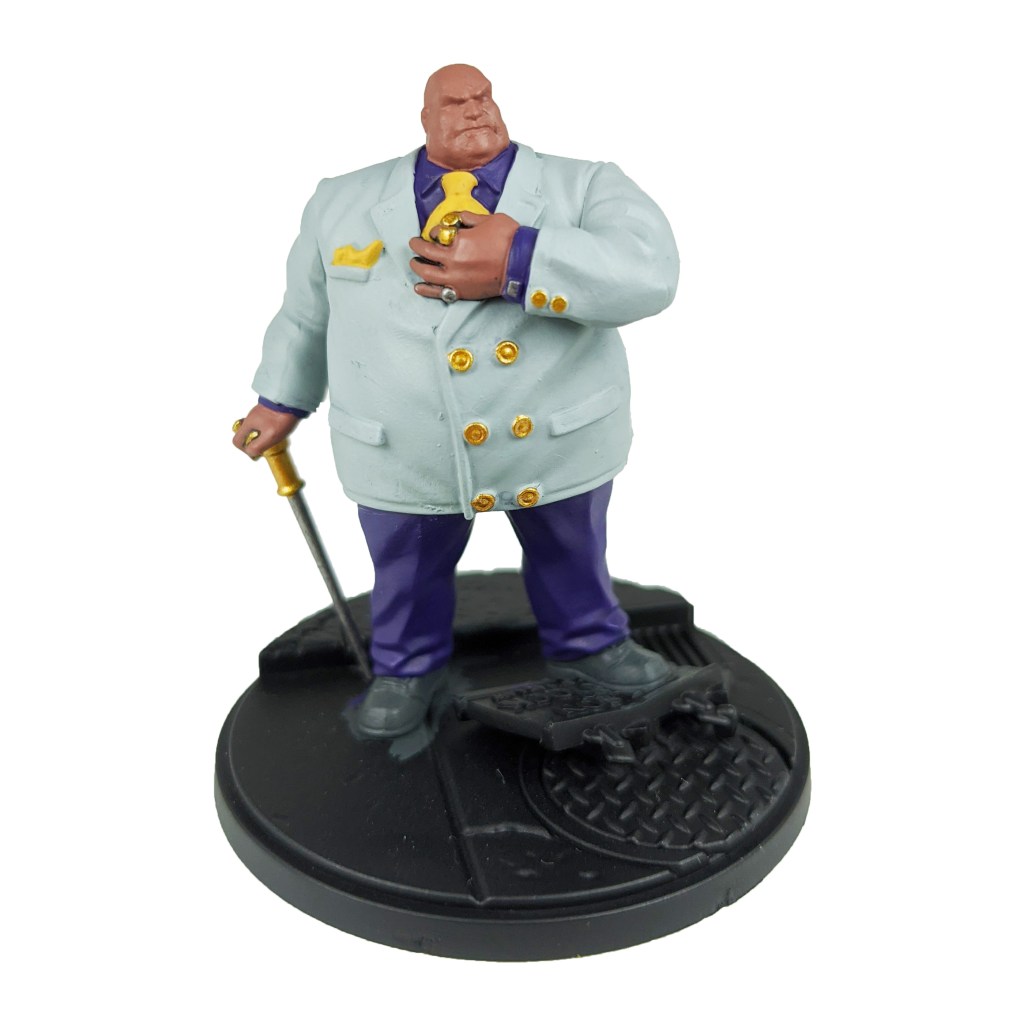
Prep. Miniature fully built and undercoated black.
Stage 1
Celestra Grey: Apply a basecoat to the jacket.
Bugman’s Glow: Apply a basecoat to the skin.
Skavenblight Dinge: Apply a basecoat to the shoes and cane.
Phoenician Purple: Apply a basecoat to the shirt and trousers.
Retributor Armour: Apply a basecoat to the buttons and cane top.
Leadbelcher: Apply a basecoat to the rings and cufflinks.
Averland Sunset: Apply a basecoat to the tie and cravat.
Stage 2
Ulthuan Grey: Apply a layer to the jacket.
Cadian Fleshtone: Apply a layer to the skin.
Nuln Oil: Apply a shade to the rings, cufflinks and shoes.
Genestealer Purple: Apply a layer to the shirt and trousers.
Druchii Violet: Apply a shade to the buttons and cane top.
Agrax Earthshade: Apply a shade to the tie and cravat.
Stage 3
White Scar: Apply a layer to the jacket.
Basic Skintone 70.815(Vallejo): Apply a highlight to the skin.
Iron breaker: Apply a highlight to the rings and cufflinks.
Dawnstone: Apply an edge highlight to the shoes and cane.
Kakophoni purple: Apply a highlight to the shirt and trousers.
Yriel Yellow: Apply a layer to the tie and cravat.
Auric Armour Gold: Apply a layer to the buttons and can top.
Stage 4
Light Flesh 70.928 (Vallejo): Apply a line highlight to the skin.
Stormhost Silver: Apply a spot highlight to the rings and cufflinks.
Celestra Grey: Apply a spot highlight to the shoes and cane.
Dechala Lilac: Apply a spot highlight to the shirt and trousers.
Dorn Yellow: Apply a spot highlight to the tie and cravat.
Baharroth Blue: Apply a layer to the centre of the tie pin.














































 DeathWatch Studios