MCP -Baron Zemo & Black Widow

Welcome to my latest painting guide!

I need your support. Because my guides takes time and supplies to do, any support you can offer would mean the world to me. A supportive message in the comments is enough, but if you have the means why not send me a gift on Ko-Fi or PayPal. Thank you!

Prep: Fully build both models and undercoat black.

Baron Zemo

Stage 1

Phoenician Purple: Apply a basecoat to the bodysuit.

Incubi Darkness: Apply a basecoat to the trousers, cuffs and jacket straps.

XV-88: Apply a basecoat to the hilt and crown.

Leadbelcher: Apply a basecoat to the sword and buckle.

Karak Stone: Apply a basecoat to the fur trim.

Eshin Grey: Apply a basecoat to the jacket and boots.

Stage 2

Xereus Purple: Apply a layer to the bodysuit.

Thunderhawk Blue: Apply a layer to the trousers, cuffs and jacket straps.

Averland Sunset: Apply a layer to the hilt and crown.

Nuln Oil: Apply a shade to the blade and buckle.

Rakarth Flesh: Apply a layer to the fur trim.

Dawnstone: Apply a layer to the jacket and boots.

Stage 3

Genestealer Purple: Apply a line highlight to the bodysuit.

Russ Grey: Apply a line highlight to the trousers, cuffs and jacket straps.

Yriel Yellow: Apply an edge highlight to the hilt and crown.

Ironbreaker: Apply a layer to the blade and buckle.

Pallid Wych Flesh: Apply a layer to the fur trim.

Celestra Grey: Apply a line highlight to the jacket and boots.
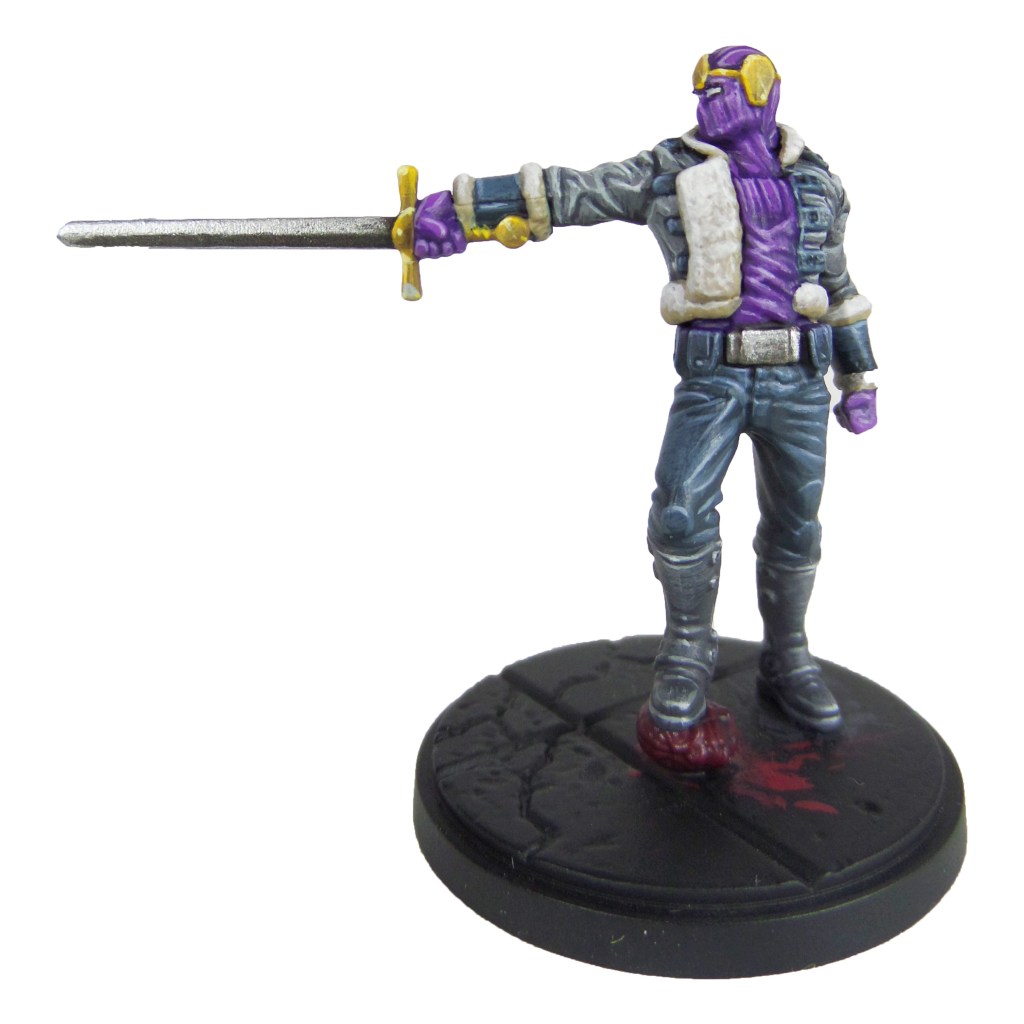
Stage 4

Dechala Lilac: Apply a spot highlight to the bodysuit.

Fenrisian Grey: Apply a spot highlight to the trousers, cuffs and jacket straps.

Dorn Yellow: Apply a spot highlight to the hilt and crown.

Stormhost Silver: Apply a spot highlight to the sword and buckle.

White Scar: Apply a layer to the eyes and a spot highlight to the fur trim.

Krieg Khaki: Apply a spot highlight to the jacket and boots.

Finish by painting the base with the Base Painting guide.

Black Widow
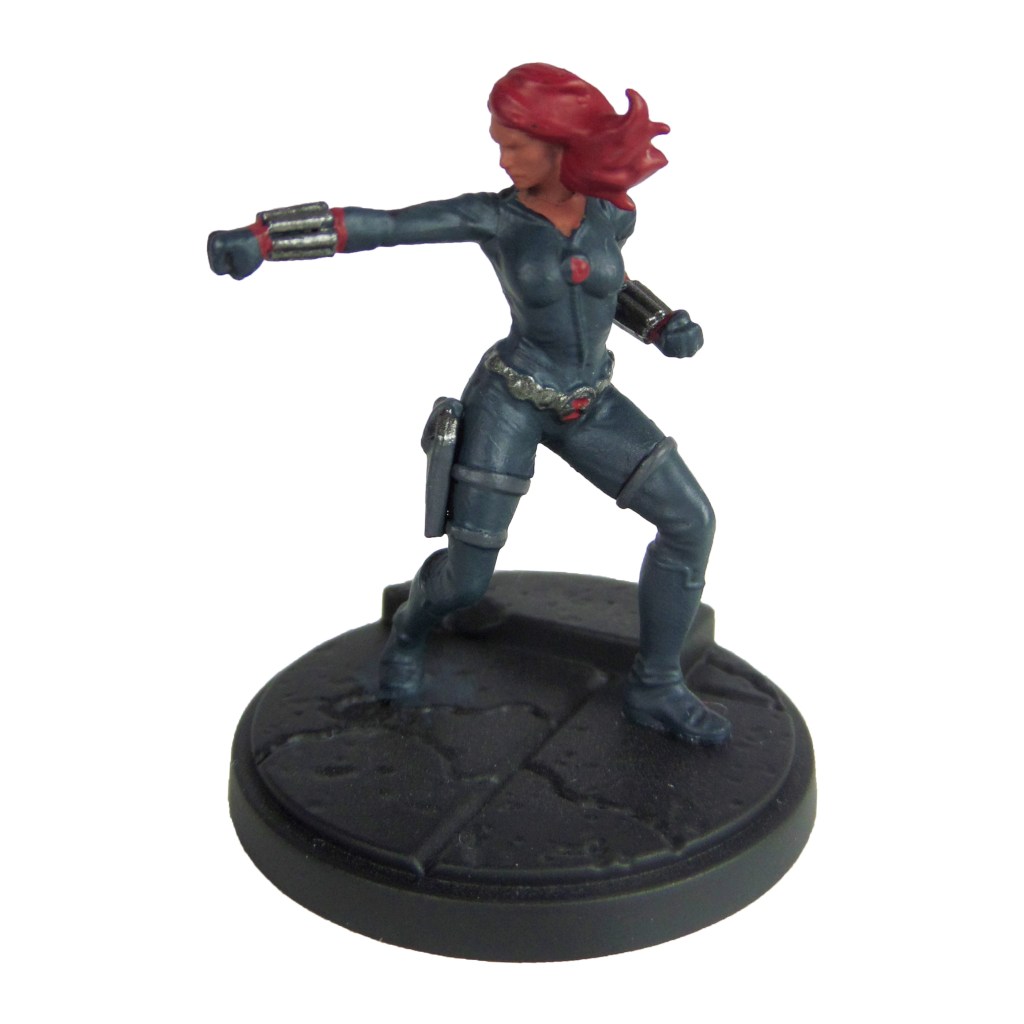
Stage 1

Incubi Darkness: Apply a basecoat to the bodysuit.

Iron Warriors: Apply a basecoat to the belt, gun and bracelets.

Khorne Red: Apply a basecoat to the hair, symbols and wrists.

Bugman’s Glow: Apply a basecoat to the skin.

Eshin Grey: Apply a basecoat to the straps and holster.

Stage 2

Thunderhawk Blue: Apply a layer to the bodysuit.

Nuln Oil: Apply a shade to the metals.

Mephiston Red: Apply a layer to the hair, symbols and wrists.

Cadian Fleshtone: Apply a layer to the skin.

Dawnstone: Apply a line highlight to the straps and holster.

Stage 3

Russ Grey: Apply a line highlight to the bodysuit.

Drakenhof Nightshade: Apply a shade to the metals.

Evil Sunz Scarlet: Apply a line highlight to the hair and wrists.

Basic Skintone 70.815(Vallejo): Apply a highlight to the skin.

Celestra Grey: Apply a line highlight to the straps and holster.

Stage 4

Fenrisian Grey: Apply a spot highlight to the bodysuit.

Ironbreaker: Apply a spot highlight to the metals.

Wild Rider Red: Apply a spot highlight to the hair and wrists.

Light Flesh 70.928 (Vallejo): Apply a spot highlight to the skin.

Krieg Khaki: Apply a spot highlight to the straps and holster.

Finish by painting the base with the Base Painting guide.
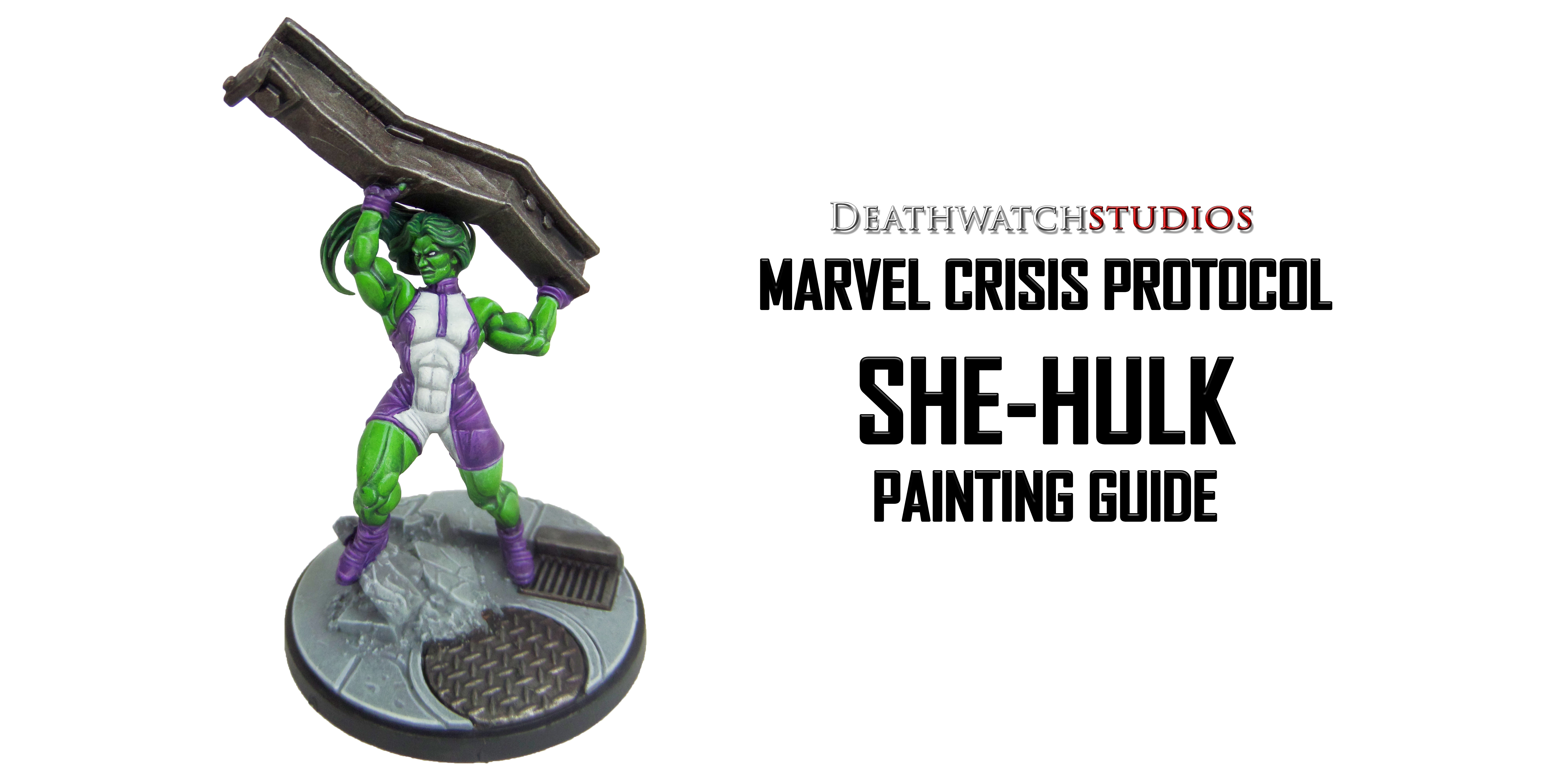
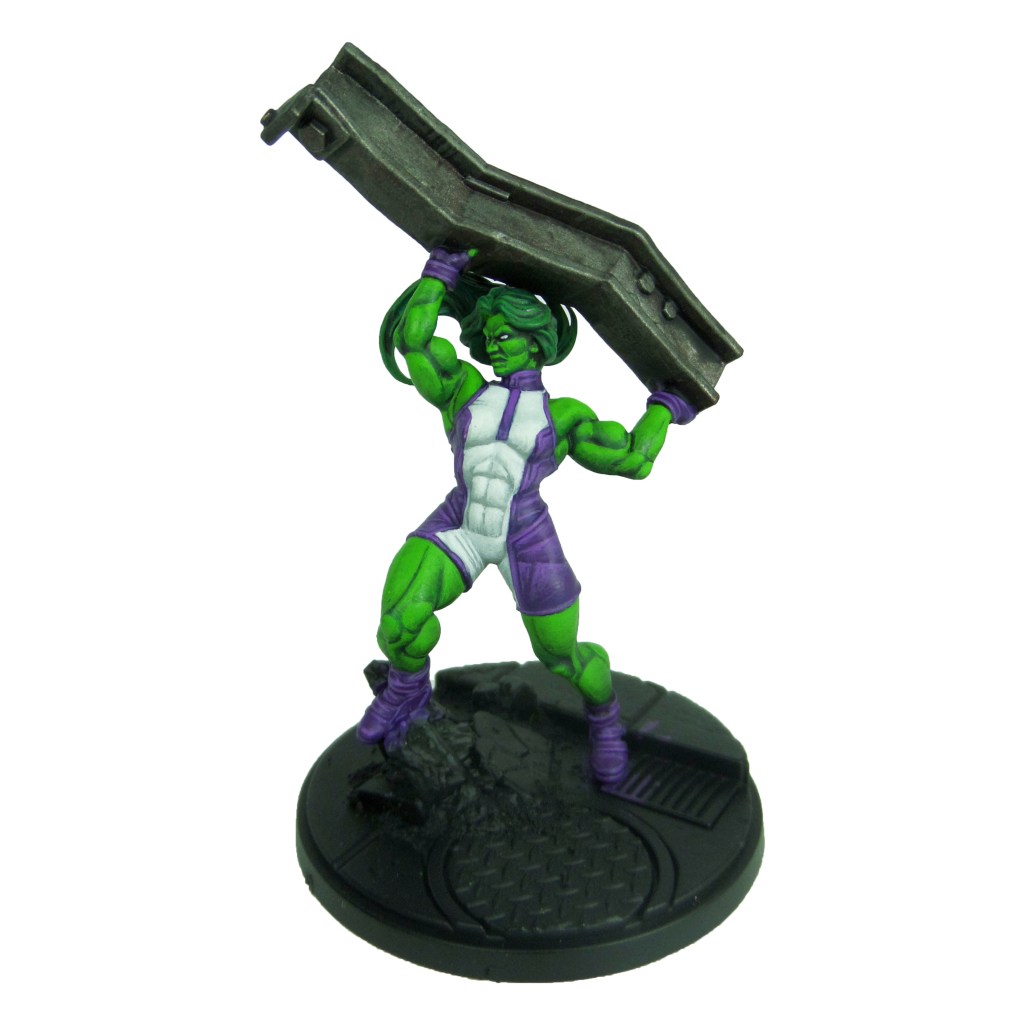
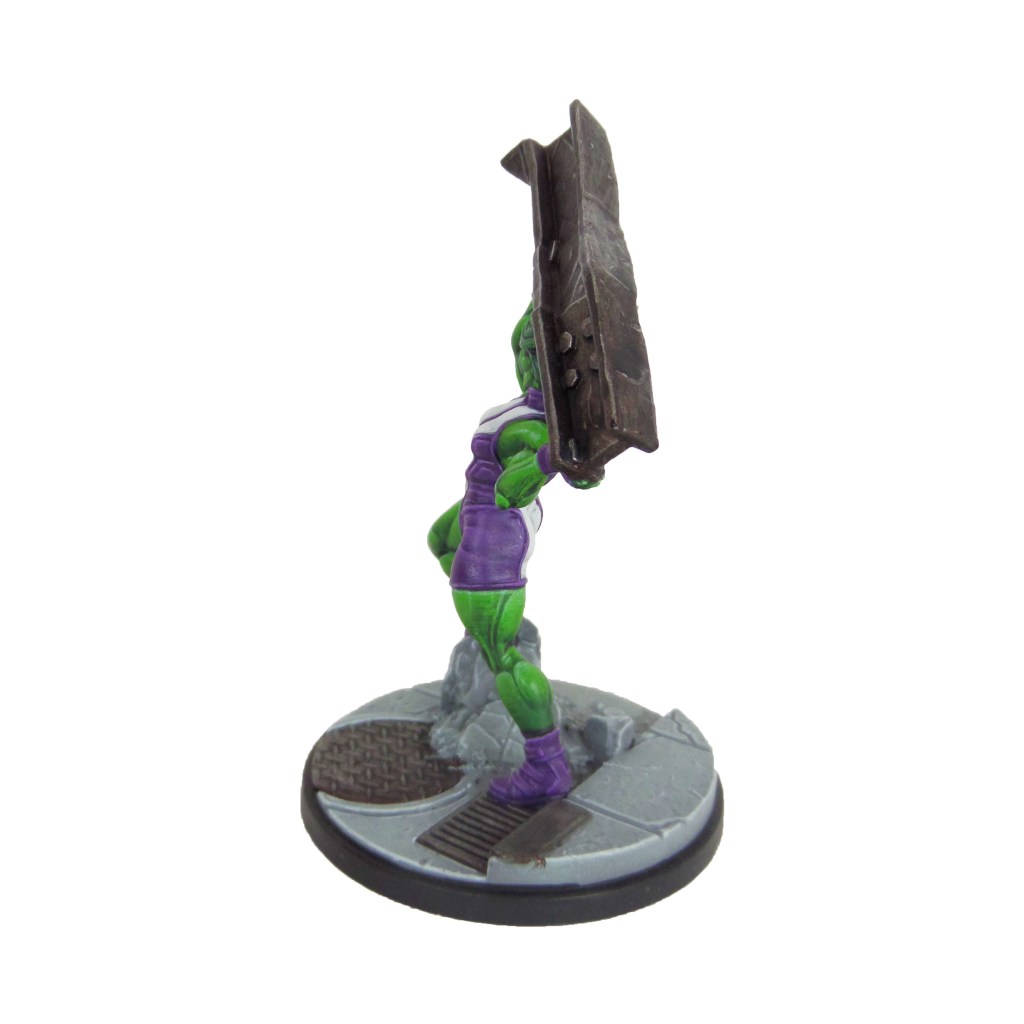
MCP – She-Hulk Painting Guide

Welcome to my latest painting guide!

I need your support. Because my guides takes time and supplies to do, any support you can offer would mean the world to me. A supportive message in the comments is enough, but if you have the means why not send me a gift on Ko-Fi or PayPal. Thank you!

Prep: Fully build the model and undercoat black.

Stage 1

Celestra Grey: Apply a basecoat to the middle of the bodysuit.

Warpstone Glow: Apply a basecoat to the skin.

Warplock Bronze: Apply a basecoat to the girder.

Phoenician Purple: Apply a basecoat to the gloves, boots and outer bodysuit.

Kabalite Green: Apply a basecoat to the hair.

Stage 2

Ulthuan Grey: Apply a layer to the middle of the bodysuit

Druchii Violet: Apply a shade to the skin.

Leadbelcher: Apply a drybrush to the girder.

Xereus Purple: Apply a layer to the gloves, boots and outer bodysuit.

Nuln Oil: Apply a shade to the hair.

Stage 3

White Scar: Apply a highlight to the middle of the bodysuit, also apply a layer to the eyes.

Moot Green: Apply a layer to the skin. Build this up over several thin layers, focussing further up each muscle and feature as you go.

Nuln Oil: Apply a shade to the girder.

Genestealer Purple: Apply a highlight to the gloves, boots and outer bodysuit.

Warpstone Glow: Apply a layer to the hair.

Stage 4

Gauss Blaster Green: Apply a highlight to the skin.

Ironbreaker: Apply a line highlight to the girder.

Dechala Lilac: Apply a line highlight to the gloves, boots and outer bodysuit.

Skarsnik Green: Apply a line highlight to the hair, focussing on the roots and tips.

Finish by painting the base and rocks with the Base Painting guide.

Gallery

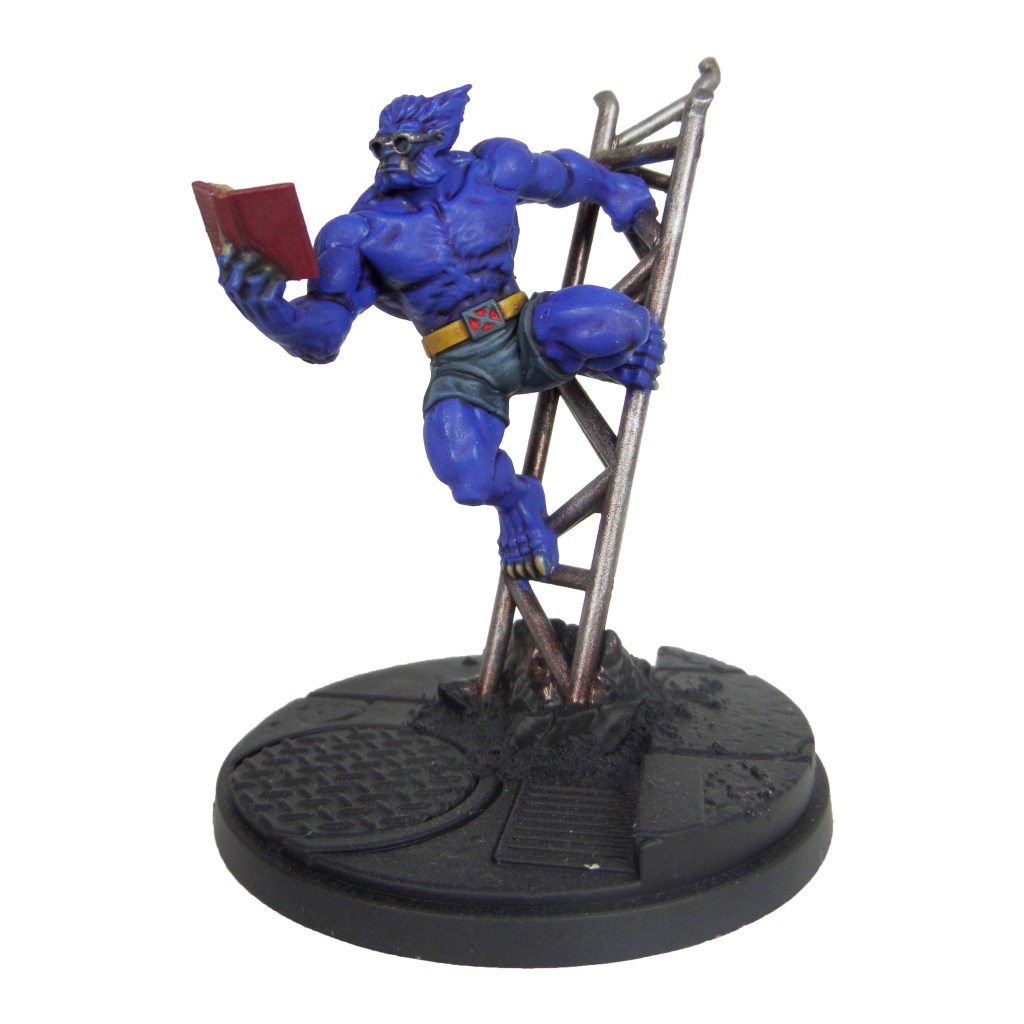
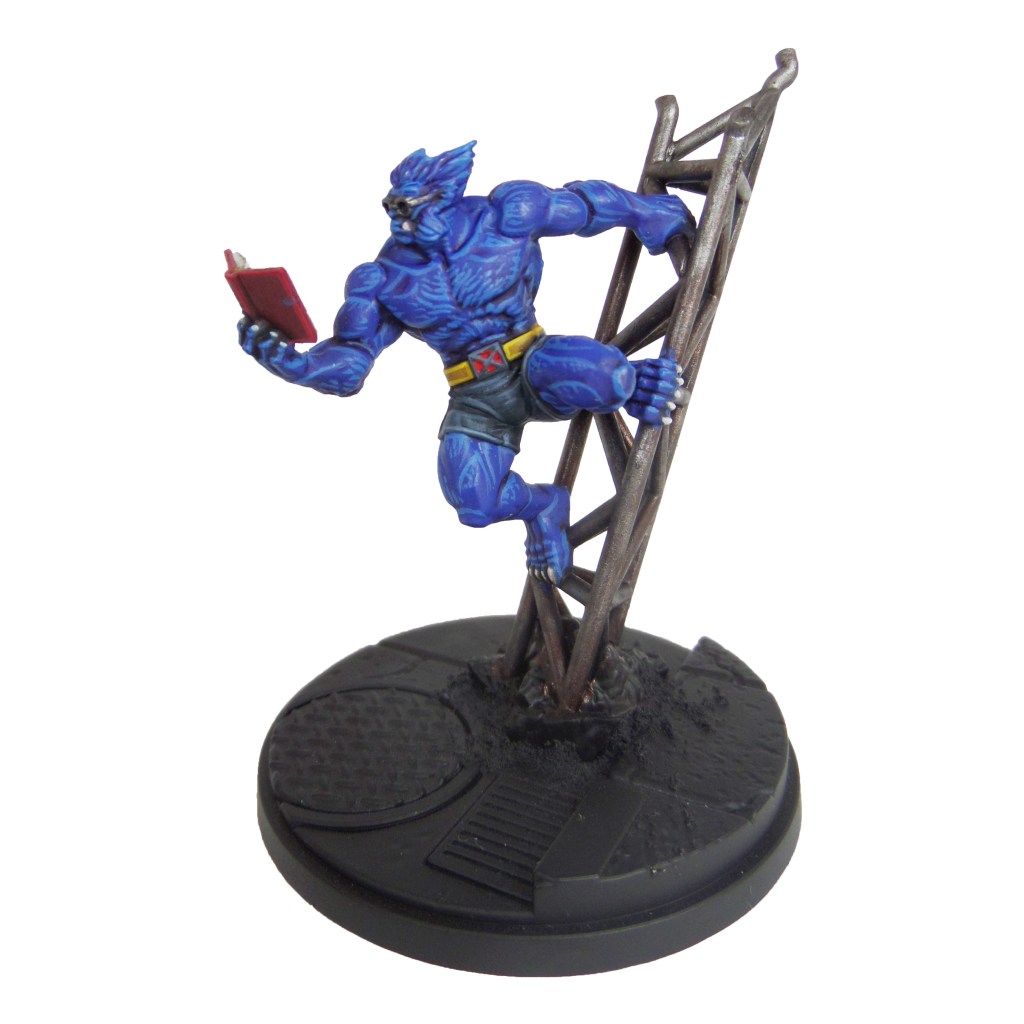
MCP – Beast & Mystique Painting Guide

Welcome to my latest painting guide!

I need your support. Because my guides takes time and supplies to do, any support you can offer would mean the world to me. A supportive message in the comments is enough, but if you have the means why not send me a gift on Ko-Fi or PayPal. Thank you!

Prep: Fully build both models and undercoat black.

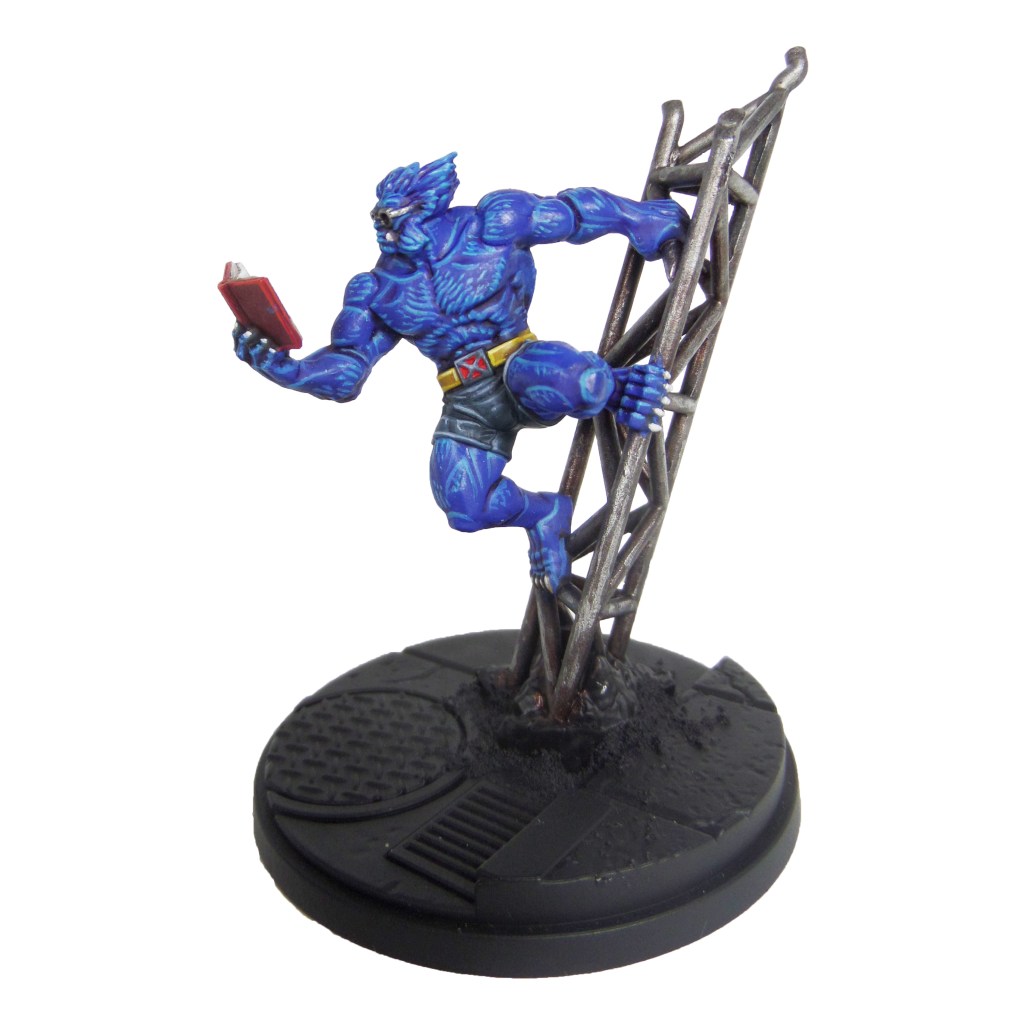
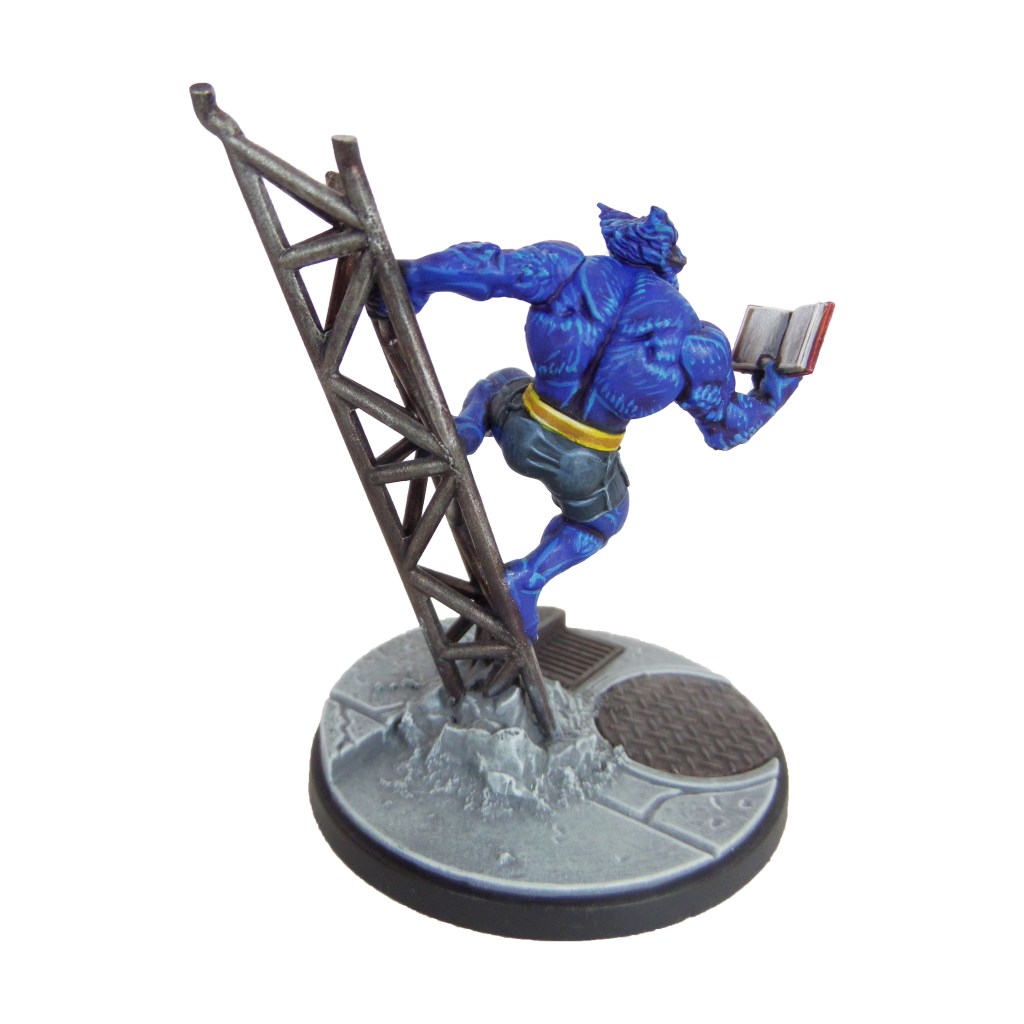
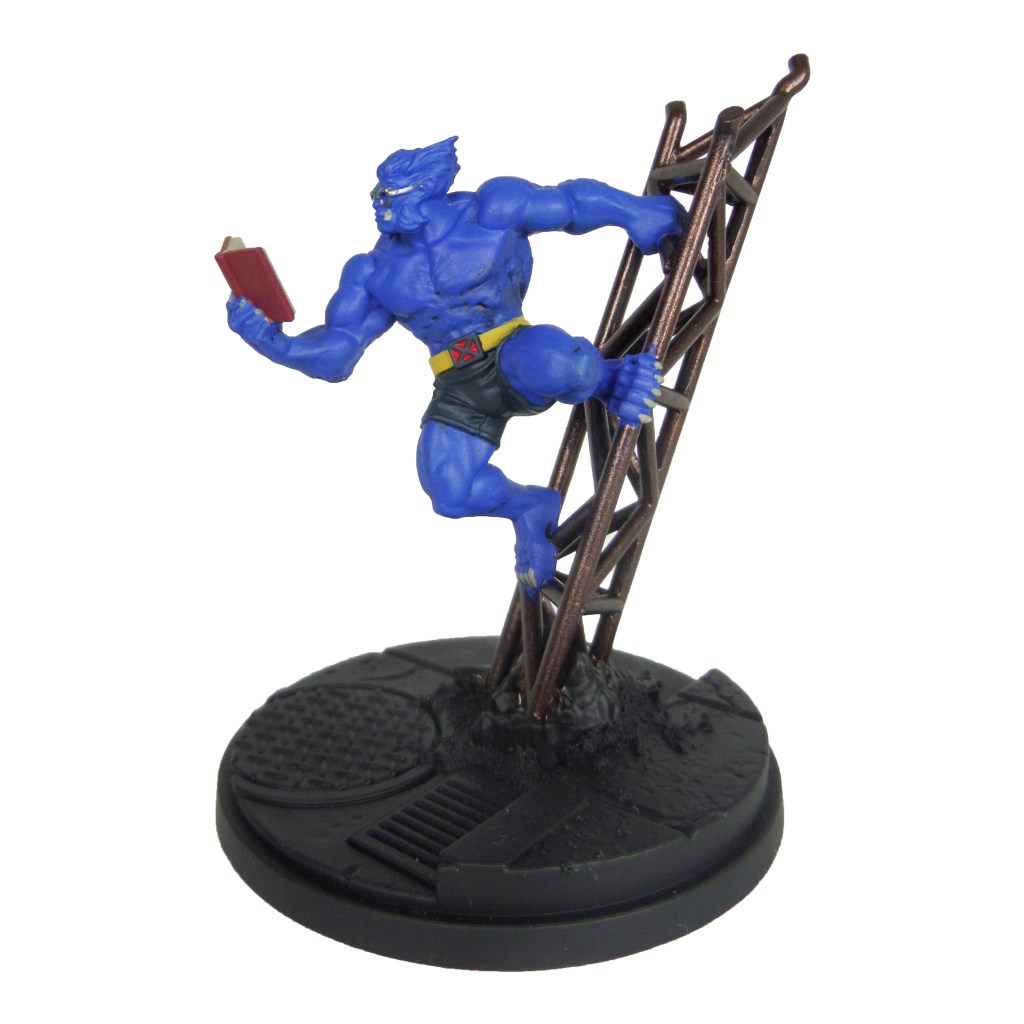
Beast

Stage 1

Caledor Sky: Apply a basecoat to the fur.

Incubi Darkness: Apply a basecoat to the shorts.

Khorne Red: Apply a basecoat to the book cover.

Warplock Bronze: Apply a basecoat to the metal bars.

Leadbelcher: Apply a basecoat to the glasses.

Averland Sunset: Apply a basecoat to the belt.

Karak Stone: Apply a basecoat to the teeth, claws and book pages.

Evil Sunz Scarlet: Apply a basecoat to the inset of the buckle.

Stage 2

Druchii Violet: Apply a shade to the fur.

Thunderhawk Blue: Apply a layer to the shorts and outside of the belt buckle.

Agrax Earthshade: Apply a shade to the book and belt.

Nuln Oil: Apply a shade to the glasses.

Leadbelcher: Apply a layer to the metal bars.

Stage 3

Teclis Blue: Apply a line highlight to the fur. Add small dashes and dots to the larger areas to simulate some of the hairs..

Russ Grey: Apply a line highlight to the shorts.

Agrax Earthshade: Apply a shade to the metal bars.

Yriel Yellow: Apply a line highlight to the belt.

Pallid Wych Flesh: Apply a line highlight to the teeth, claws and book pages.

Wazdakka Red: Apply a line highlgiht to the book cover.

Stage 4

Temple Guard Blue: Apply a spot highlgiht to the fur, adding to the dots and dashes as well.

Fenrisian Grey: Apply a spot highlgiht to the shorts.

Stormhost Silver: Apply a spot highlgiht to the glasses.

Dorn Yellow: Apply a spot highlgiht to the belt.

White Scar: Apply a spot highlgiht to the teeth, claws and book pages.

Evil Sunz Scarlet: Apply a spot highlgiht to the book cover

Ironbreaker: Apply a light drybrush to the metal bars.

Finish by painting the base and rocks with the Base Painting guide.

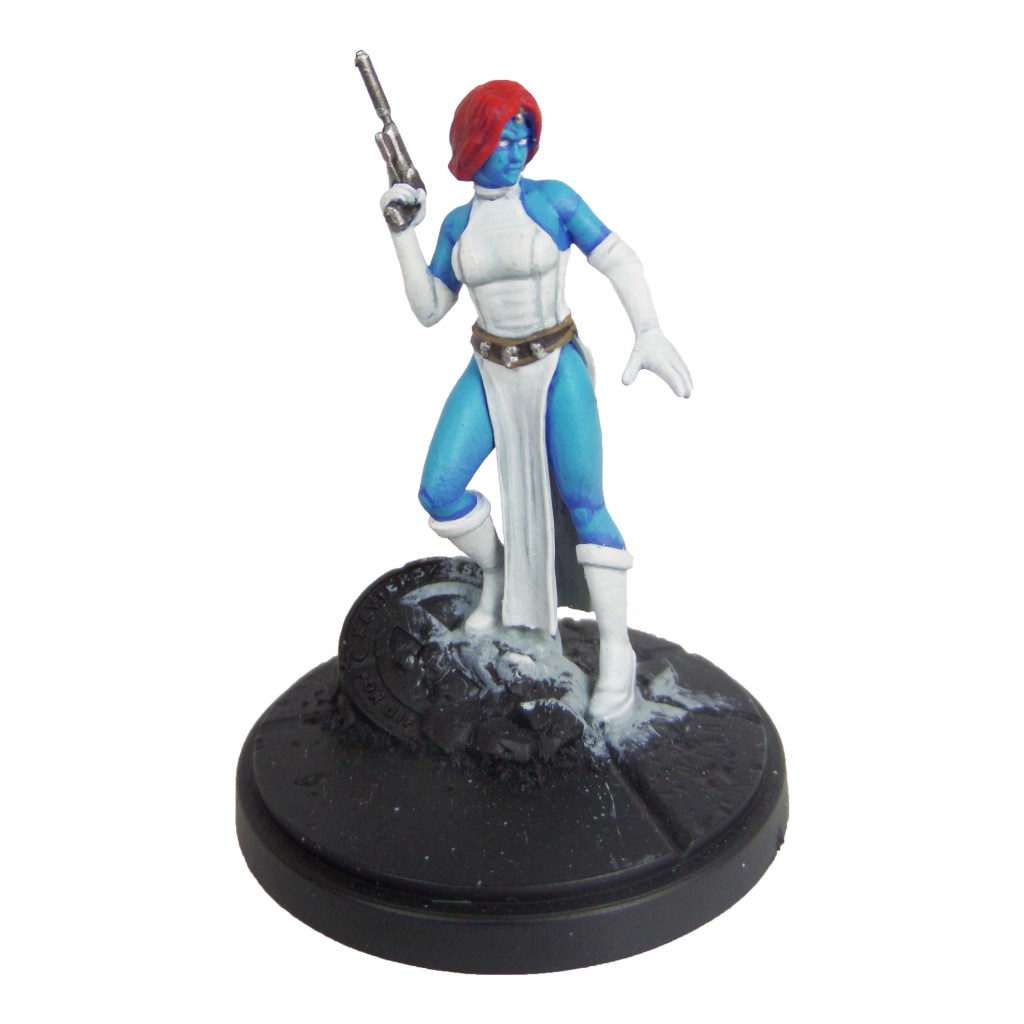
Mystique

Stage 1

Caledor Sky: Apply a basecoat to the skin.

Celestra Grey: Apply a basecoat to the dress, gloves and boots.

Khorne Red: Apply a basecoat to the hair.

Dryad Bark: Apply a basecoat to the belt.

Leadbelcher: Apply a basecoat to the gun and skulls.

Stage 2

Teclis Blue: Apply a layer to the skin.

Ulthuan Grey: Apply a layer to the dress, gloves and boots.

Wazdakka Red: Apply a layer to the hair.

Nuln Oil: Apply a shade to the guns, skulls and belt.

Stage 3

Temple Guard Blue: Apply a highlight to the skin.

White Scar: Apply a layer to the eyes, dress, gloves and boots.

Evil Sunz Scarlet: Apply a highlight to the hair

Ironbreaker: Apply a layer to the gun and skulls.

Steel Legion Drab: Apply a line highlight to the belt.

Stage 4

Baharroth Blue: Apply a final layer to the skin.

Wild Rider Red: Apply a spot highlight to the hair.

Stormhost Silver: Apply a spot highlight to the gun and skulls.

Karak Stone: Apply a edge highlight to the belt.

Finish by painting the base with the Base Painting guide.

Gallery

MCP – Sabretooth & Wolverine Painting Guide

Welcome to my latest painting guide!

I need your support. Because my guides takes time and supplies to do, any support you can offer would mean the world to me. A supportive message in the comments is enough, but if you have the means why not send me a gift on Ko-Fi or PayPal. Thank you!

Prep: Fully build both models and undercoat black.

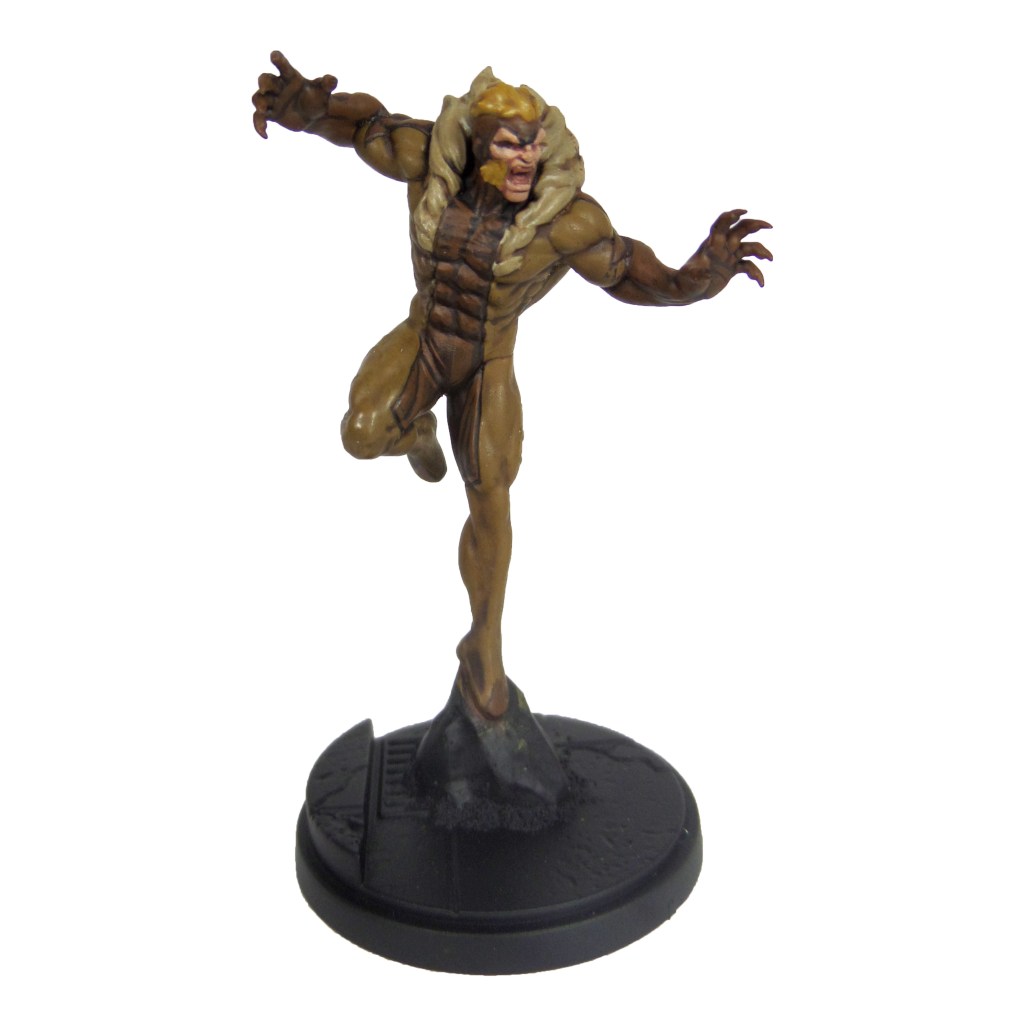
Sabretooth

Stage 1

XV88: Apply a basecoat to the lighter bodysuit areas.

Rhinox Hide: Apply a basecoat to the darker bodysuit areas.

Zamesi Desert: Apply a basecoat to the hair.

Bugman’s Glow: Apply a basecoat to the skin.

Karak Stone: Apply a basecoat to the fur trim.

Stage 2

Agrax Earthshade: Apply a shade to the light bodysuit, hair and fur trim.

Mournfang Brown: Apply a layer to the darker bodysuit areas.

Cadian Fleshtone; Apply a layer to the skin.

Stage 3

Balor Brown: Apply a layer to the lighter bodysuit areas, focussing towards the tops of the muscles and features.

Steel Legion Drab: Apply a line highlight to the darker bodysuit areas.

Blonde Hair 9257(MSP): Apply a layer to the hair.

Basic Skintone 70.815(Vallejo): Apply a layer to the skin.

Karak Stone: Apply a layer to the fur trim.

Bloodletter: Apply a glaze to the mouth.

Stage 4

Krieg Khaki: Apply a highlight to the muscles and features of the lighter bodysuit areas.

Karak Stone: Apply a spot highlight to the darker bodysuit areas.

Blonde Highlight 9258(MSP): Apply a spot highlight to the hair.

Light Flesh 70.928(Vallejo): Apply a spot highlight to the skin.

Pallid Wych Flesh: Apply a highlight to the fur trim and a layer to the teeth.

White Scar: Apply a layer to the eyes.

Finish by painting the base and rocks with the Base Painting guide.

Wolverine

Stage 1

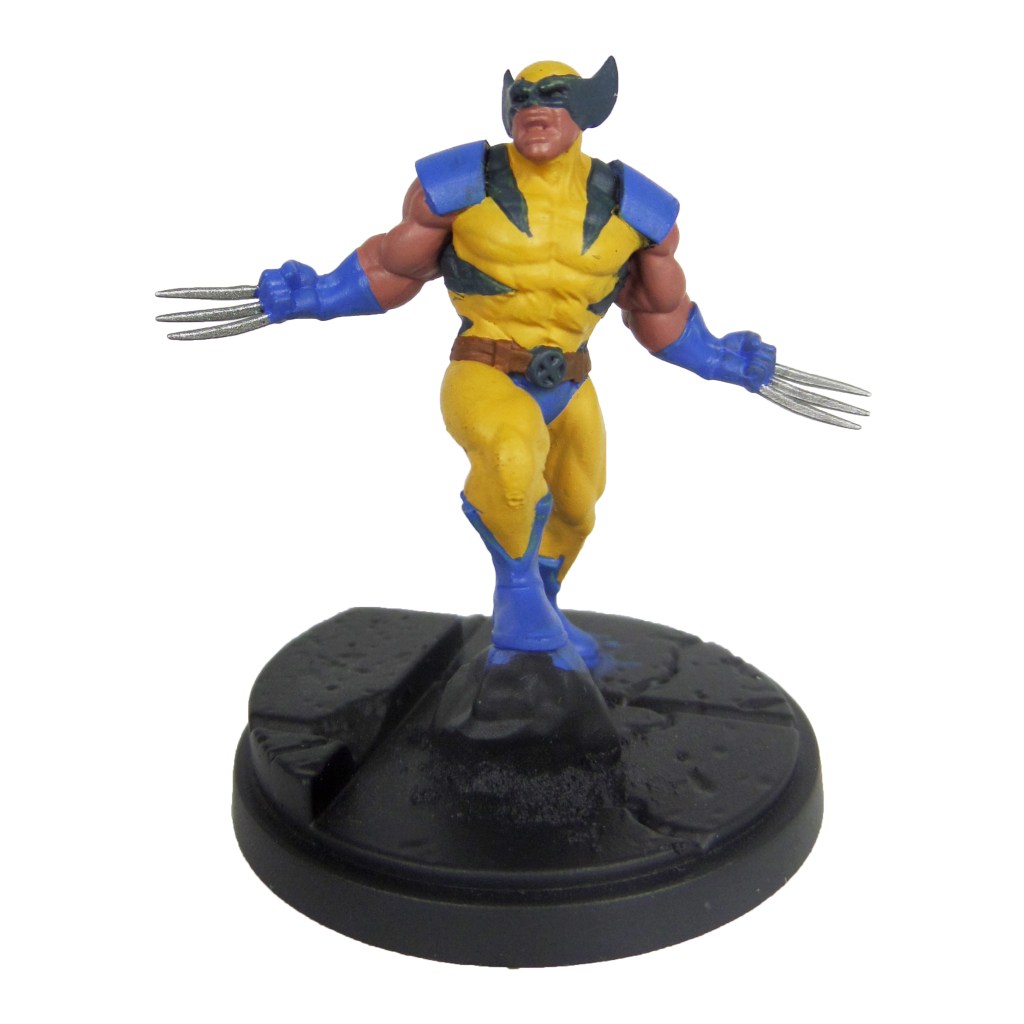
Averland Sunset: Apply a layer to the bodysuit.

Caledor Sky: Apply a basecoat to the shoulders, gloves, boots and pants.

Leadbelcher: Apply a basecoat to the claws.

Bugman’s Glow: Apply a basecoat to the skin.

Mournfang Brown: Apply a basecoat to the belt.

Incubi Darkness: Apply a basecoat to the mask and stripes.

Stage 2

Agrax Earthshade: Apply a shade to the bodysuit.

Nuln Oil: Apply a shade to the blues.

Cadian Fleshtone: Apply a layer to the skin.

Thunderhawk Blue: Apply a layer to the mask and stripes, focussing towards the edges.

Stage 3

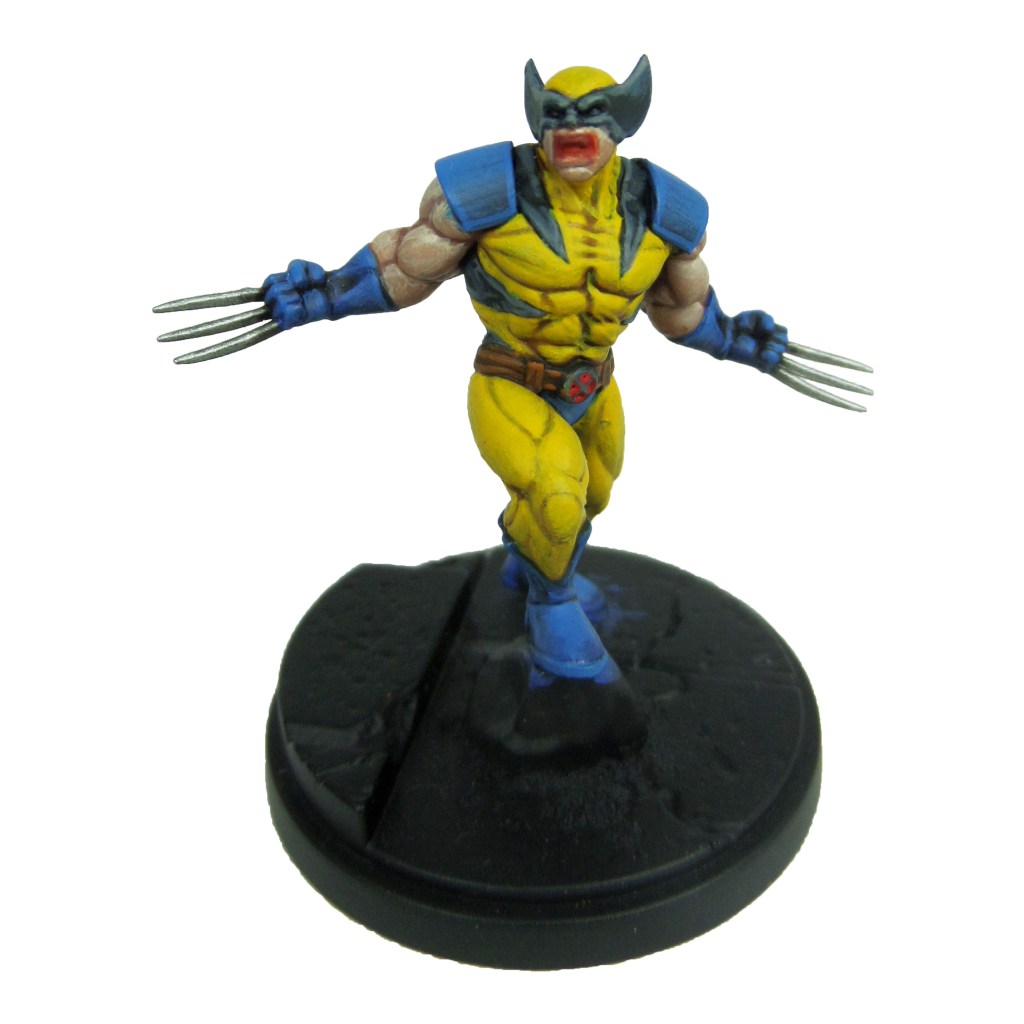
Yriel Yellow: Apply a layer to the bodysuit.

Teclis Blue: Apply a layer to the blues.

Ironbreaker: Apply a layer to the claws.

Basic Skintone 70.815(Vallejo): Apply a layer to the skin.

Skrag Brown: Apply a line highlight to the belt.

Dawnstone: Apply a line highlight to the mask and stripes.

Bloodletter: Apply a glaze to the mouth.

Evil Sunz Scarlet: Apply a layer to the interior of the buckle.

Stage 4

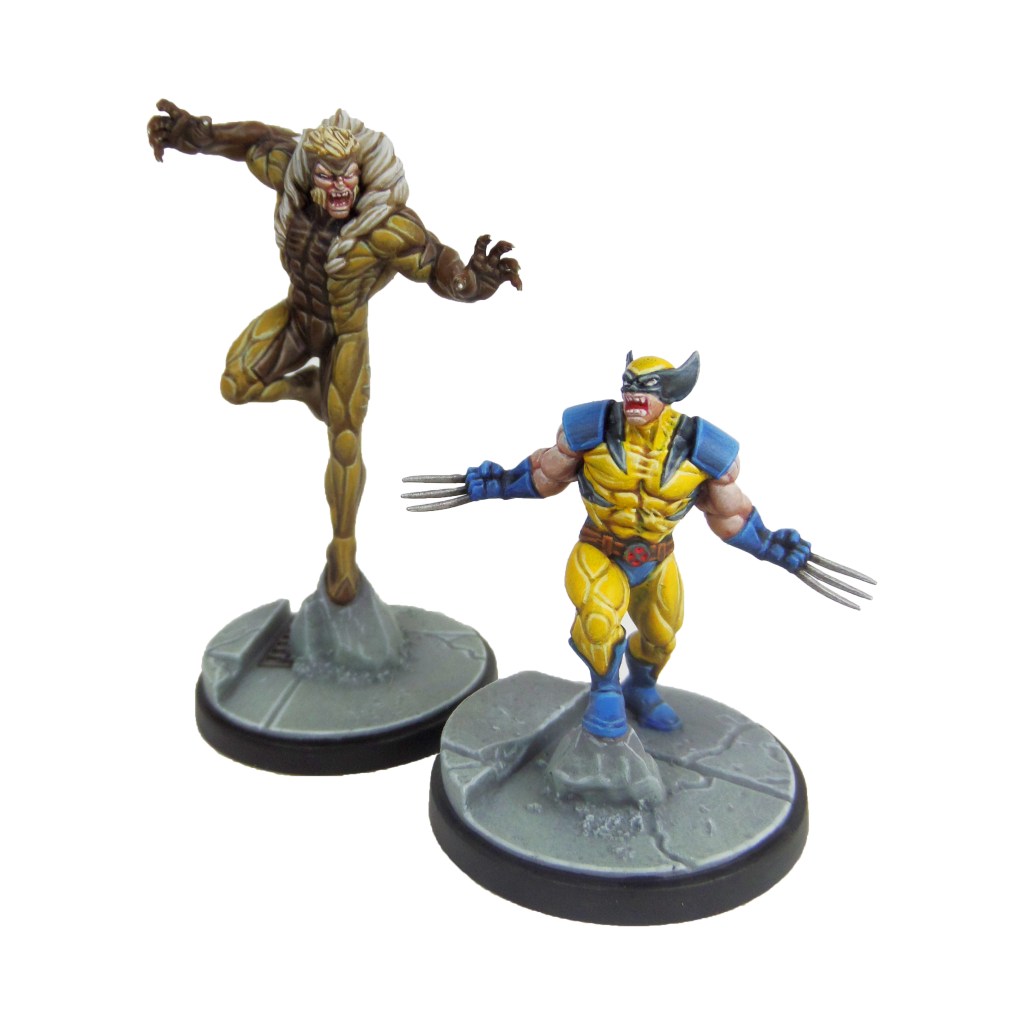
Dorn Yellow: Apply a line highlight to the bodysuit.

Temple Guard Blue: Apply a line highlight to the blues.

Stormhost Silver: Apply a layer to the claws.

Light Flesh 70.928(Vallejo): Apply a spot highlight to the skin.

Deathclaw Brown: Apply a spot highlight to the belt.

Celestra Grey: Apply a spot highlight to the mask and stripes.

Pallid Wych Flesh: Apply a layer to the teeth.

White Scar: Apply a layer to the eyes.

Finish by painting the base and rocks with the Base Painting guide.

Gallery

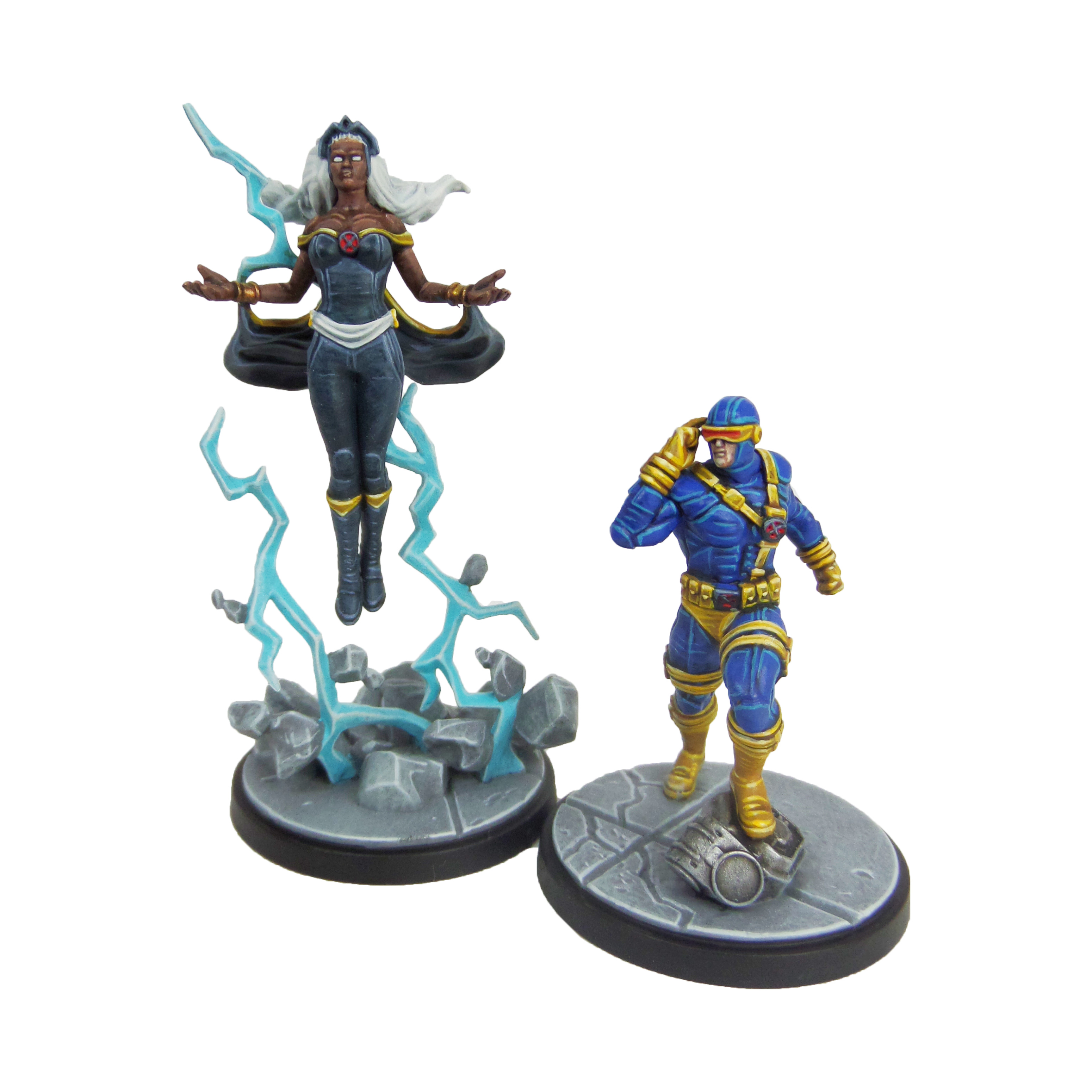
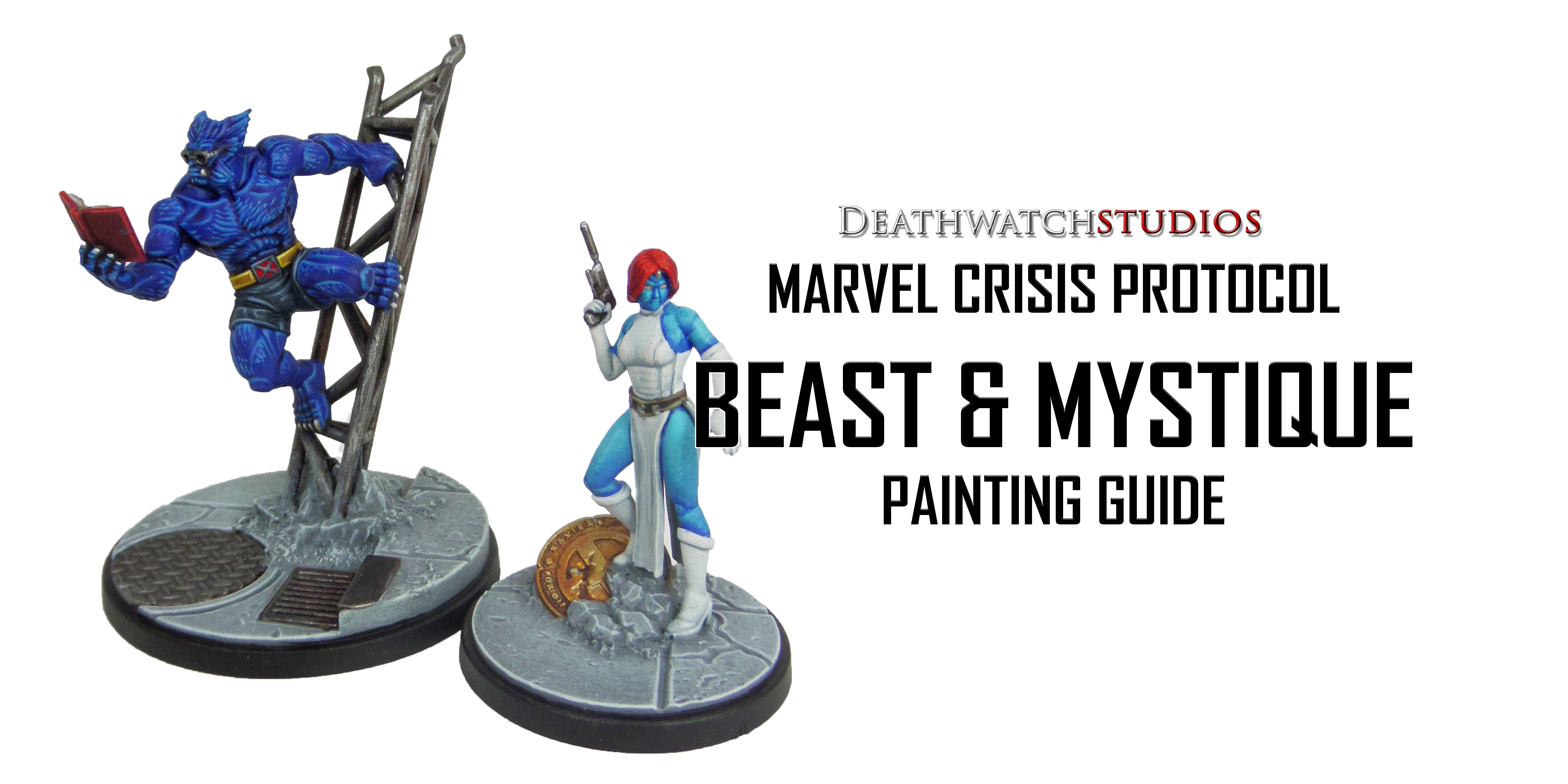
MCP – Cyclops & Storm Painting Guide

Welcome to my latest painting guide!

I need your support. Because my guides takes time and supplies to do, any support you can offer would mean the world to me. A supportive message in the comments is enough, but if you have the means why not send me a gift on Ko-Fi or PayPal. Thank you!

Prep: Fully build both models and undercoat black.

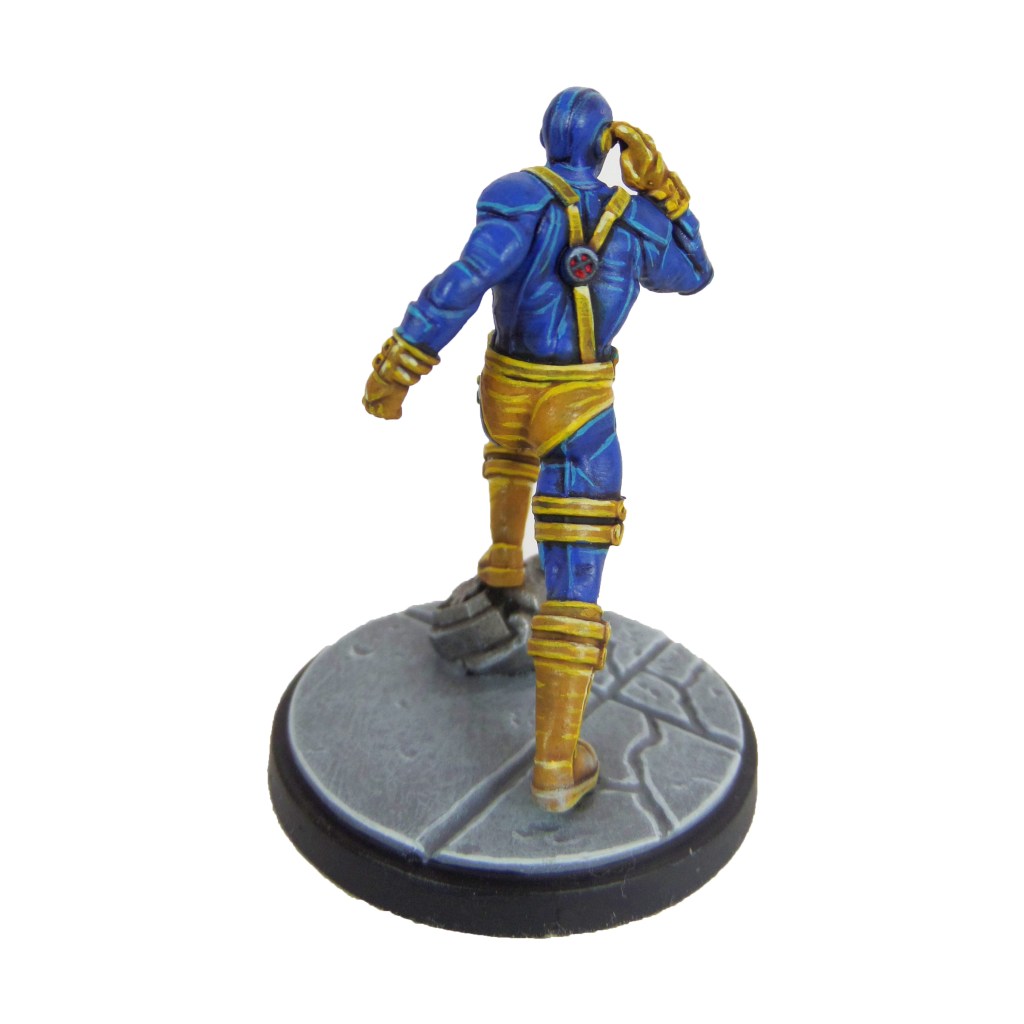
Cyclops

Stage 1

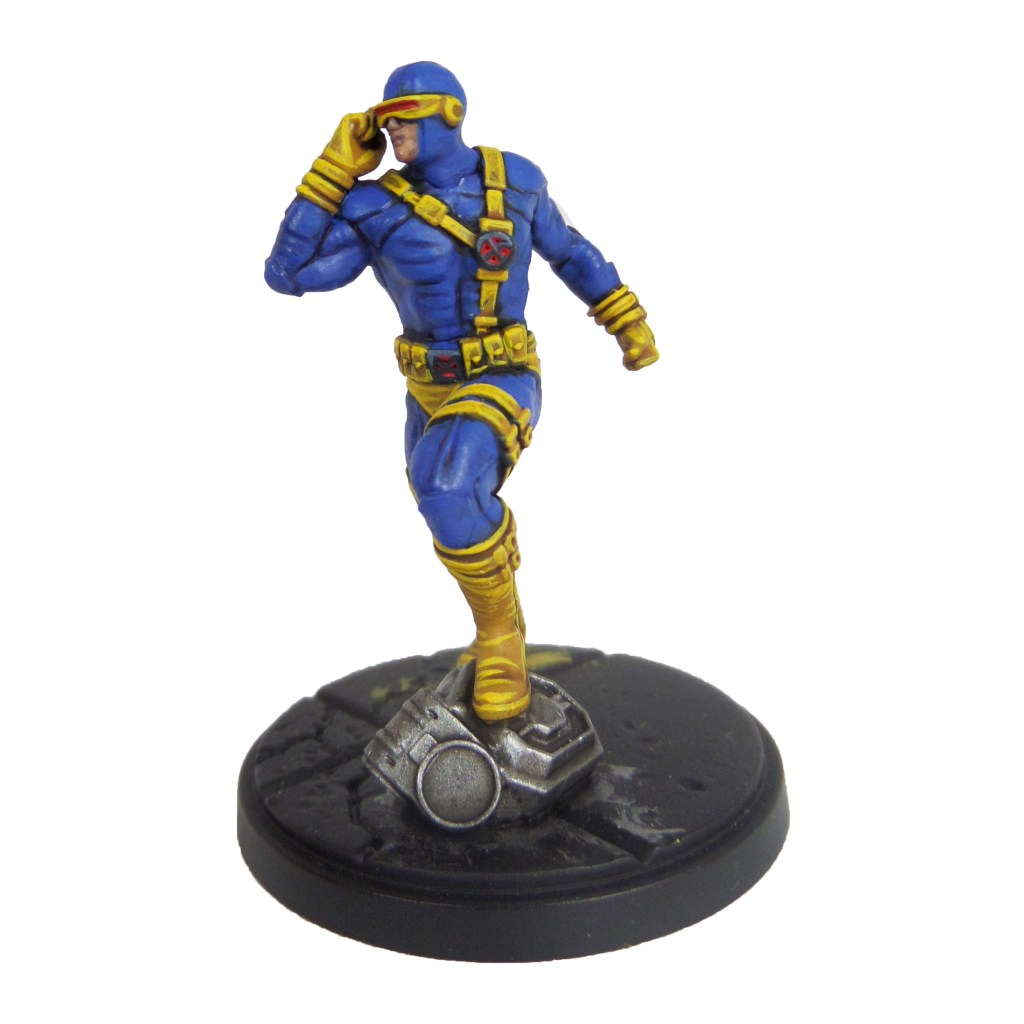
Caledor Sky: Apply a basecoat to the bodysuit.

Averland Sunset: Apply a basecoat to thestraps, boots, gloves and visor.

Evil Sunz Scarlet: Apply a basecoat to the inset of the x-men symbols and visor.

Incubi Darkness: Apply a basecoat to the outside of the x-men symbols.

Bugman’s Glow: Apply a basecoat to the skin.

Leadbelcher: Apply a basecoat to the scenery on the base.

Stage 2

Drakenhof Nightshade: Apply a shade to the bodysuit.

Agrax Earthshade: Apply a shade to the straps, boots, gloves and visor.

Nuln Oil: Apply a shade to the scenery

Thunderhawk Blue: Apply a layer to the outside of the x-men symbols.

Cadian Fleshtone: Apply a layer to the skin.

Stage 3

Caledor Sky: Apply a layer to the bodysuit.

Yriel Yellow: Apply a line highlgiht to the straps, gloves, boots and visor.

Evil Sunz Scarlet: Apply a spot highlight to the interior of the symbols and visor.

Russ Grey: Apply a line highlight to the outside of the x-men symbol.

Ironbreaker: Apply a line highlight to the scenery.

Stage 4

Temple Guard Blue: Apply a line highlight to the bodysuit.

Dorn Yellow: Apply a spot highlight to the straps, gloves, boots and visor.

Wild Rider Red: Apply a spot highlight to the interior of the x-men symbol. and visor.

Fenrisian Grey: Apply a spothighlight to the outside of the x-men symbol.

Finish by painting the base with the Base Painting guide.

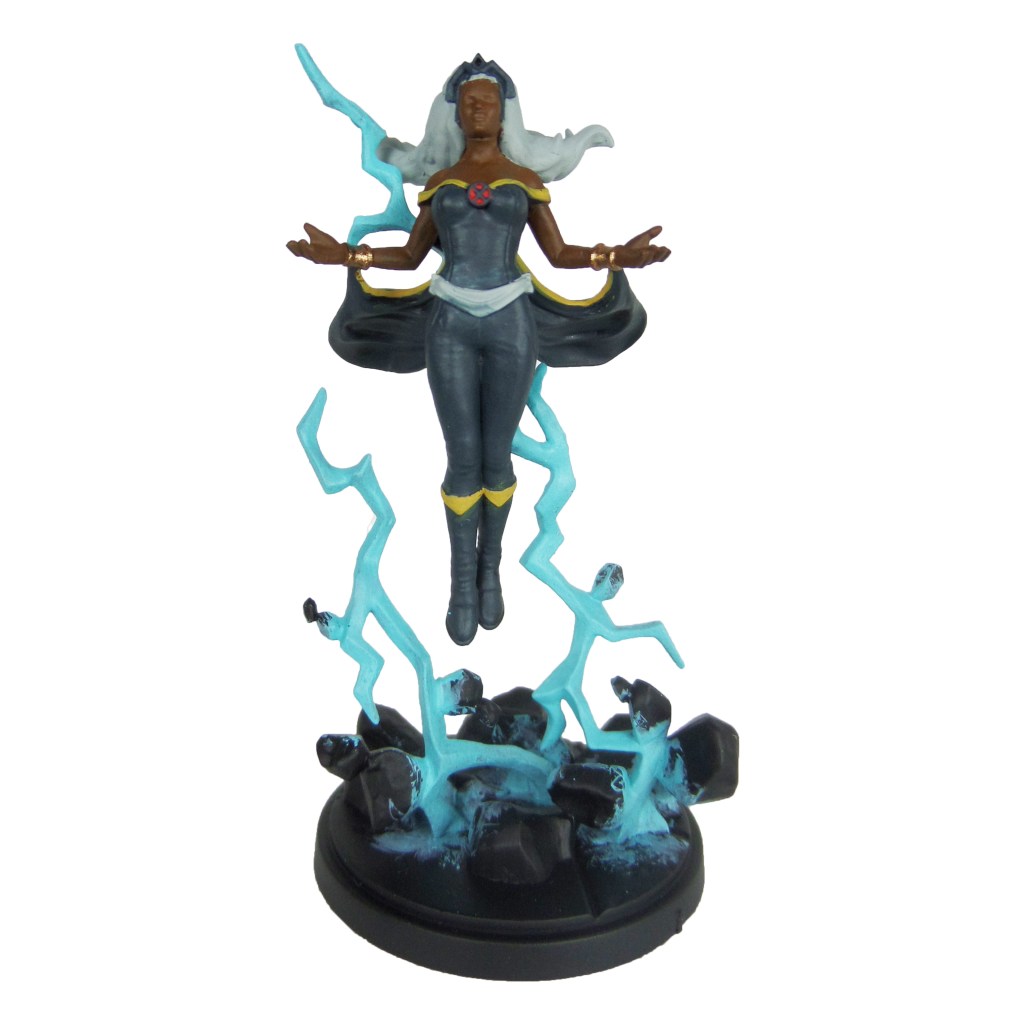
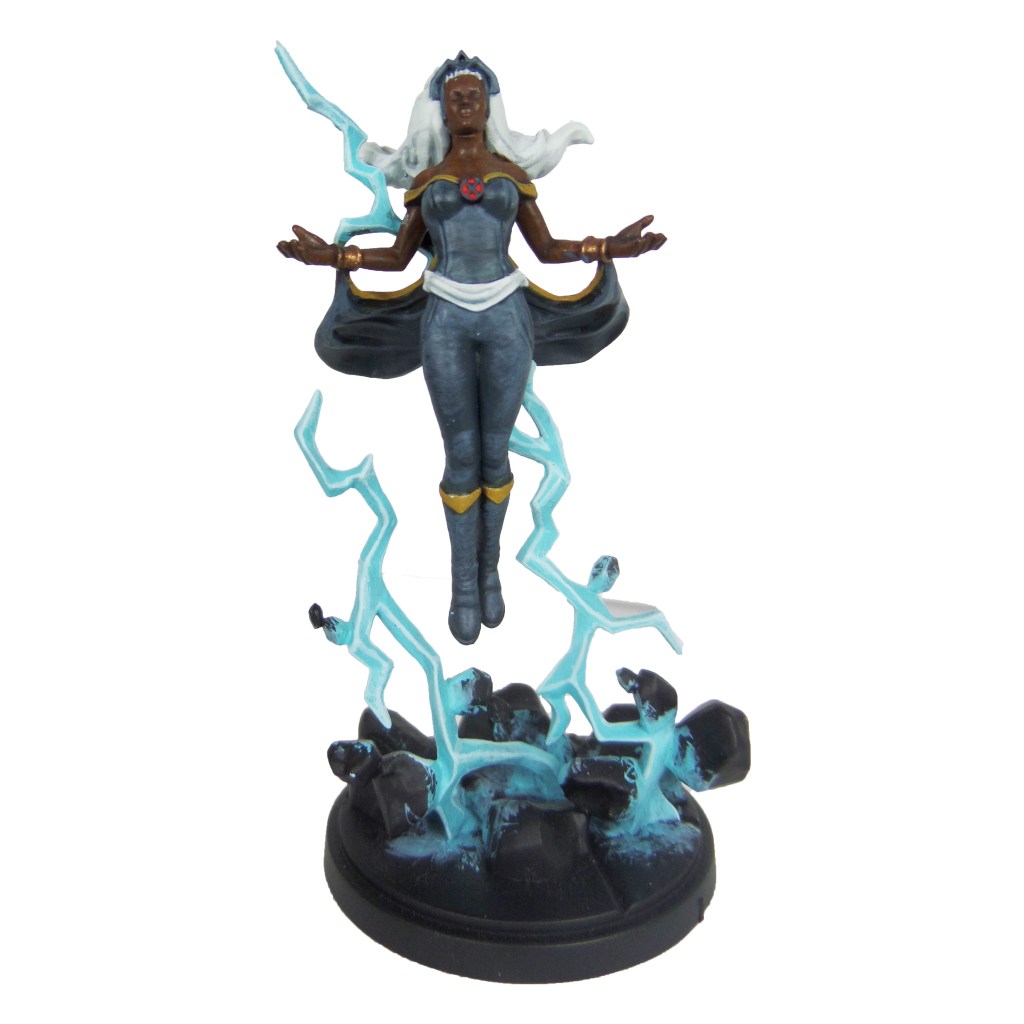
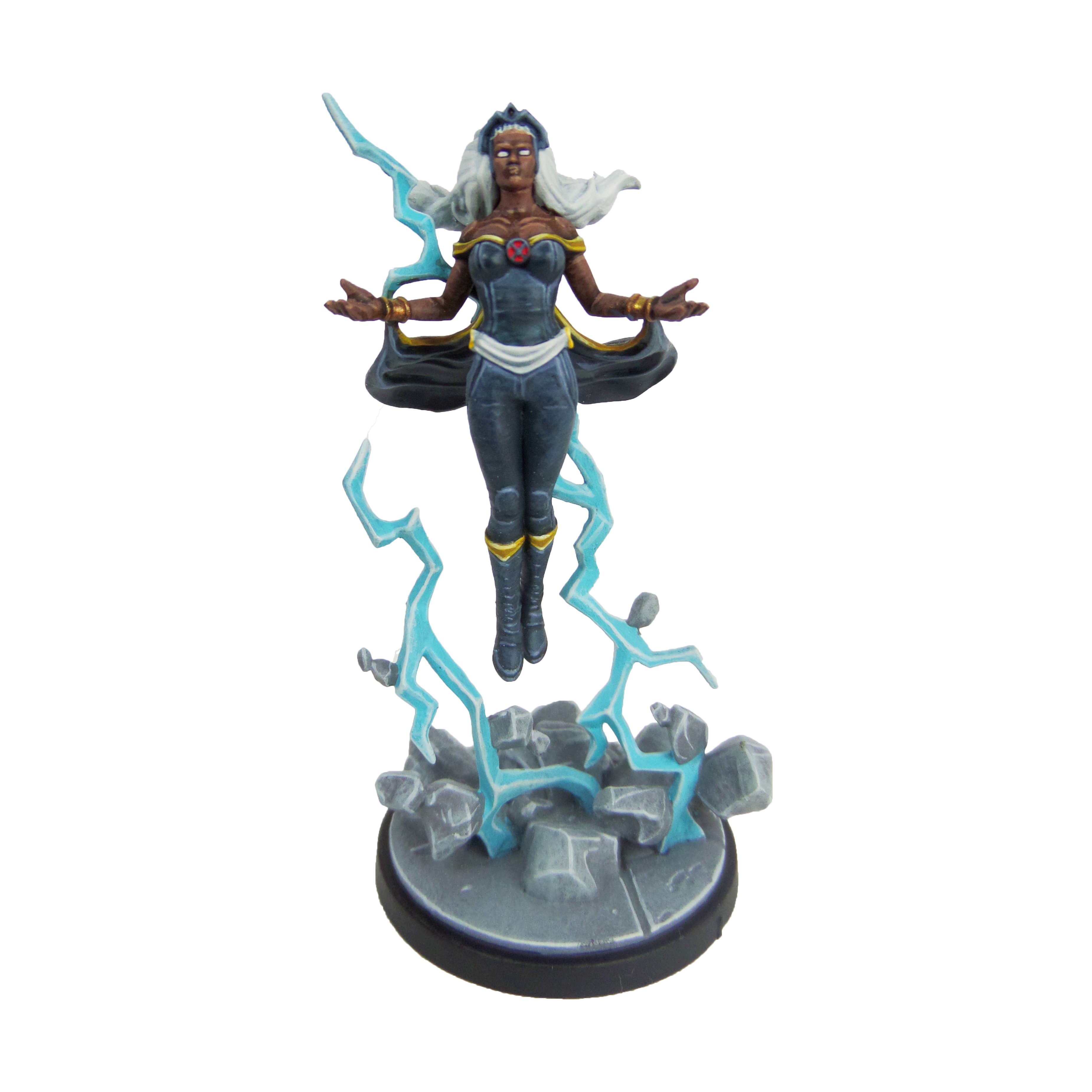
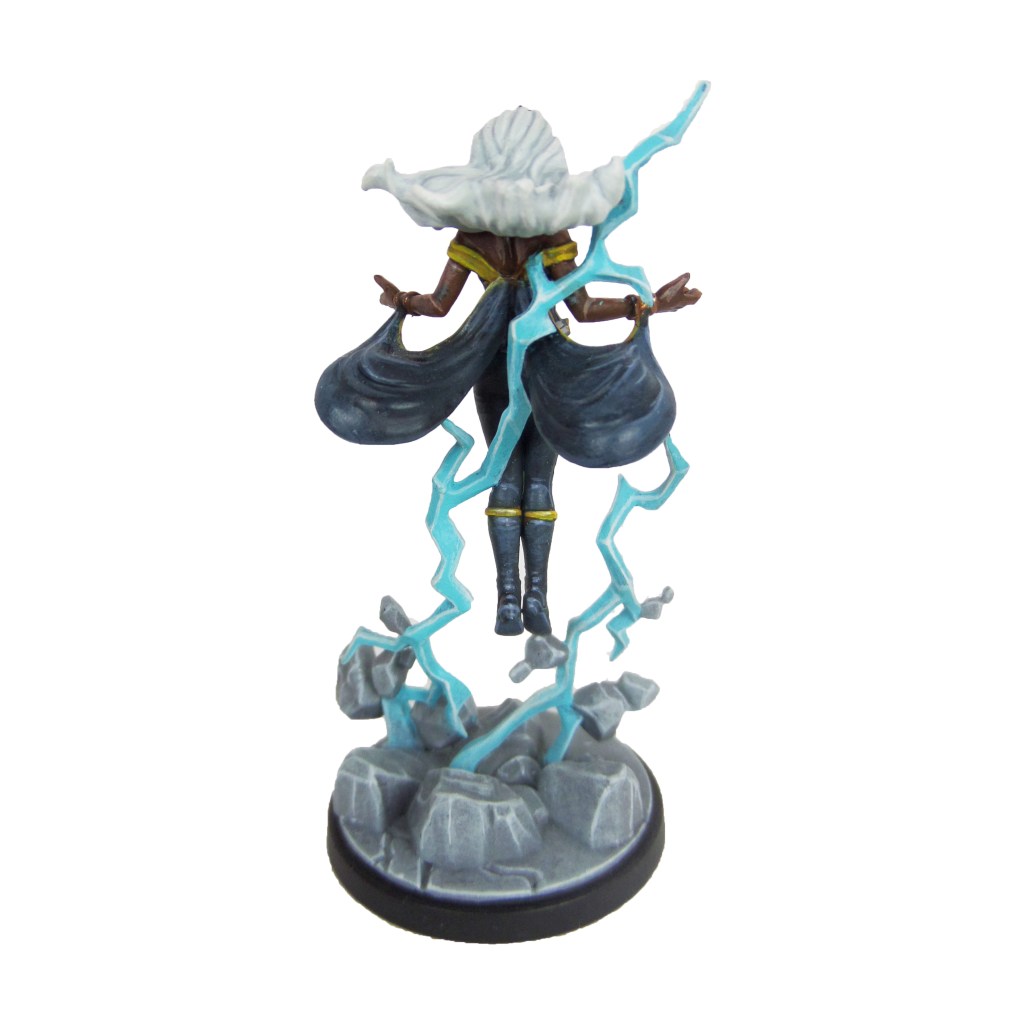
Storm

Stage 1

Celestra Grey: Apply a basecoat to the belt and hair.

Incubi Darkness: Apply a basecoat to the suit, cloak and crown.

Baharroth Blue: Apply a basecoat to the lightning

Averland Sunset: Apply a basecoat to the lining.

Evil Sunz Scarlet: Apply a basecoat to the interior of the x-men symbol.

Mournfang Brown: Apply a basecoat to the skin.

Retributor Armour: Apply a basecoat to the bracelets.

Stage 2

Thunderhawk Blue: Apply a layer to the suit, cape and crown.

Ulthuan Grey: Apply a layer to the belt and hair.

Baharroth Blue/White Scar: Make a 1:1 mix and apply an edge highlight ot the lightning.

Agrax Earthshade: Apply a shade to the yellow lining and bracelets.

Stage 3

White Scar: Apply a layer to the eyes, belt and hair. Also add a spot highlight ot the lightning.

Russ Grey: Apply a line highlight to the suit, cape and crown.

Yriel Yellow: Apply a line highlight to the yellow lining.

Evil Sunz Scarlet: Apply a spot highlight to the interior of the symbol.

Knight Questor Flesh: Apply a layer to the skin.

Stage 4

Fenrisian Grey: Apply a spot highlight to the suit, cape and crown.

Dorn Yellow: Apply a spot highlight to the yellow lining.

Wild Rider Red: Apply a spot highlight to the interior of the symbol.

Cadian Fleshtone: Apply a line highlight to the skin.

Finish by painting the base and floating rocks with the Base Painting guide.
Gallery

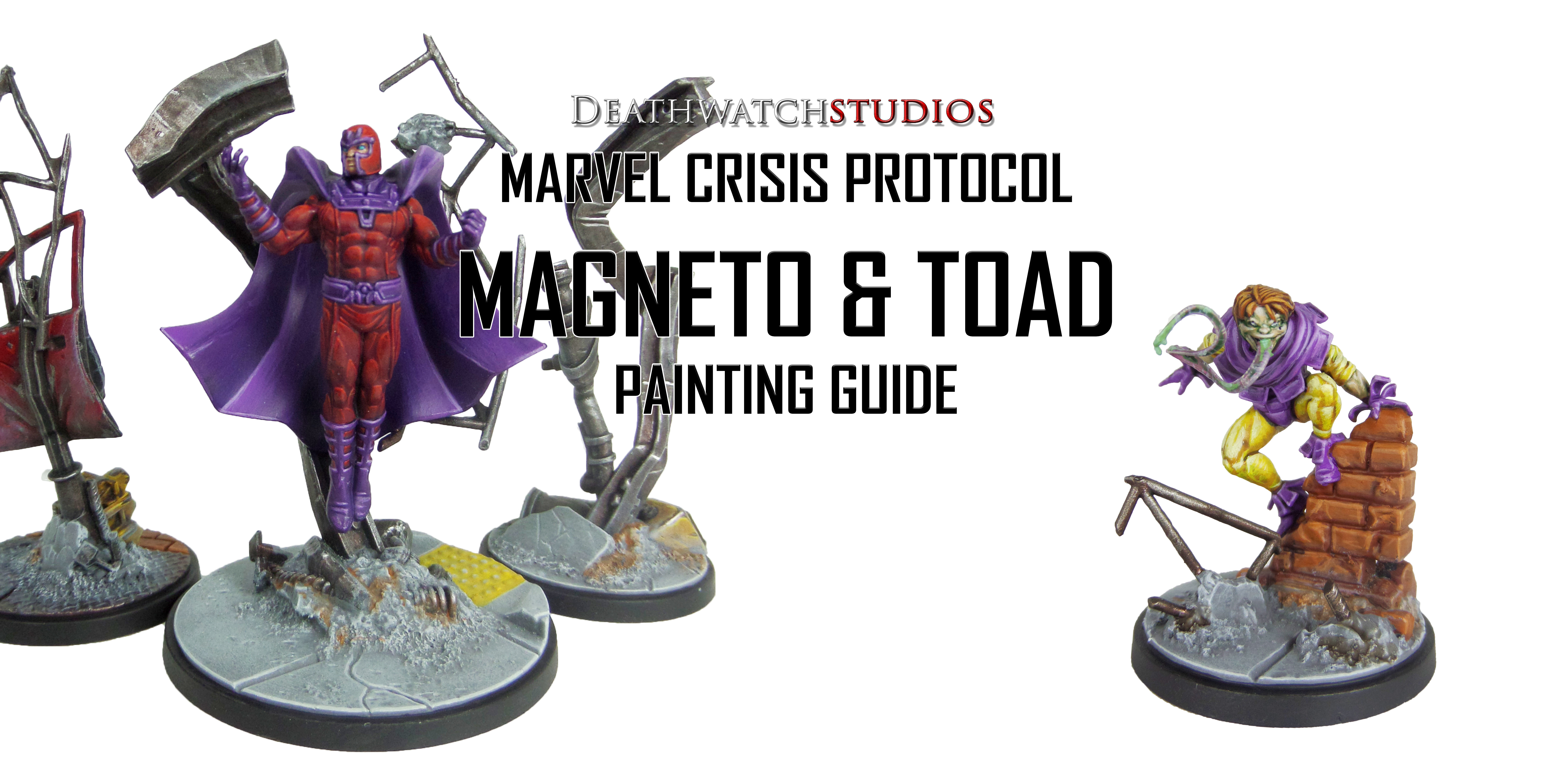
MCP – Magneto & Toad Painting Guide

Welcome to my latest painting guide!

I need your support. Because my guides takes time and supplies to do, any support you can offer would mean the world to me. A supportive message in the comments is enough, but if you have the means why not send me a gift on Ko-Fi or PayPal. Thank you!

Prep: Fully build both models and undercoat black.

Magneto

Stage 1

Phoenician Purple: Apply a basecoat to the boots, gloves, belt, cape and helmet lining.

Khorne Red: Apply a basecoat to the bodysuit and helmet.

Bugman’s Glow: Apply a basecoat to the skin.

Warplock Bronze: Apply a basecoat to the metals in the debris.

Stage 2

Xereus Purple: Apply a layer to the boots, gloves, belt, cape and helmet lining.

Druchii Violet: Apply a shade to the bodysuit and helmet.

Cadian Fleshtone: Apply a layer to the skin.

Leadbelcher: Apply a layer to the metals in the debris.

Stage 3

Genestealer Purple: Apply a highlight to the boots, gloves, belt, cape and helmet lining.

Evil Sunz Scarlet: Apply a line highlight to the bodysuit and helmet.

Flayed One Flesh: Apply a line highlight to the skin.

Nuln Oil: Apply a shade to the metals in the debris.

Basic Skintone 70.815(Vallejo): Apply a layer to the skin.

Stage 4

Dechala Lilac: Apply a spot highlight to the boots, gloves, belt, cape and helmet lining.

Wild Rider Red: Apply a spot highlight to the bodysuit and helmet.

Stormhost Silver: Apply a line highlight to the metals in the debris.

Light Flesh 70.928 (Vallejo): Apply a spot highlight ot the skin.

Finish by painting the base and rocks with the Base Painting guide.
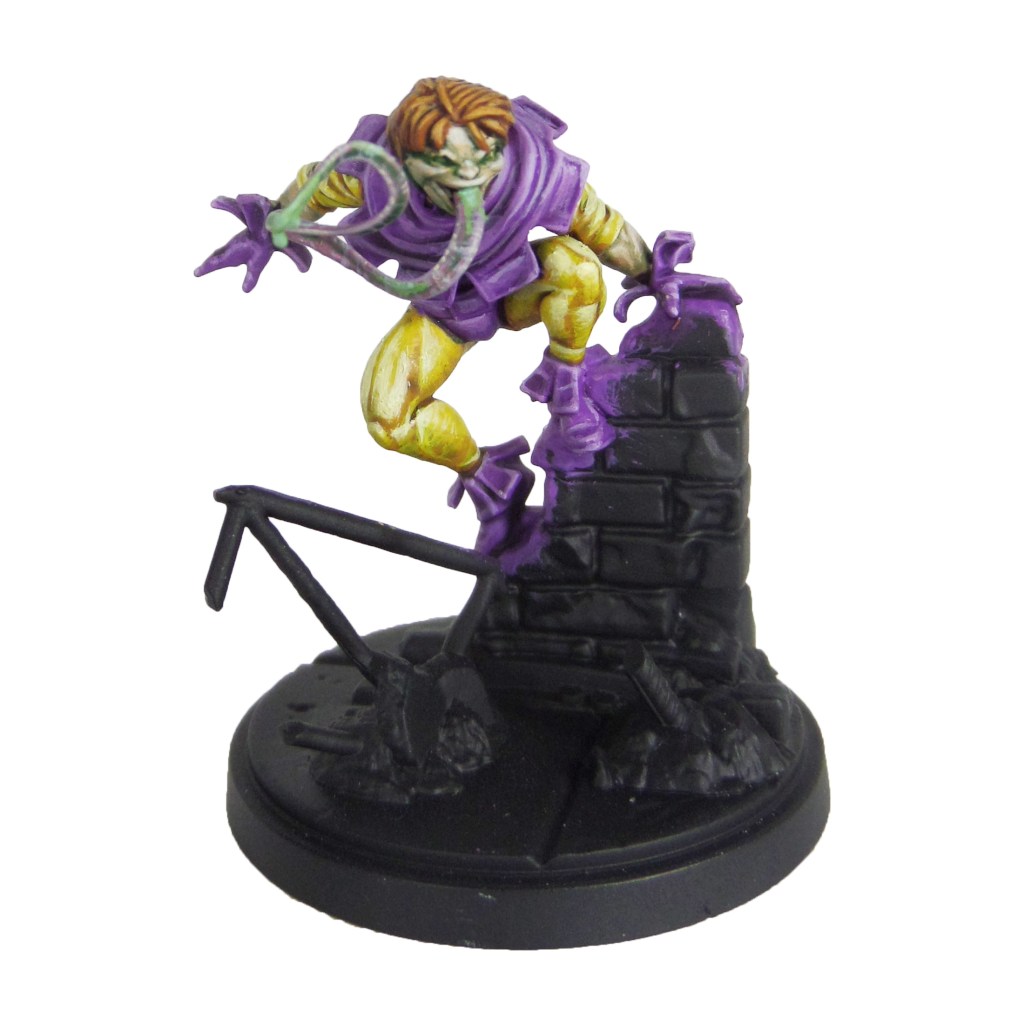
Toad

Stage 1

Genestealer Purple: Apply a basecoat to the body, gloves and shoes.

Averland Sunset: Apply a basecoat to the arms and legs.

Cadian Fleshtone: Apply a basecoat to the skin.

Emperor’s Children: Apply a basecoat to the tongue.

Doombull Brown: Apply a basecoat to the hair.

Stage 2

Agrax Earthshade: Apply a shade to the hair, arms and legs.

Druchii Violet: Apply a shade to the body, gloves and shoes.

Biel-tan Green: Apply a shade to the skin and tongue.

Stage 3

Kakophoni Purple: Apply a layer to the body, gloves and shoes.

Flash Fitz Yellow: Apply a layer to the arms and legs.

Kislev Flesh: Apply a layer to the skin.

Slaanesh Grey: Apply a highlight to the edge of the tongue.

Skrag Brown: Apply a layer to the hair.

Skarsnik Green: Add small dashes and patches to the tongue.

Stage 4

Dechala Lilac: Apply a spot highlight to the body, gloves and shoes.

Dorn Yellow: Apply a spot highlight to the arms and legs.

Pallid Wych Flesh: Apply a spot highlight to the skin and the edge of the tongue.

Deathclaw Brown: Apply a spot highlight to the hair.

Gauss Blaster Green: Apply a spot highlight to the green in the tongue.

Finish by following the Base Painting guide to complete the base and debris.

MCP – Punisher & Taskmaster Painting Guide

Welcome to my latest painting guide!

I need your support. Because my guides takes time and supplies to do, any support you can offer would mean the world to me. A supportive message in the comments is enough, but if you have the means why not send me a gift on Ko-Fi or PayPal. Thank you!

Prep: Fully build both models and undercoat black.

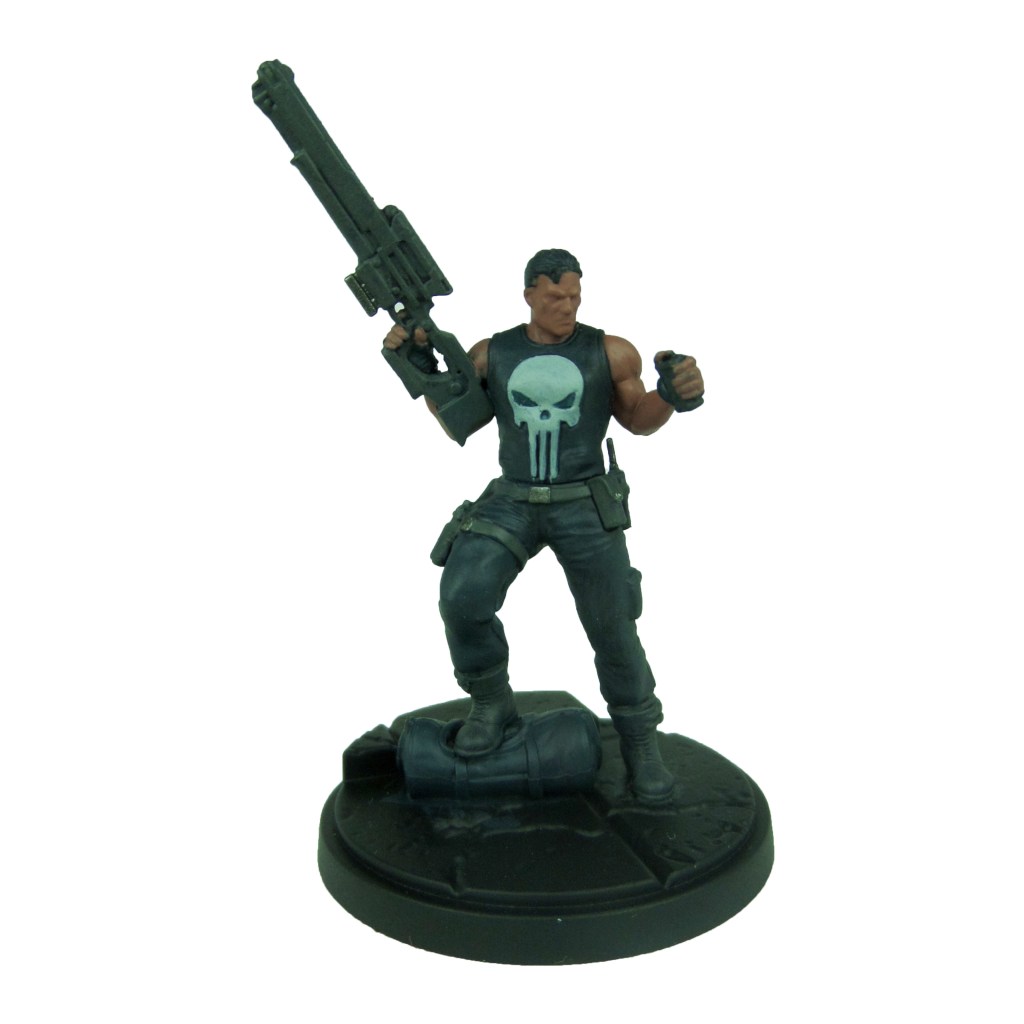
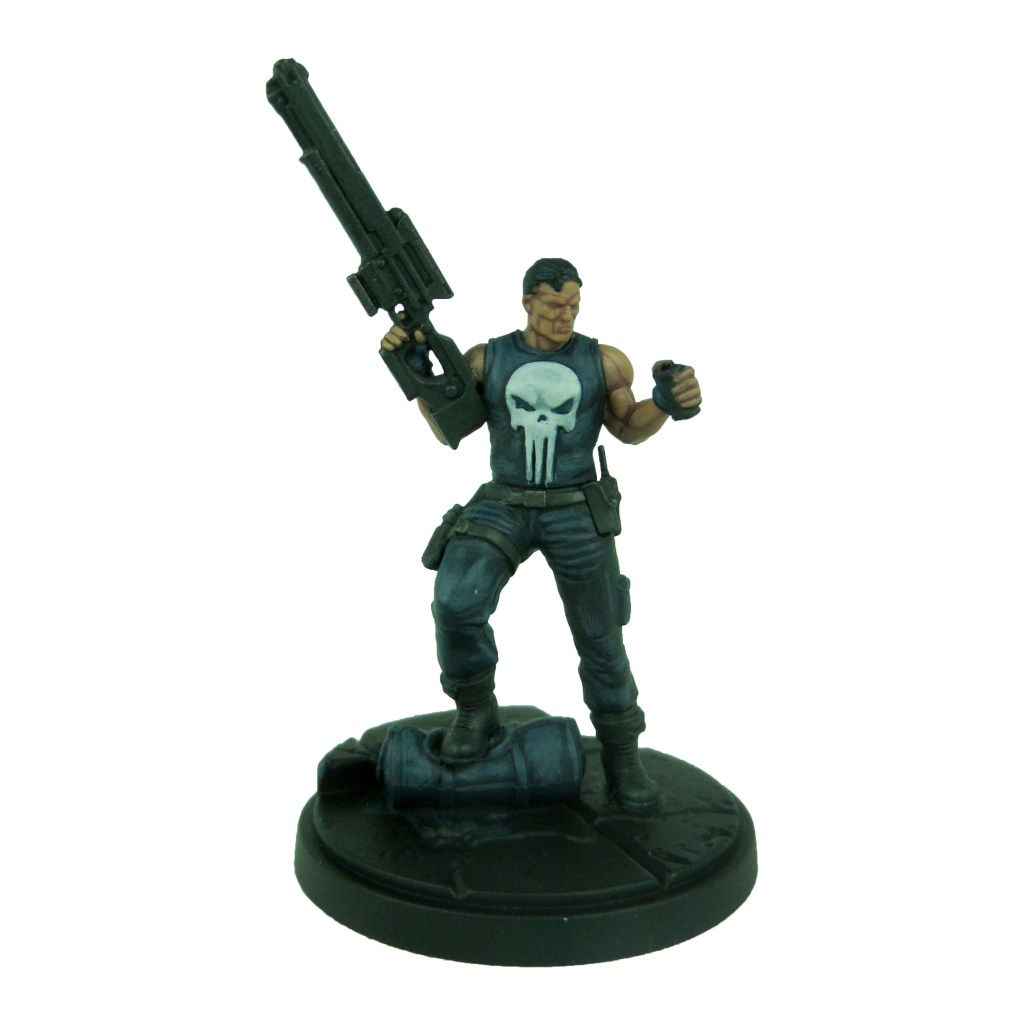
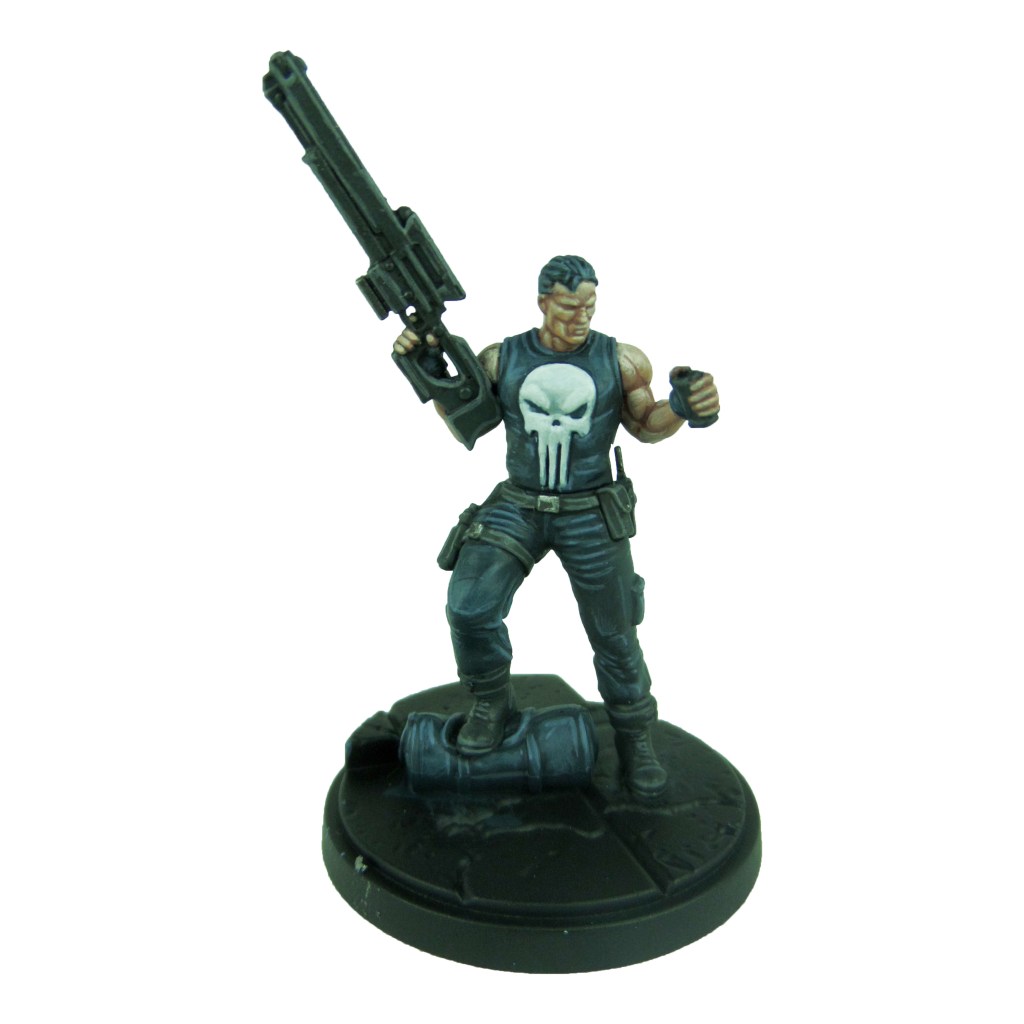
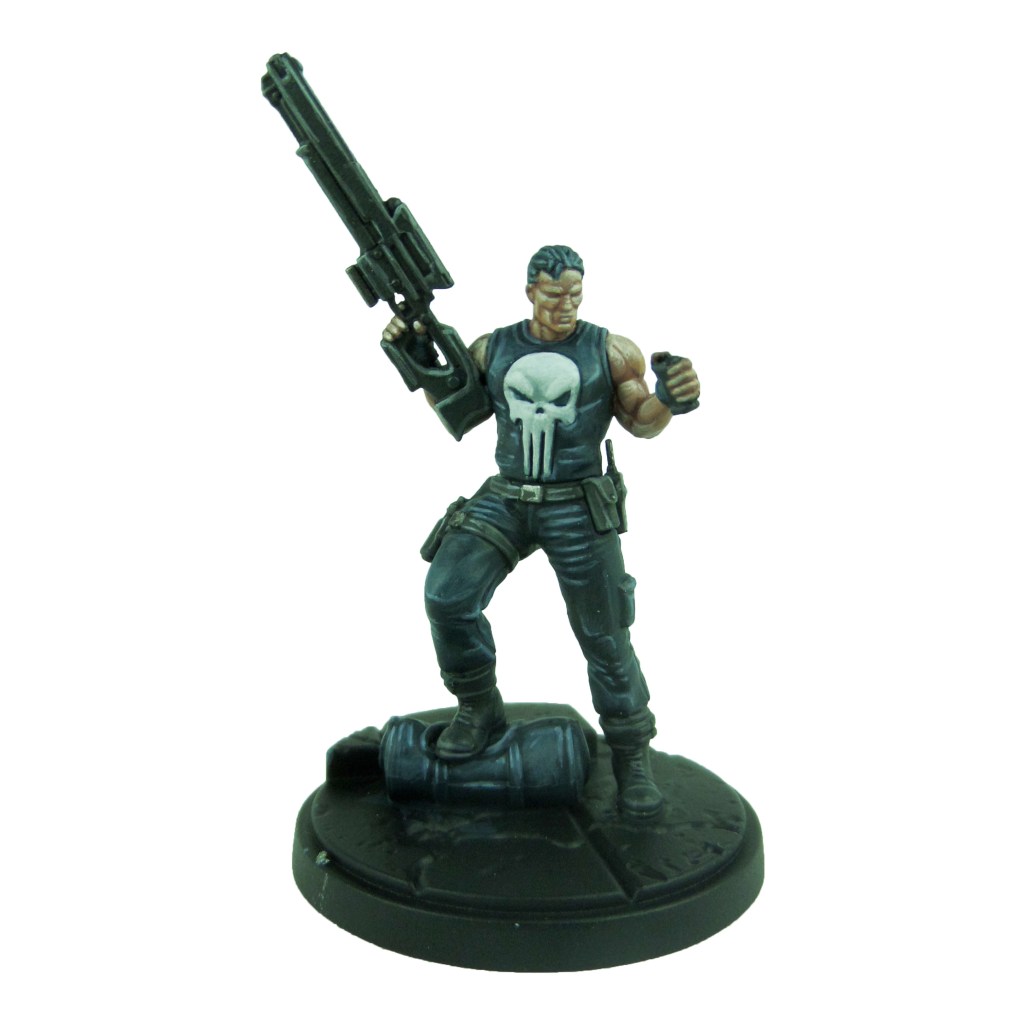
Punisher

Stage 1

Incubi Darkness: Apply a basecoat to the vest, trousers and bag.

Skavenblight Dinge: Apply a basecoat to the boots, straps, pouches and gun.

Celestra Grey: Apply a basecoat to the skull.

Bugman’s Glow: Apply a basecoat to the skin.

Iron Warriors: Apply a basecoat to the buckles.

Stage 2

Thunderhawk Blue: Apply a layer to the trousers, vest and bag.

Nuln Oil: Apply a shade to the boots, straps, pouches and gun.

Ulthuan Grey: Apply a layer to the skull.

Cadian Fleshtone: Apply a layer to the skin.

Stage 3

Russ Grey: Apply a highlight to the trousers and vest.

Dawnstone: Apply a line highlight to the boots, straps, pouches and gun.

White Scar: Apply a highlight to the skull.

Basic Skintone 70.815(Vallejo): Apply a highlight to the skin.

Ironbreaker: Apply a line highlight to the buckles.

Stage 4

Fenrisian Grey: Apply a spot highlight to the trousers and vest.

Celestra Grey: Apply a spot highlight to the boots, straps, pouches and gun.

Light Flesh 70.928 (Vallejo): Apply a spot highlight to the skin.

Stormhost silver: Apply a spot highlight to the buckles.

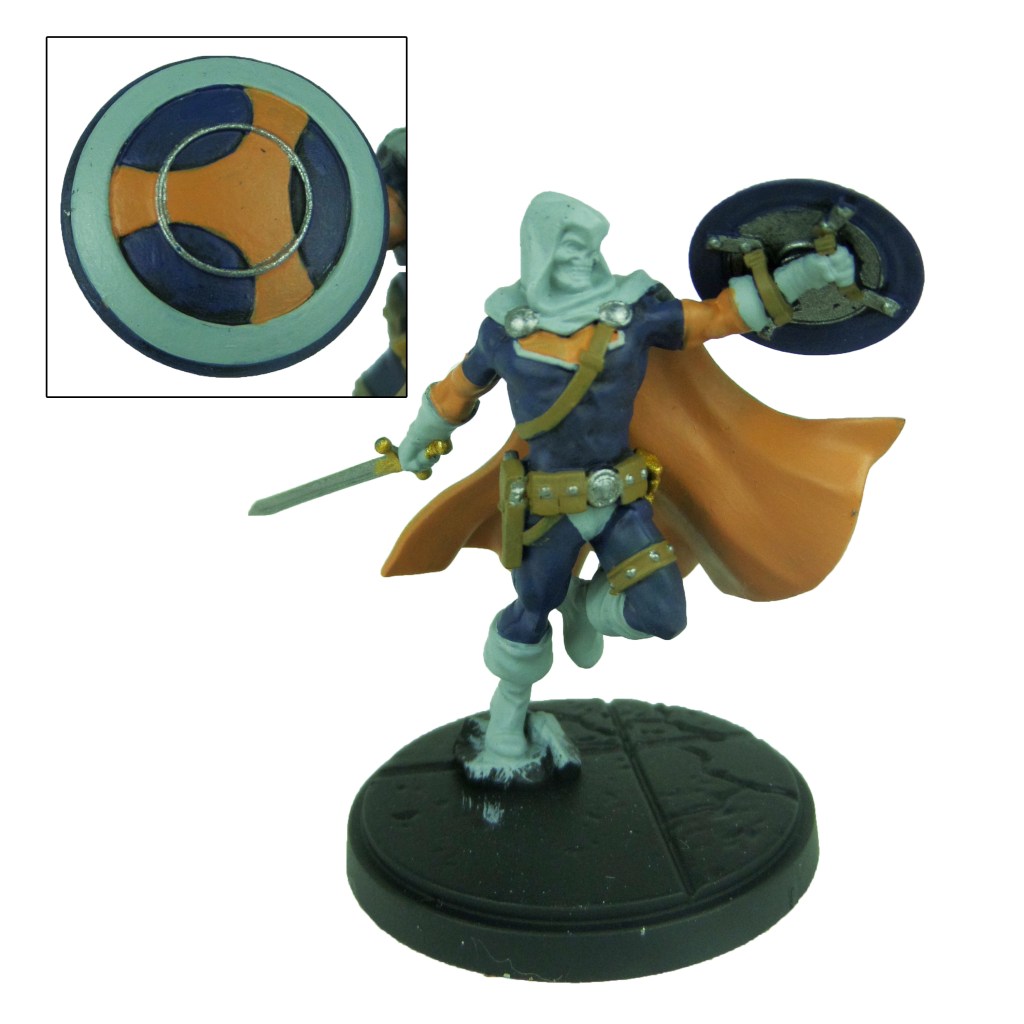
Taskmaster

Stage 1

Kantor Blue: Apply a basecoat to the suit and inner shield.

Jokearo Orange: Apply a basecoat to the arms, inner cape and the chest and shield symbol.

Celestra Grey: Apply a basecoat to the boots, gloves, cape and face, as well as the outer circle on the shield.

Leadbelcher: Apply a basecoat to the sword, buttons, clasps and inner circle of the shield.

XV88: Apply a basecoat to the straps and pouches.

Retributor Armour: Apply a basecoat to the sword hilt.

Stage 2

Caledor Sky: Apply a layer to the blue sections.

Averland Sunset: Apply a layer to the arms, inner cape and the chest and shield symbol.

Ulthuan Grey: Apply a layer to the boots, gloves, cape and face, as well as the outer circle on the shield.

Nuln Oil: Apply a shade to the sword,  buttons, clasps and inner circle of the shield.

Agrax Earthshade: Apply a shade to the straps and pouches.

Druchii Violet: Apply a shade to the sword hilt.

Stage 3

Temple Guard Blue: Apply a line highlight to the blue sections.

Yriel Yellow: Apply a line highlight to the arms, inner cape and the chest and shield symbol.

White Scar: Apply a highlight to the boots, gloves, cape and face, as well as the outer circle on the shield.

Ironbreaker: Apply a layer to the sword,  buttons, clasps and inner circle of the shield.

Balor Brown: Apply a line highlight to the straps and pouches.

Auric Armour Gold: Apply a layer to the sword hilt.

Stage 4

Baharroth Blue: Apply a spot highlight to the blue sections.

Phalanx Yellow: Apply a spot highlight to the arms, inner cape and the chest and shield symbol.

Stormhost Silver: Apply a spot highlight to the sword,  buttons, clasps and inner circle of the shield.

Karak Stone: Apply a spot highlight to the straps and pouches.

Finish the model of by painting the base, using my Base Painting Guide.

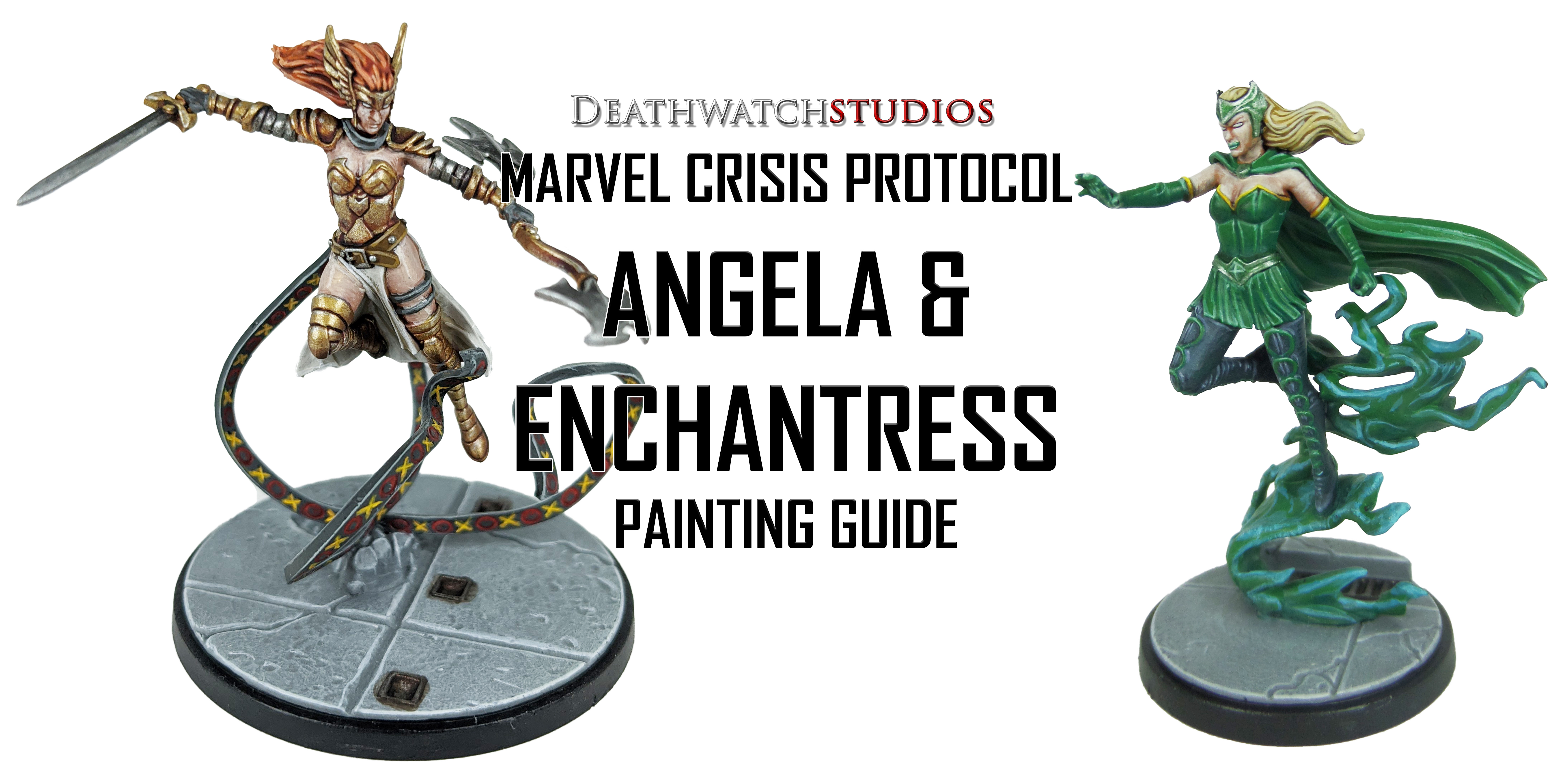
MCP – Angela & Enchantress Painting Guide

Welcome to my latest painting guide!

I need your support. Because my guides takes time and supplies to do, any support you can offer would mean the world to me. A supportive message in the comments is enough, but if you have the means why not send me a gift on Ko-Fi or PayPal. Thank you!

Prep: Fully build both models and undercoat black.

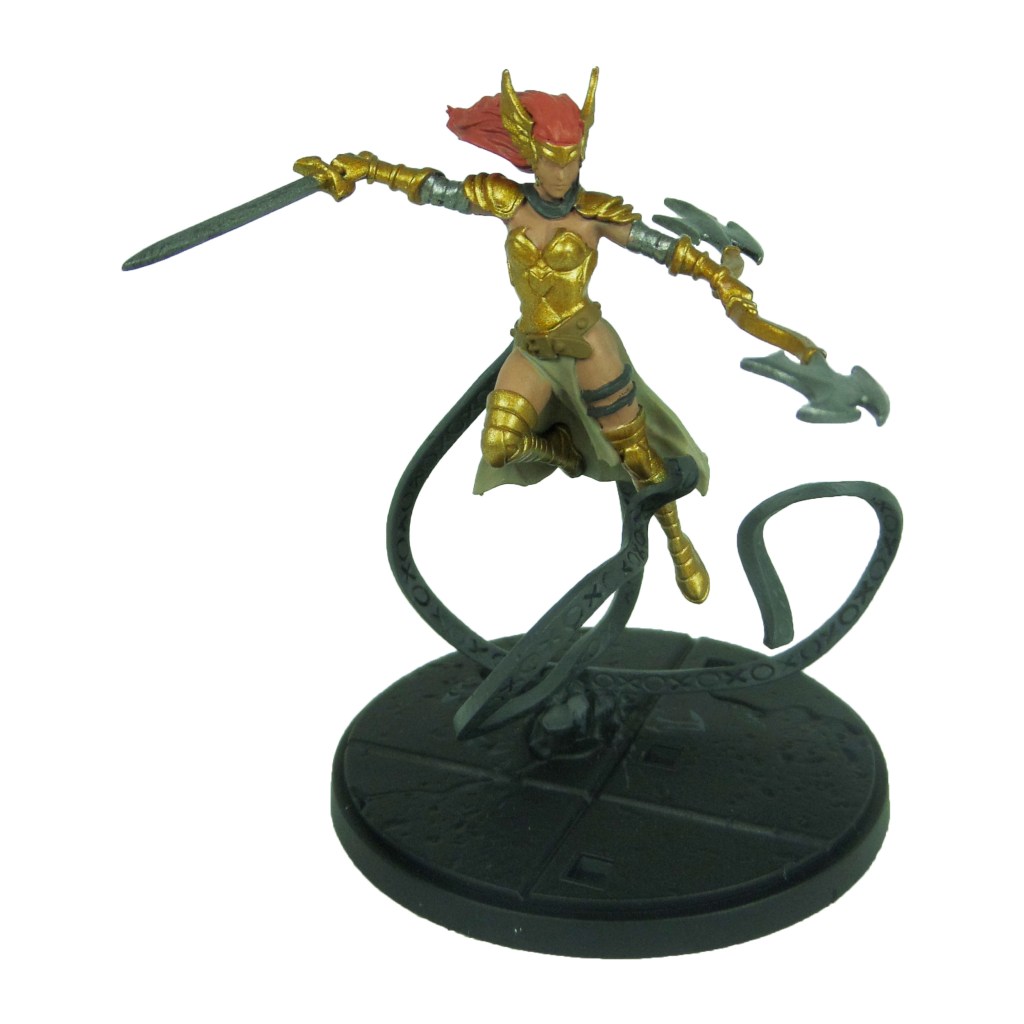
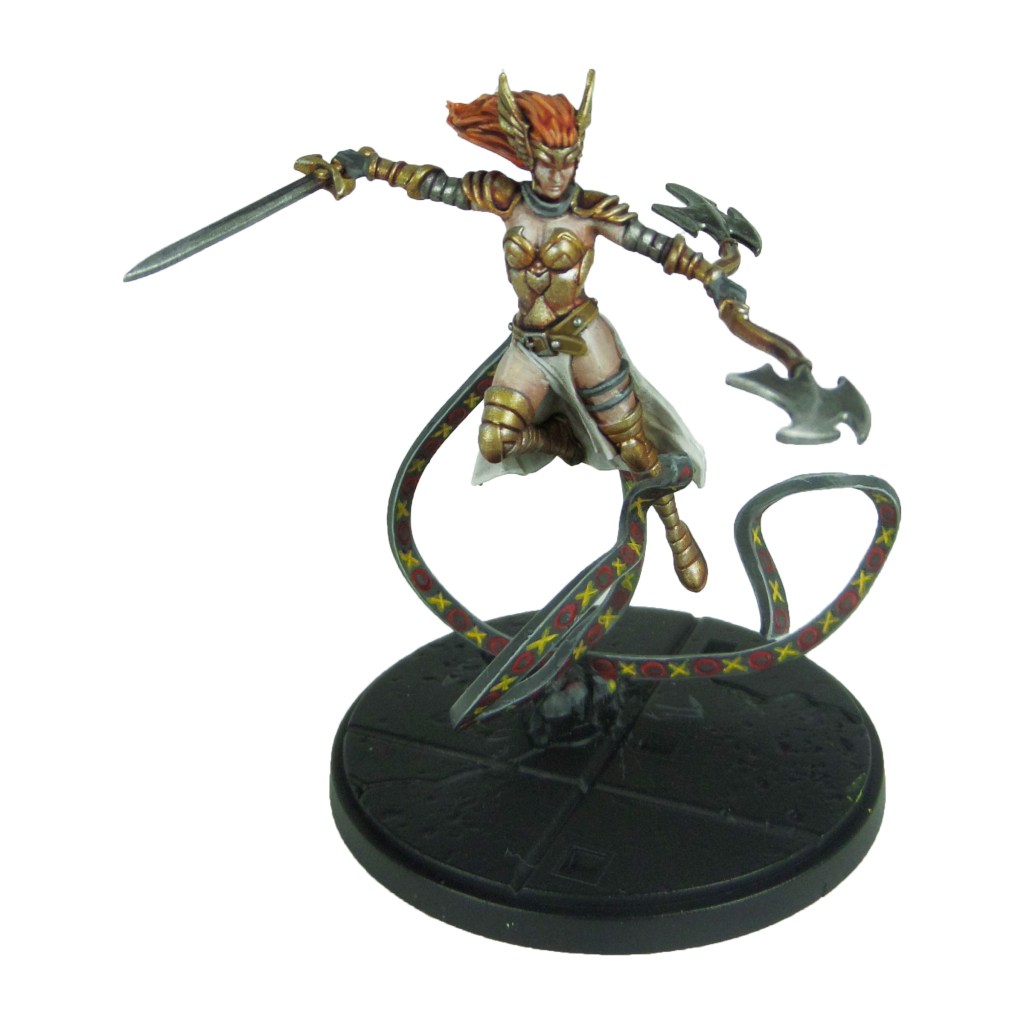
Angela

Stage 1

Retributor Armour: Apply a basecoat to the armour.

Cadian Fleshtone: Apply a basecoat to the skin.

Squig Orange: Apply a basecoat to the hair.

Leadbelcher: Apply a basecoat to the weapon heads and upper arm armour.

Skavenblight Dinge: Apply a basecoat to the straps and ribbons.

XV88: Apply a basecoat to the belt.

Karak Stone: Apply a basecoat to the tabards.

Stage 2

Druchii Violet: Apply a shade to the armour.

Reikland Fleshshade: Apply a shade to the skin.

Agrax Earthshade: Apply a shade to the hair.

Nuln Oil: Apply a shade to the weapon heads and arm armour.

Pallid Wych Flesh: Apply a layer to the tabards.

Mephiston Red: Apply carefully in to the circle designs on the ribbons.

Averland Sunset: Apply carefully in to the cross designs on the ribbons.

Stage 3

Liberator Gold: Apply a layer to the armour.

Basic Skintone 70.815(Vallejo): Apply a layer to the skin.

Troll Slayer Orange: Apply a layer to the hair.

Ironbreaker: Apply a layer to the weapon heads and arm armour.

Dawnstone: Apply an edge highlight to the ribbons.

Balor Brown: Apply a line highlight to the belt.

White Scar: Apply a line highlight to the tabards.

Stage 4

Stormhost Silver: Apply a spot highlight to the weapon heads and arm armour.

Light Flesh 70.928 (Vallejo): Apply a spot highlight to the skin.

Lugganath Orange: Apply a spot highlight to the hair.

Celestra Grey: Apply a spot highlight to the ribbons.

Karak Stone: Apply a spot highlight to the belt.

Yriel Yellow: Apply a spot highlight to the cross designs on the ribbons.

Evil Sunz Scarlet: Apply a spot highlight to the circle designs on the ribbons.

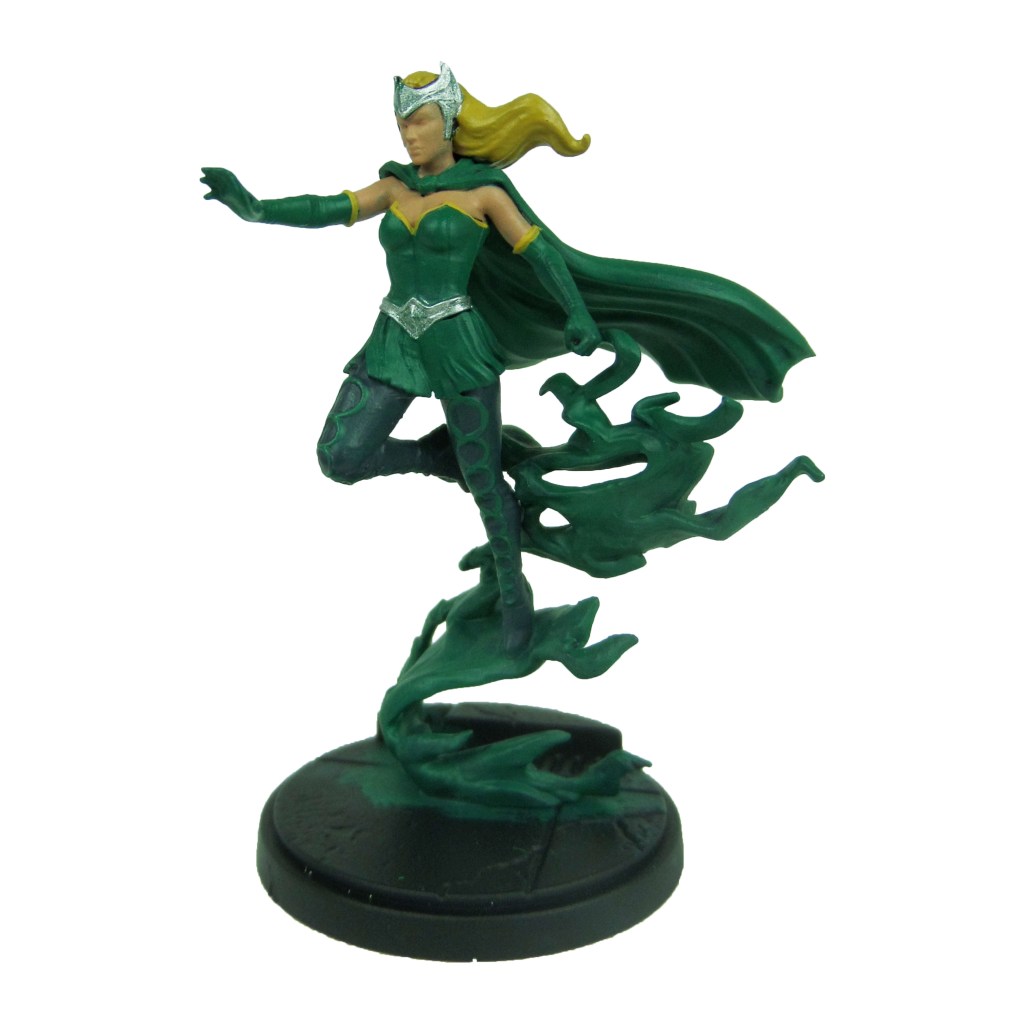
Enchantress

Stage 1

Kabalite Green: Apply a basecoat to the clothes, gloves, cape and smoke.

Cadian Fleshtone: Apply a basecoat to the skin.

Zamesi Desert: Apply a basecoat to the hair.

Incubi Darkness: Apply a basecoat to the trousers.

Averland Sunset: Apply a basecoat to the glove and bodice lining.

Ironbreaker: Apply a basecoat to the crown and belt.

Stage 2

Warpstone Glow: Apply a layer to the clothes, gloves, cape and smoke.

Reikland Fleshshade: Apply a shade to the skin.

Agrax Earthshade: Apply a shade to the yellow lining and hair.

Thunderhawk Blue: Apply a layer to the trousers.

Biel-tan Green: Apply a shade to the crown and belt.

Stage 3

Sybarite Green: Apply a line highlight to the clothes, gloves and cape.

Basic Skintone 70.815(Vallejo): Apply a highlight to the skin.

Blonde Hair 09257 (MSP): Apply a layer to the hair.

Russ Grey: Apply a line highlight to the trousers.

Stormhost Silver: Apply a layer to the crown and belt.

Yriel Yellow: Apply a layer to the yellow lining.

Temple Guard Blue: Apply a highlight to the smoke.

Stage 4

Gauss Blaster Green: Apply a spot highlight to the clothes, gloves and cape.

Light Flesh 70.928 (Vallejo): Apply a spot highlight to the skin.

Blonde Highlight 09258 (MSP): Apply a line highlight to the hair.

Fenrisian Grey: Apply a spot highlight to the trousers.

Phalanx Yellow: Apply a spot highlight to the yellow lining.

Baharroth Blue: Apply a spot highlight to the smoke.

Finish the model of by painting the base, using my Base Painting Guide.

MCP – Bullseye & Daredevil Painting Guide

Welcome to my latest painting guide!

I need your support. Because my guides takes time and supplies to do, any support you can offer would mean the world to me. A supportive message in the comments is enough, but if you have the means why not send me a gift on Ko-Fi or PayPal. Thank you!

Prep: Fully build both models and undercoat black.

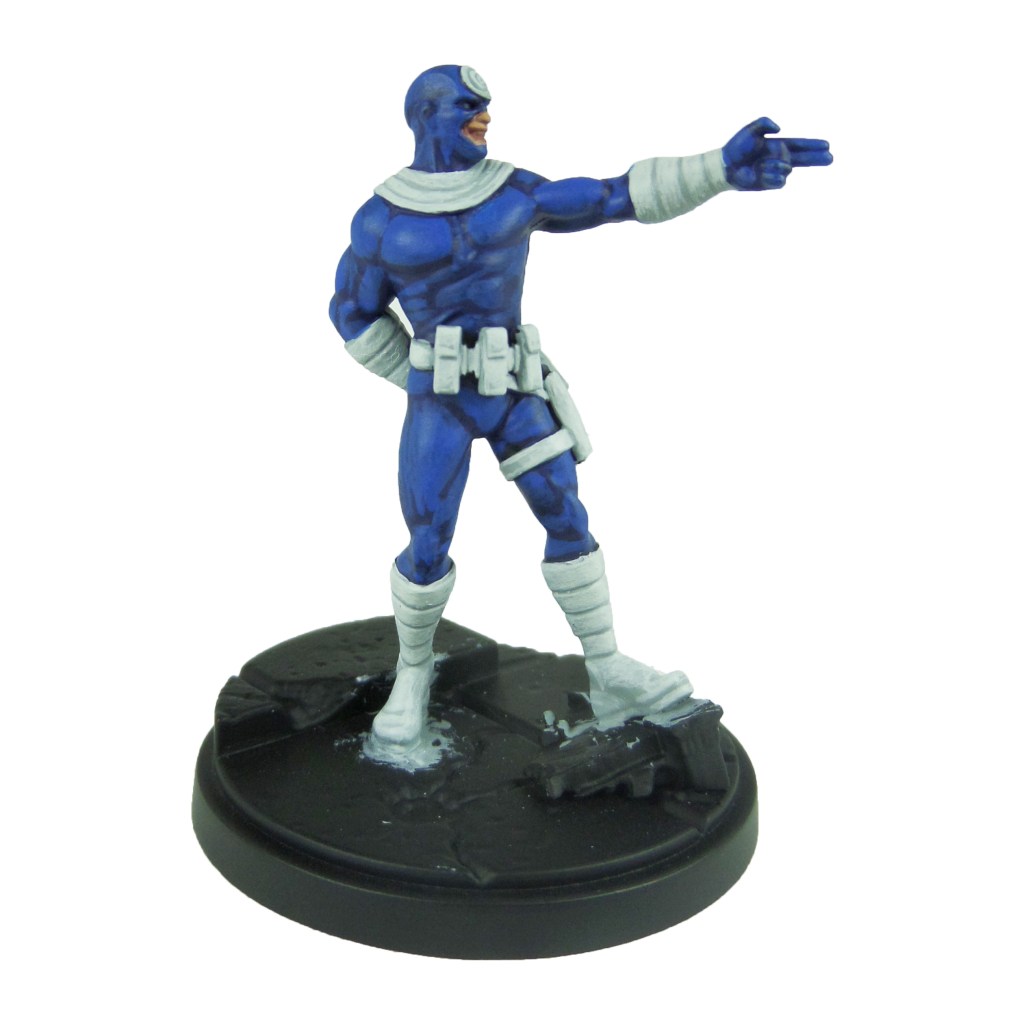
Bullseye

Stage 1

Kantor Blue: Apply a basecoat to the bodysuit.

Celestra Grey: Apply a basecoat to the suit detailing, pouches and straps.

Bugman’s Glow: Apply a basecoat to the skin.

Leadbelcher: Apply a basecoat to the knives.

Stage 2

Caledor Sky: Apply a layer to the bodysuit.

Ulthuan Grey: Apply a layer to the suit detailing, pouches and straps.

Cadian Fleshtone: Apply a layer to the skin.

Nuln Oil: Apply a shade to the knives.

Stage 3

Teclis Blue: Apply a line highlight to the bodysuit.

White Scar: Apply a highlight to the suit detail, pouches and straps.

Basic Skintone 70.815(Vallejo): Apply a highlight to the skin.

Iron breaker: Apply a layer to the knives.

Stage 4

Temple Guard Blue: Apply a spot highlight to the bodysuit.

Light Flesh 70.928 (Vallejo): Apply a spot highlight to the skin.

Stormhost Silver: Apply a spot highlight to the knives.

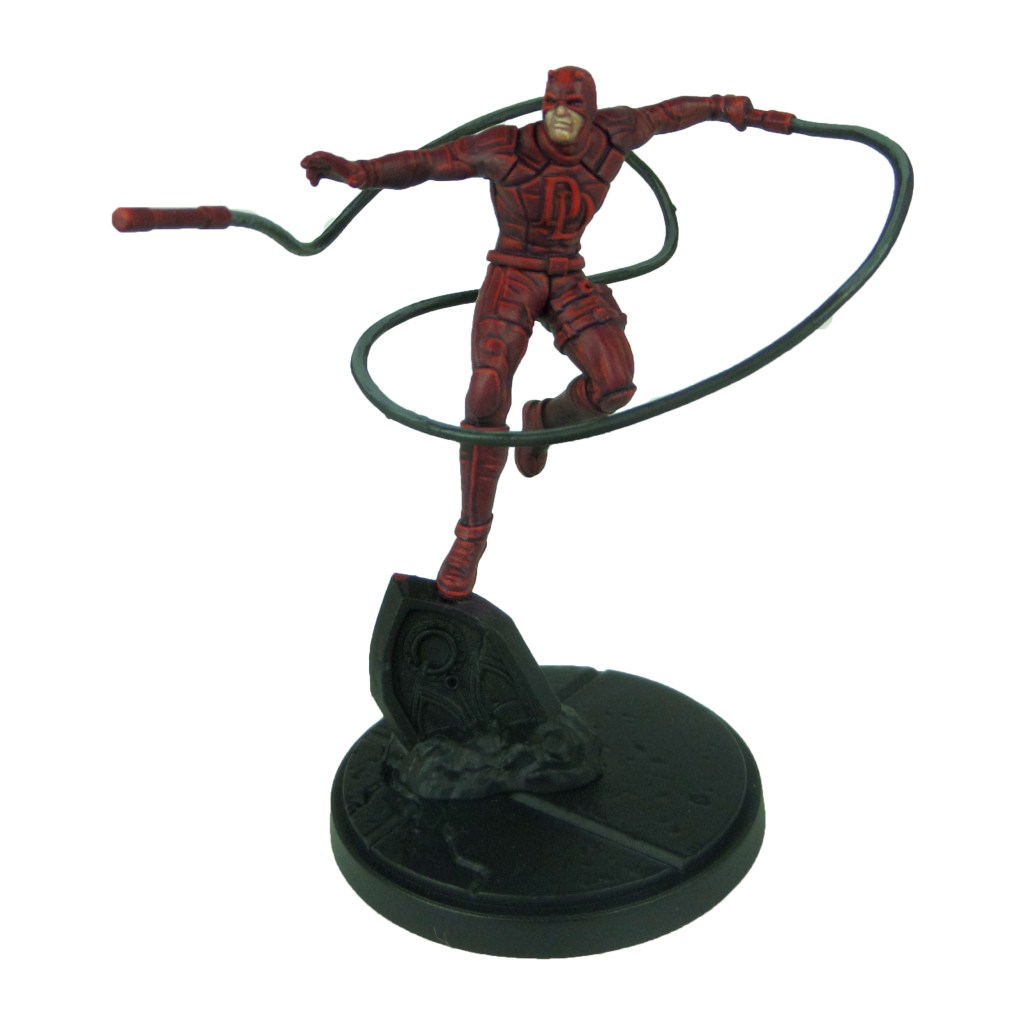
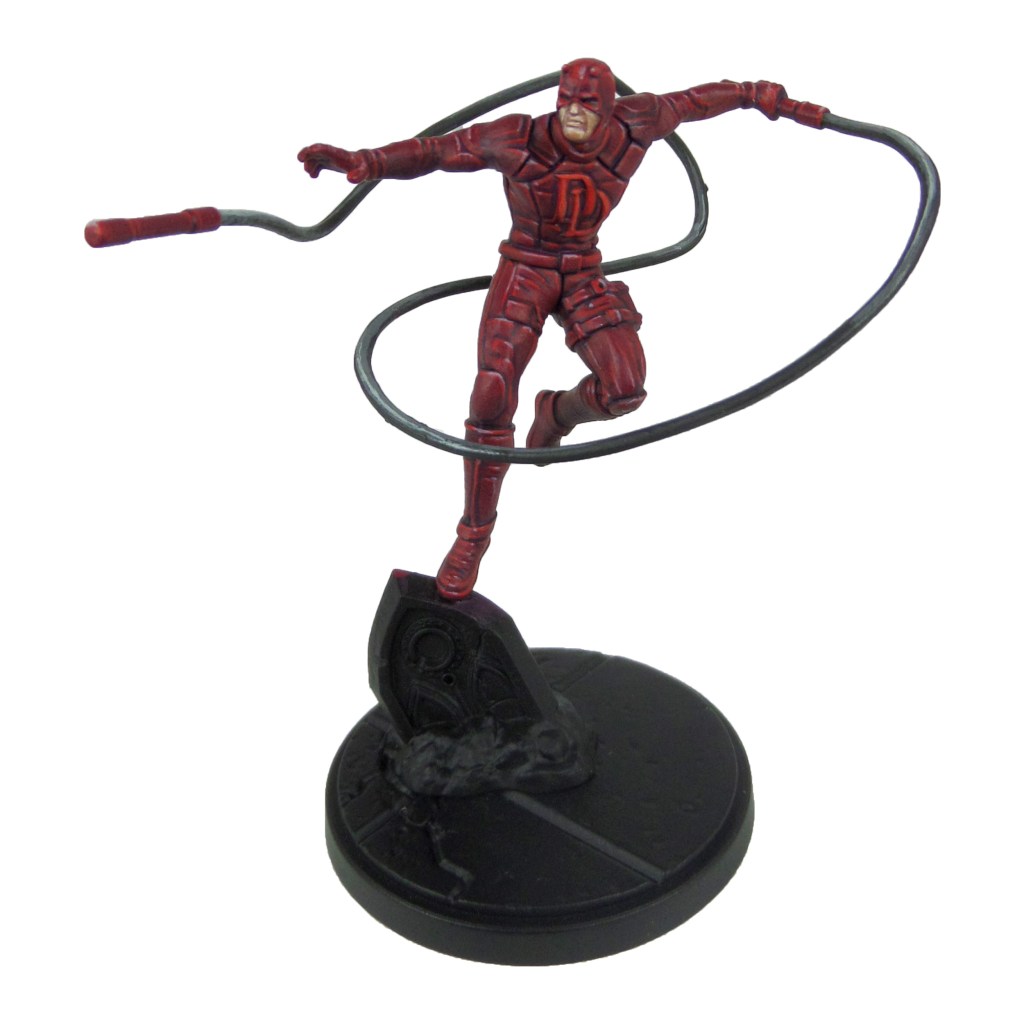
Daredevil

Stage 1

Barack-var Burgundy: Apply a basecoat to the suit and batons.

Bugman’s Glow: Apply a basecoat to skin.

Skavenblight Dinge: Apply a basecoat to the ropes.

Stage 2

Khorne Red: Apply a layer to suit and batons.

Cadian Fleshtone: Apply a layer to skin.

Nuln Oil: Apply a shade to the ropes.

Mephiston Red: Apply a layer to chest DD and the eyes.

Stage 3

Evil Sunz Scarlet: Apply a line highlight to the suit and a layer to the chest DD.

Basic Skintone 70.815(Vallejo): Apply a highlight to the skin.

Dawnstone: Apply a layer to the ropes.

Stage 4

Slaanesh Grey: Apply a spot highlight to the suit and batons.

Light Flesh 70.928 (Vallejo): Apply a spot highlight to the skin.

Celestra Grey: Apply a spot highlight to the ropes.

Wild Rider Red: Apply a spot highlight to the chest DD and eyes.

Finish the model of by painting the base, using my Base Painting Guide.

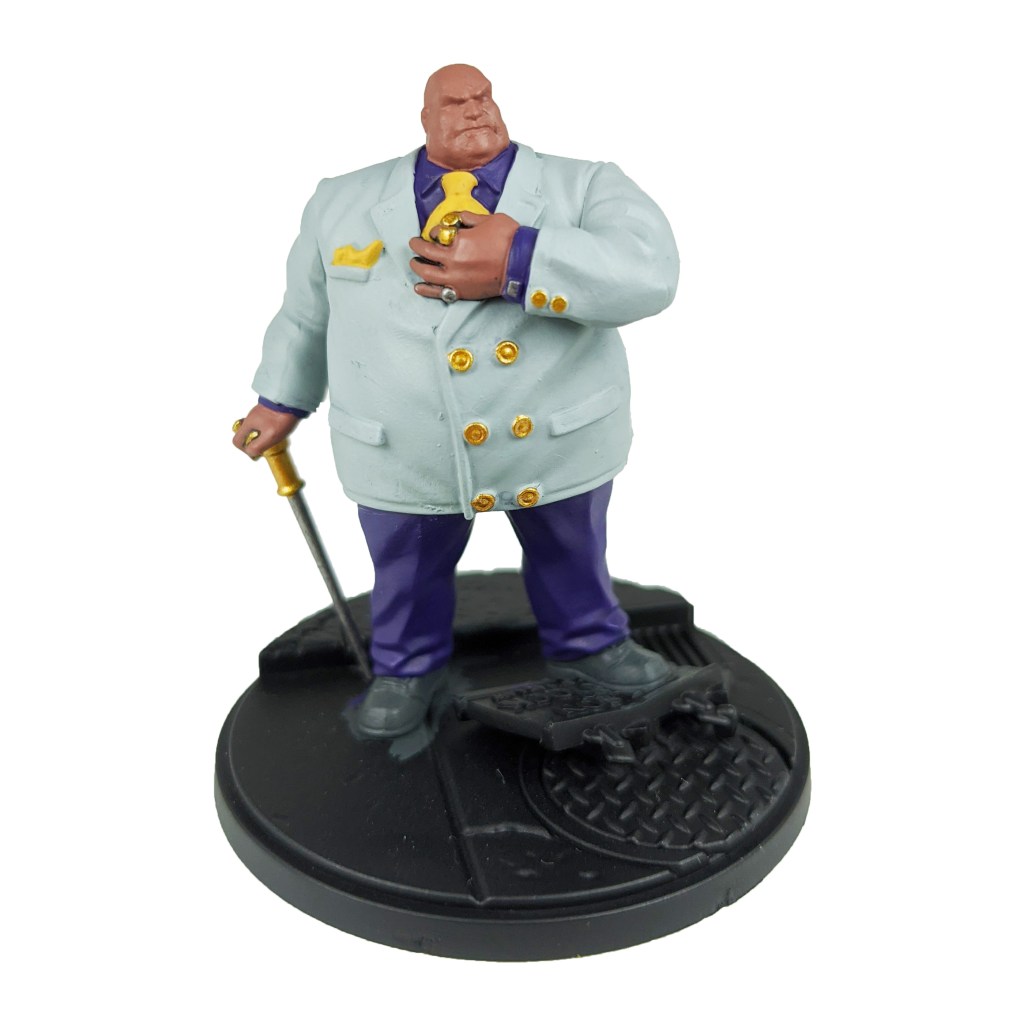
MCP – Kingpin Painting Guide

Welcome to my latest painting guide!

I need your support. Because my guides takes time and supplies to do, any support you can offer would mean the world to me. A supportive message in the comments is enough, but if you have the means why not send me a gift on Ko-Fi or PayPal. Thank you!
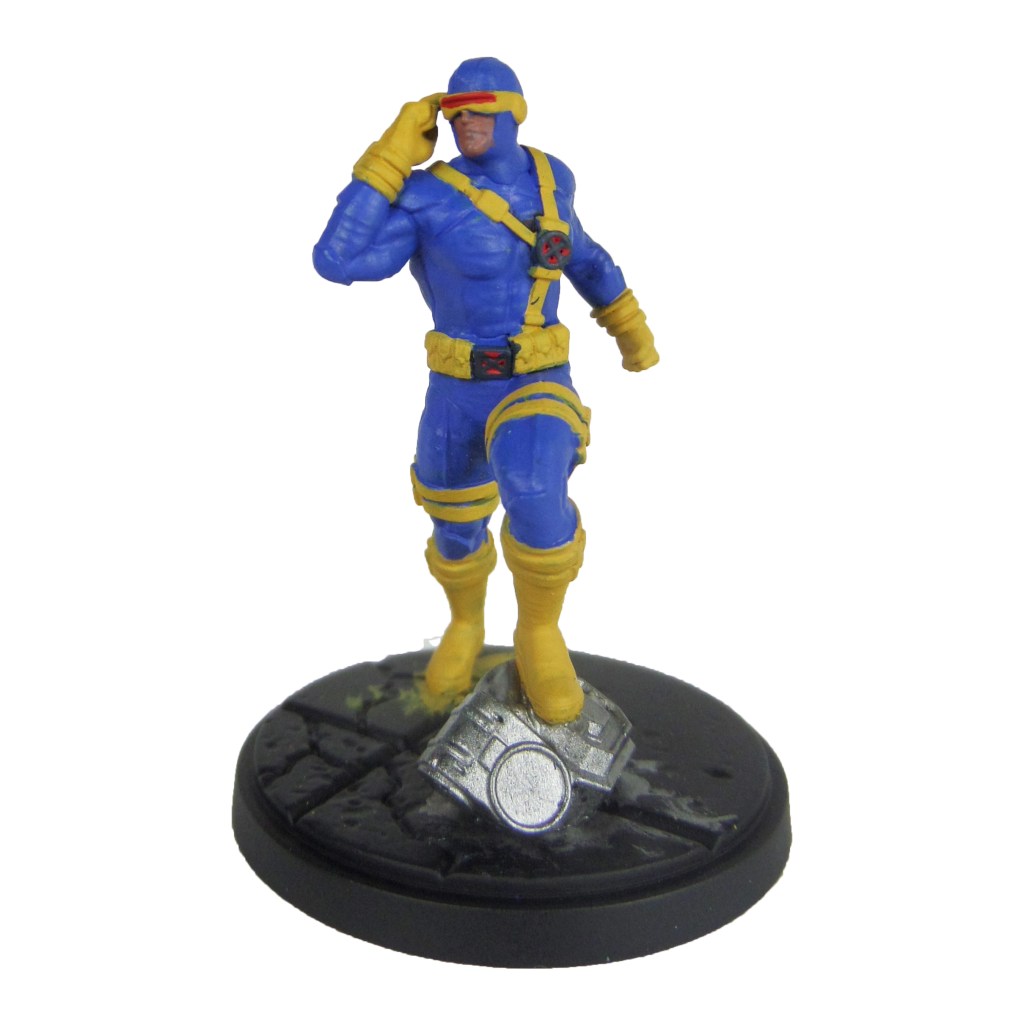
Prep. Miniature fully built and undercoated black.

Stage 1

Celestra Grey: Apply a basecoat to the jacket.

Bugman’s Glow: Apply a basecoat to the skin.

Skavenblight Dinge: Apply a basecoat to the shoes and cane.

Phoenician Purple: Apply a basecoat to the shirt and trousers.

Retributor Armour: Apply a basecoat to the buttons and cane top.

Leadbelcher: Apply a basecoat to the rings and cufflinks.

Averland Sunset: Apply a basecoat to the tie and cravat.

Stage 2

Ulthuan Grey: Apply a layer to the jacket.

Cadian Fleshtone: Apply a layer to the skin.

Nuln Oil: Apply a shade to the rings, cufflinks and shoes.

Genestealer Purple: Apply a layer to the shirt and trousers.

Druchii Violet: Apply a shade to the buttons and cane top.

Agrax Earthshade: Apply a shade to the tie and cravat.

Stage 3

White Scar: Apply a layer to the jacket.

Basic Skintone 70.815(Vallejo): Apply a highlight to the skin.

Iron breaker: Apply a highlight to the rings and cufflinks.

Dawnstone: Apply an edge highlight to the shoes and cane.

Kakophoni purple: Apply a highlight to the shirt and trousers.

Yriel Yellow: Apply a layer to the tie and cravat.

Auric Armour Gold: Apply a layer to the buttons and can top.

Stage 4

Light Flesh 70.928 (Vallejo): Apply a line highlight to the skin.

Stormhost Silver: Apply a spot highlight to the rings and cufflinks.

Celestra Grey: Apply a spot highlight to the shoes and cane.

Dechala Lilac: Apply a spot highlight to the shirt and trousers.

Dorn Yellow: Apply a spot highlight to the tie and cravat.

Baharroth Blue: Apply a layer to the centre of the tie pin.

Finish the model of by painting the base, using my Base Painting Guide.